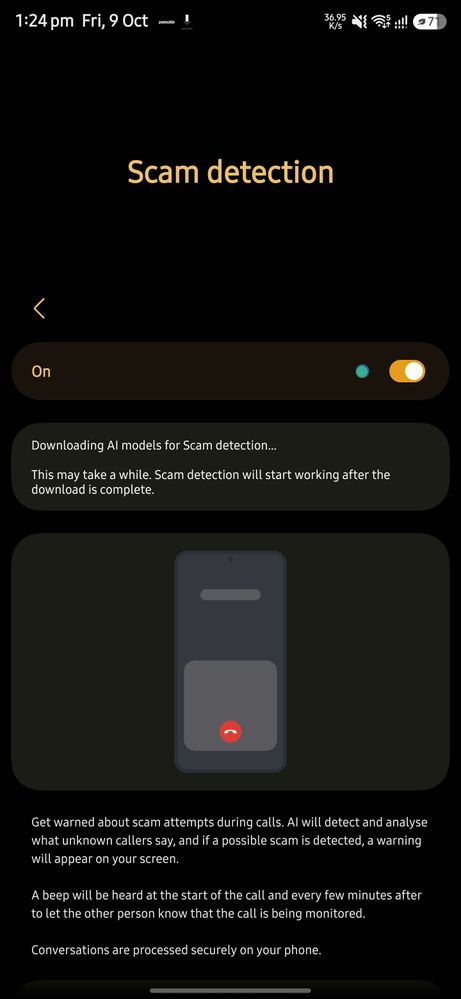
Is anyone else encountering this issue? Following the installation of the latest update, the scam protection feature remains in a continuous loading state and has failed to activate.
At Samsung, we always aim to provide impeccable services to our customers, and we highly regret that you feel this way.
Please follow these easy troubleshooting steps which may help in resolving this issue:
Phone Dailer -- Setting --> there is pop up to update a app >> click to update button >>>Galaxy Store open→ Samsung Call → Update.
If the issue persists, kindly report the problems with a log file. To share a log file, click on the Samsung Members Application (Open Samsung Members Application >> tap on Support >> tap on Send feedback >> Tap on Send icon >> select the appropriate category y >> type your query and tap on send).

sumitdala
Expert Level 5
10-9-2026 08:17 AM
in
0 likes
cs_member10
Moderator
10-10-2026 10:50 AM
in
Dear Samsung Member,
Greetings from Samsung Customer Support!
At Samsung, we always aim to provide impeccable services to our customers, and we highly regret that you feel this way.
Please follow these easy troubleshooting steps which may help in resolving this issue:
Phone Dailer -- Setting --> there is pop up to update a app >> click to update button >>>Galaxy Store open→ Samsung Call → Update.
If the issue persists, kindly report the problems with a log file. To share a log file, click on the Samsung Members Application (Open Samsung Members Application >> tap on Support >> tap on Send feedback >> Tap on Send icon >> select the appropriate category y >> type your query and tap on send).
Warm Regards,
Samsung Customer Support
0 likes
sammys25ultra
Beginner Level 2
10-10-2026 12:25 PM
in
0 likes