
Original topic:

Problems with accessibility and youtube

(Post creation time:  

10-13-2026 11:17 PM

)

964 Views

C

CJ7k

Cosmic Ray

last edited


10-14-2026 05:40 PM


in

 
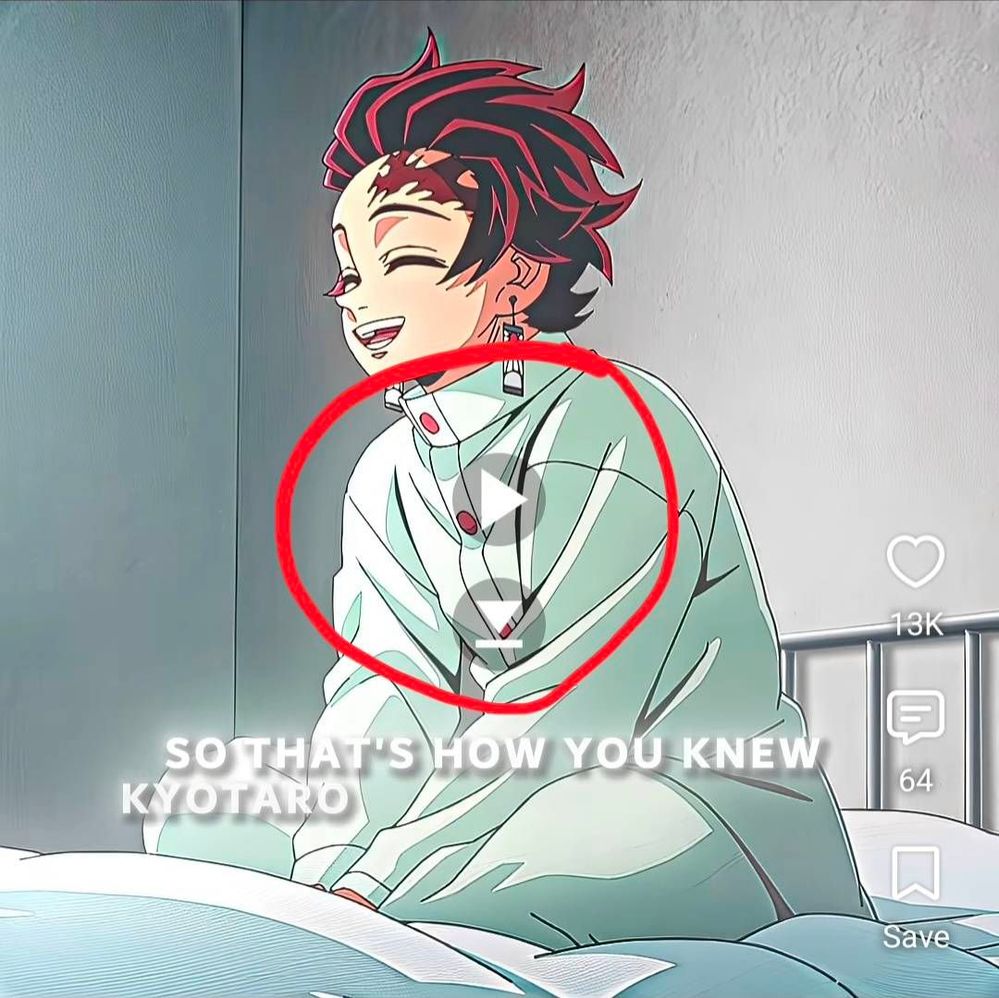
so today, after updating my phone to one ui 9.0 my YouTube started irritating me by having some feature on i think I can send a screenshot


Its those play, pause buttons, I can't find the source and I beg of you to find that setting and help me turn it off, my phone is a galaxy s24 fe.
image
Highlighted problem.

Mind you, this is only when i'm on YouTube. Specifically on shorts. TikTok doesn't have the problem but shorts does


Edit: I found a solution! To fix it, you need to go into the general management settings, click reset, click reset accessibility settings, then confirm with pin. Love you samsung 😘 
    •  

      Selected Answer

      C

      CJ7k

      Cosmic Ray

      10-14-2026 05:39 PM


      in

       
      I fixed it by using the Google lens thing thats built in, and it told to go to general management, then reset, then reset accessibility settings.

      This comment was created from this

      reply

      0 likes

    • C

      CJ7k

      Cosmic Ray

      10-13-2026 11:18 PM


      in

       
      Please help guys
    • A

      AAbbott

      Honored Contributor

      10-13-2026 11:27 PM


      in

       
      If it only happens with youtube, it's a youtube issue. You have to contact the developer.

      0 likes

      C

      Charles117

      Asteroid

      10-28-2026 08:00 AM


      in

       
      It was literally the up 9.0 update that cause a glitch with accessibility, no setting in the YouTube app could fix it only a setting reset on the actual phone.

      0 likes

      A

      AAbbott

      Honored Contributor

      10-28-2026 12:58 PM


      in


      The 9.0 update caused the glitch because YouTube had not updated their app to be compatible.  It is not the fault of the update, it is the fault of YouTube/Google for not updating the app.  If you read any part of this post, others have pointed that out.  You might try the solution of the OP.

      0 likes

      C

      Charles117

      Asteroid

      10-28-2026 01:02 PM


      in

       
      The solution of the op is to reset accessibility setting under general management under the Phone settings. Its not under any youtube app settings, its specifically under phone settings. I had the same issue and fixed it the same way.

      0 likes

    • M

      meself

      Honored Contributor

      10-13-2026 11:33 PM


      in

       
      You will need to contact youtube

      0 likes

      C

      CJ7k

      Cosmic Ray

      10-13-2026 11:34 PM


      in

       
      Its an update problem, not a youtube problem
      M

      meself

      Honored Contributor

      10-13-2026 11:35 PM


      in

       
      I dont see how ui 9 changed youtube

      0 likes

      A

      AAbbott

      Honored Contributor

      10-13-2026 11:37 PM


      in

       
      Contact the developer or put in an error report. Issues that affect only one app are the fault of that app.
    • R

      reb7333

      Constellation

      10-16-2026 09:20 PM


      in

       
      Talkback issues

      0 likes

    • R

      reb7333

      Constellation

      10-16-2026 09:22 PM


      in

       
      Talkback problem with the gesture

      0 likes

      A

      AAbbott

      Honored Contributor

      10-16-2026 10:20 PM


      in


      Is there a complete sentence in there somewhere?  Is this related to the subject matter of this post?  If not, please make your own post and be specific about what you are asking.

      0 likes

    • C

      Charles117

      Asteroid

      10-28-2026 07:58 AM


      in

       
      Thank you so much it has been driving me crazy!

      0 likes