
I recently facing this issue. Whenever we click photo (standard setup) it takes time for processing and we can see Notification in the Notification panel says "refining picture.. ". Previously I never faced this issue. I reset the camera app, then cleared cache and data, also reset my phone. But no use. Either the image sensor become weak or processor become weak.
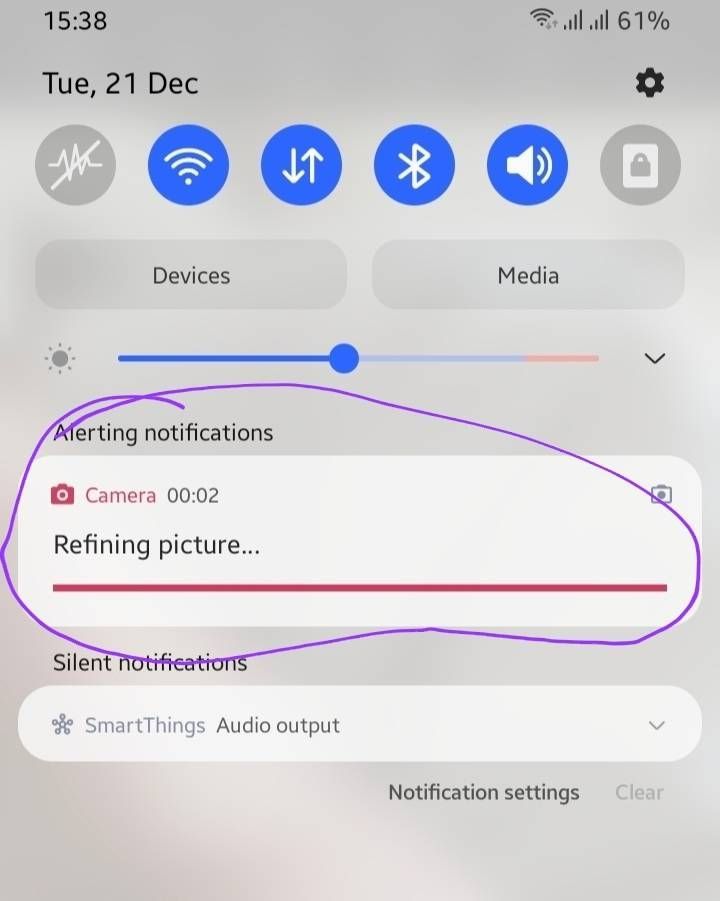
Samsung pls look in to it
( also sent error report)
Sidhabhi
★★
12-21-2021 10:26 AM
in
Also check if its happening with night mode or normal mode..
Mostly it happens after software updates..so drop feedback to Samsung via Samsung members app
0 likes
S_Kumar73
Expert Level 5
12-21-2021 11:09 AM
in
I mentioned I already sent error report.
0 likes
AYush2313
Expert Level 1
12-21-2021 11:12 AM
in
0 likes
S_Kumar73
Expert Level 5
12-21-2021 11:16 AM
in
0 likes
WalkieTechie
Expert Level 4
12-21-2021 03:40 PM
in
0 likes
cs-member13
Expert Level 4
12-27-2021 04:44 AM
in
Dear Samsung member,
Greetings from Samsung customer support.
Thank you for sharing your concern. And please follow the easy troubleshooting steps which might help to solve the issue.
Clearing the app cache is kind of like a cleanse for your apps. It will get rid of residual files that could be slowing down the app.
Open Settings, and then swipe to and tap Apps. Select or search for the app you want to clear. Tap Storage, and then tap Clear cache.
However, we would request you to register your concern in Samsung Members Application. So, that our concern team gets back to you as soon as possible.
Please follow this path to register your concern in Samsung Members Application (Open Samsung Members Application > Get help > Send Feedback > Error report).
Thank you for writing to Samsung.
Warm regard,
Samsung customer support
0 likes
S_Kumar73
Expert Level 5
12-27-2021 05:27 AM
in
0 likes