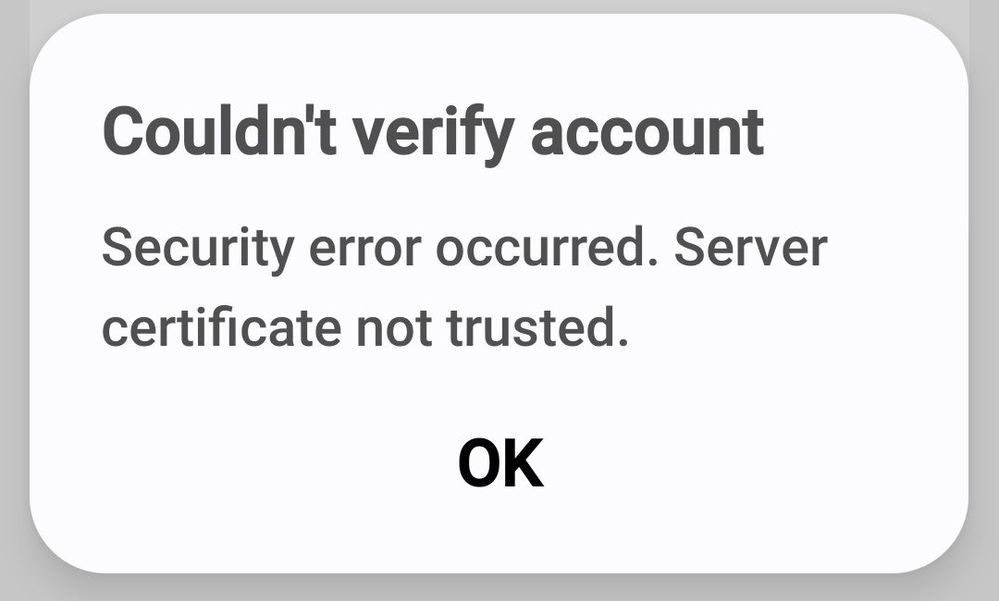
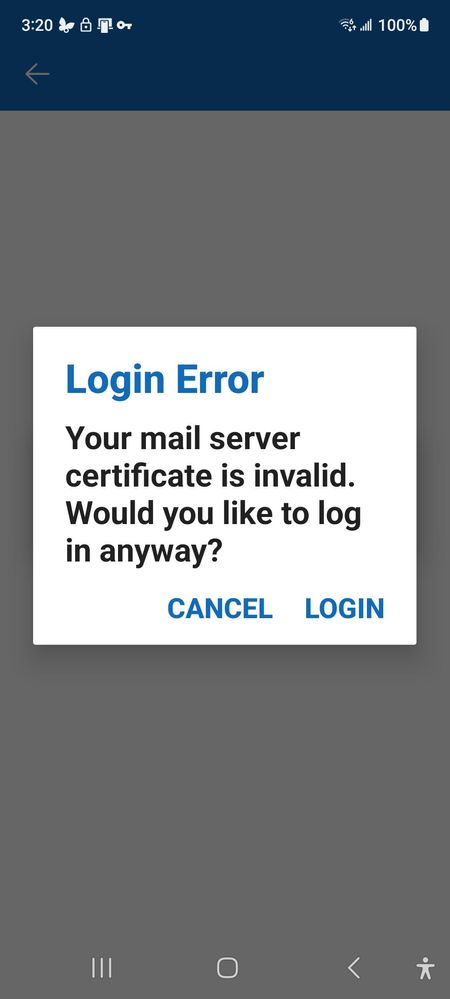
Email was fine up until a day ago. Now I get these error messages on my phone email. Computer email works fine as always. Webmail works too. Suggestions?
Certificates expire and sometimes the renewal does not happen in a timely manner. This is the fault of the email provider, not Samsung or the mail app. To test if it's the certificate or an app error, try either setting up another mail reader or going to your mail provider's webmail and see if you get the same error. It looks like, from the message, you can still choose to login. As long as you are sure you were not redirected to a spoofed site, it would be alright to go ahead and log in.
There are plenty of mail reader apps out there. You are not required to use Samsung email, although, it would be good if it was working properly. Use another app. The certificate for the computer and for the web app might be different than the phone app. You can try clearing the cache and data from the email app, if that's the one you prefer to use, and see if that helps. Otherwise download and set up another mail app and see if you get the same error. If you do, then it's an issue with the Samsung app and you should put in an error report. If you don't, then continue to use the new mail app. Try Thunderbird. You won't lose any of your historical emails by switching. Especially if you do not uninstall Samsung mail to preserve any offline emails.
For future thought, it MIGHT have been a mismatch between a setting site and how the app was polling for data. There's one site I visit that works fine when using a browser, but while using a specific app it throws an alert while trying to pull information from a specific part of it. Discussion on their forum settled on 'IPv4 vs IPv6', where someone at the site decided the information should only be accessible through IPv4, but the app was coded to use whichever protocol was provided by the Internet connection, unless "forced" to allow a connection to that site through IPv4 by editing certain files on the computer.
Glad you found something that works for you. For future reference, take @Robin621k 's advice and always check that your Google services apps are up to date when you have any similar issues. There are many times when the Google services being slightly out of date will cause issues. They normally update on their own, but sometimes an issue crops up before that update happens.

MenInBlack333
Constellation
10-20-2026 09:00 PM
in
0 likes
Robin621k
Honored Contributor
10-20-2026 09:04 PM
in
AAbbott
Honored Contributor
10-20-2026 09:07 PM
in
Certificates expire and sometimes the renewal does not happen in a timely manner. This is the fault of the email provider, not Samsung or the mail app. To test if it's the certificate or an app error, try either setting up another mail reader or going to your mail provider's webmail and see if you get the same error. It looks like, from the message, you can still choose to login. As long as you are sure you were not redirected to a spoofed site, it would be alright to go ahead and log in.
AAbbott
Honored Contributor
10-20-2026 09:50 PM
in
There are plenty of mail reader apps out there. You are not required to use Samsung email, although, it would be good if it was working properly. Use another app. The certificate for the computer and for the web app might be different than the phone app. You can try clearing the cache and data from the email app, if that's the one you prefer to use, and see if that helps. Otherwise download and set up another mail app and see if you get the same error. If you do, then it's an issue with the Samsung app and you should put in an error report. If you don't, then continue to use the new mail app. Try Thunderbird. You won't lose any of your historical emails by switching. Especially if you do not uninstall Samsung mail to preserve any offline emails.
0 likes
Robin621k
Honored Contributor
10-20-2026 11:19 PM
in
DScottSC
Asteroid
10-21-2026 02:35 AM
in
0 likes
DScottSC
Asteroid
10-21-2026 02:31 AM
in
WithAHammer
Nebula
10-21-2026 08:01 AM
in
AAbbott
Honored Contributor
10-21-2026 11:52 AM
in
Glad you found something that works for you. For future reference, take @Robin621k 's advice and always check that your Google services apps are up to date when you have any similar issues. There are many times when the Google services being slightly out of date will cause issues. They normally update on their own, but sometimes an issue crops up before that update happens.
0 likes