For the last 4 days my phone app notifications have not been appearing in my watch notifications. I did not change anything in notifications settings, and I even factory reset my watch 2 times. Nothing seems to be working.
The only notifications I get on my watch are the system notifications. No app notifications at all. I have allowed all app notifications on too so I am so confused what happened 4 days ago that made my watch stopped getting notifications.
I would suggest maybe doing a backup and factory rest it usually that helps 💯👌 sorry ur going throw that, also before Factory Resting the watch ⌚️ check ur notifications settings on ur wearable settings
Try clearing the app cache of the Wear app and/or the data. If you clear the data, you will have to redo all your settings for the app, including notifications. This may be enough to jump start your notifications, as the issue may be with the Wear app, not the watch.
I was going to suggest a simple reboot of the watch and clearing the cache partition of the watch, but the resets would have accomplished all that and did not seem to help. Did your phone recently get the OneUI9.0 update? Was the Wear app updated?
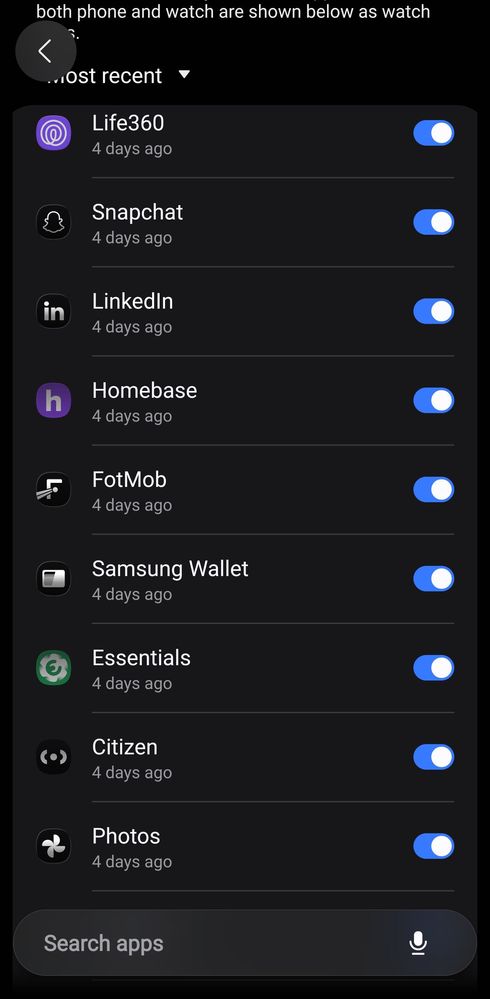
Yes I did all of that and I have not gotten any update. I noticed this in notifications settings saying these app notifications have been blocked on watch. They are turned on for notifications.
I don't know what that second app icon is, but X may itself have a restriction on notifications on the watch, although I don't see why. I no longer use X for anything and have completely uninstalled it from all my devices, so I can't test it. Do you have notifications from those app blocked on the phone? All my other app notifications come through just fine on my watch. I do not understand why this is not the case for you, especially since you said you made no changes. Before you do anything else, perhaps you should put in an error report. Do it immediately after the next time you get a notification on your phone, but it doesn't come to the watch, so the event will still be in the log.
I also want to ask, are the notifications actually not coming through or just not vibrating to let you know they arrived?

RexK10
Asteroid
10-22-2026 05:32 AM
in
0 likes
RexK10
Asteroid
10-22-2026 05:38 AM
in
0 likes
Miguel_C93
Halo
10-22-2026 09:33 AM
in
0 likes
AAbbott
Honored Contributor
10-22-2026 11:26 AM
in
Try clearing the app cache of the Wear app and/or the data. If you clear the data, you will have to redo all your settings for the app, including notifications. This may be enough to jump start your notifications, as the issue may be with the Wear app, not the watch.
I was going to suggest a simple reboot of the watch and clearing the cache partition of the watch, but the resets would have accomplished all that and did not seem to help. Did your phone recently get the OneUI9.0 update? Was the Wear app updated?
0 likes
RexK10
Asteroid
10-22-2026 03:44 PM
in
0 likes
AAbbott
Honored Contributor
10-22-2026 10:43 PM
in
I don't know what that second app icon is, but X may itself have a restriction on notifications on the watch, although I don't see why. I no longer use X for anything and have completely uninstalled it from all my devices, so I can't test it. Do you have notifications from those app blocked on the phone? All my other app notifications come through just fine on my watch. I do not understand why this is not the case for you, especially since you said you made no changes. Before you do anything else, perhaps you should put in an error report. Do it immediately after the next time you get a notification on your phone, but it doesn't come to the watch, so the event will still be in the log.
I also want to ask, are the notifications actually not coming through or just not vibrating to let you know they arrived?
0 likes