
Original topic:
Missing in 'Settings'
(Post creation time:
1 hour ago
)
41 Views
J
James_1949
Asteroid
I purchased a reconditioned and unlocked Galaxy S26 Ultra and the option 'Software Update' in 'Settings' is missing. I enabled auto update, but I have had no updates since I got the phone two weeks ago. I believe the phone was a Version phone before it was unlocked. Does anyone know if it is possible to get the 'Software Update' to appear in 'Settings'
meself
Honored Contributor
1 hour ago
in
The software updater is Grey out or not showing?
0 likes
James_1949
Asteroid
19 minutes ago
in
It is missing.
meself
Honored Contributor
1 hour ago
in
Toggle your SIM line: Go to Settings > Connections > SIM Manager, turn your SIM/eSIM line OFF, wait a moment, and turn it back ON to refresh the network connection. You can also try removing and reinserting a physical SIM card.
Restart the phone: A standard reboot clears temporary software conflicts. If the phone is unresponsive, perform a force restart.
Check connection, storage, and battery: Connect to a stable Wi-Fi network, free up internal storage space, and charge the battery above 50%.
Test in Safe Mode: Restart into Safe Mode to rule out third-party app interference, then check Settings > Software update.
Update via Samsung Smart Switch: Connect your phone to a computer with Samsung Smart Switch and check for updates over USB.
James_1949
Asteroid
13 minutes ago
in
Thanks, I have tried every solution you mentioned and still have no 'Software Update' in 'Settings'.
meself
Honored Contributor
5 minutes ago
in
I would try to get a refund and return the phone
0 likes
meself
Honored Contributor
1 hour ago
in
usually points to a SIM/carrier provisioning issue, a device management (MDM) or work profile restriction, or a temporary system glitch
0 likes
Y0u
Honored Contributor
60 minutes ago
in
You can go try to go security and privacy and go to updates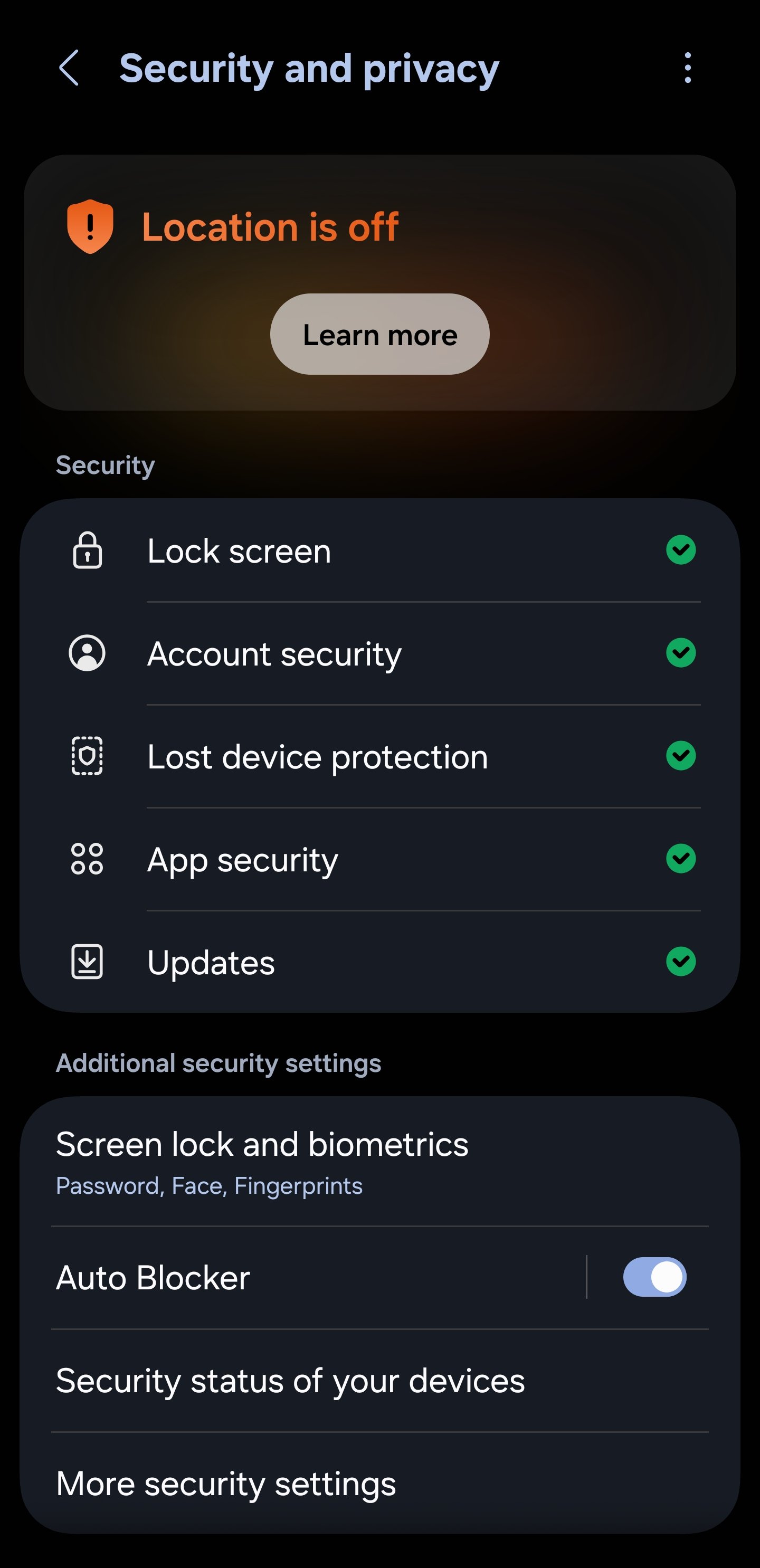
0 likes
James_1949
Asteroid
3 minutes ago
in
I did this and the only update is to the Google Play system. When I try the update, it goes though the motions, phone restarts twice, but then I check again and still shows a Google Play system update available. So, it seems that the update is not working. I believe there is a problem with the phone.
0 likes
meself
Honored Contributor
60 minutes ago
in
May not be unlocked goto settings than at bottom about phone than tap software information towards the top is network what does that show
0 likes