
I cannot get my S25U to work with my 2020 Chevy Silverado. My S24U had no issues connecting on the day of or for the past year for that matter.
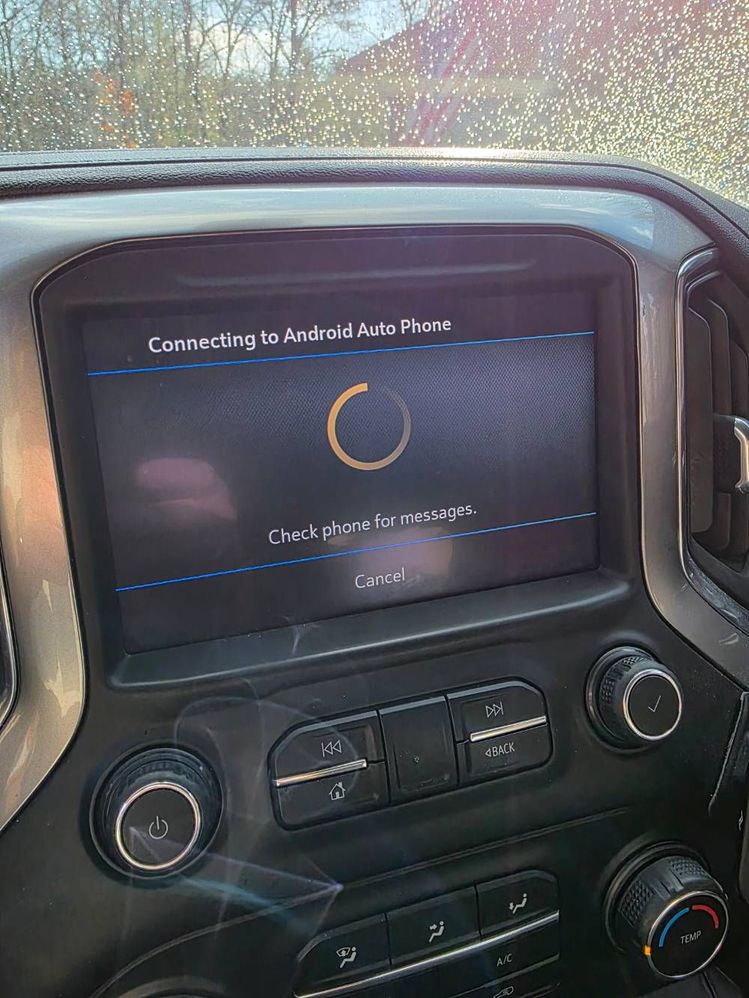
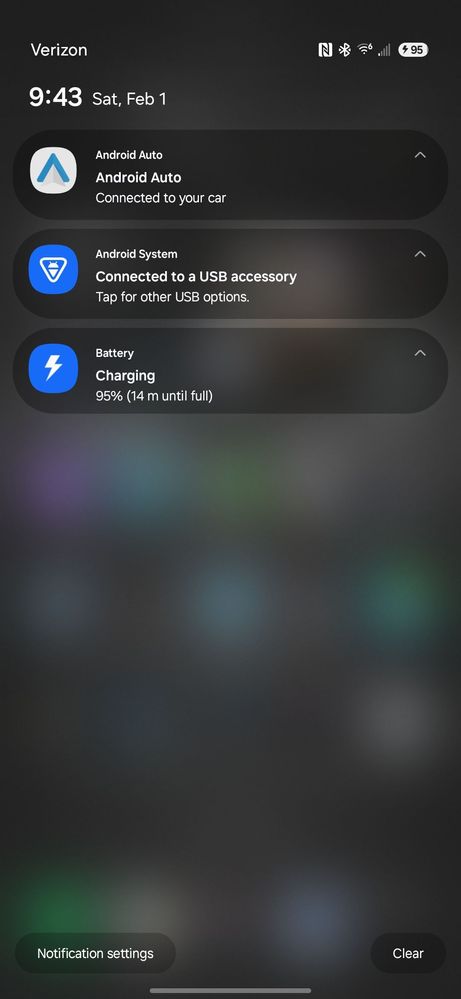
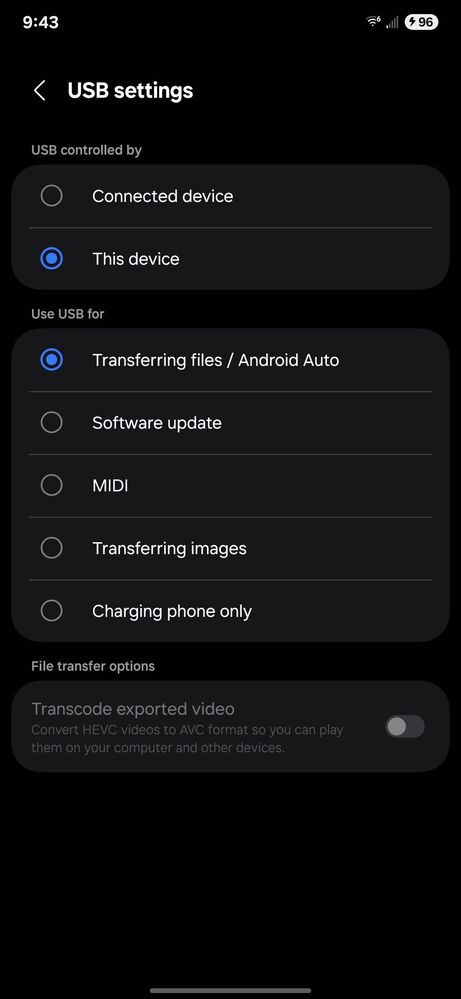
My phone and truck both say it's connecting, but it never comes up.
Here's the message that I get on my infotainment:
Connecting to Android Auto Phone
Check phone for messages.
Cancel
I've tried clearing cache on my phone, no updates available on the phone or infotainment.
I've tried both usb ports and 2 different new cords.
Selected Answer
Deja3
Nebula
2 years ago
in
USAMAC
Asteroid
2 years ago
in
Deja3
Nebula
2 years ago
in
Annetea
Constellation
2 years ago
in
Thank you, it must have something to do with using smart switch. I reset everything else including the car's system. This worked immediately.
LongHiker
Galactic Samsung Care Ambassador
2 years ago
in
@USAMAC Have you tried turning off Auto Blocker?
USAMAC
Asteroid
2 years ago
in
0 likes
Members_XTRJIOs
Constellation
2 years ago
in
This solved my problem. Thank you! So frustrating that I spent close to an hour texting with Samsung's useless tech support before I searched and found your comment. Thanks!
KA21
Asteroid
2 years ago
in
S25 Ultra phone's android auto does not connect to Honda CRV 2020 by USB cable? Keep's saying chck your smartphone. frustrated. Tried a couple of cables including one that worked on my note 20 ultra 5g. Please help.
kclepper
Constellation
1 year ago
in
0 likes
Samsung_23EC0DV
Asteroid
1 year ago
in
I have the same problem. with my 2022 CRV Hybrid. I've scoured the web and tried everything but nothing works. I guess I'm going to try a factory reset and try again.
0 likes
SpokaneJim
Asteroid
2 months ago
in
0 likes
Anne1
Constellation
2 years ago
in
Ik had dit probleem ook.
Heleboel stappen gevolgd (andere kabel etc.). Uiteindelijk is het
opgelost door
a. het infotainmentsysteem van mijn Mazda 2 opnieuw op te starten
b. cache en gegevens verwijderen van Android auto op je smartphone
c. autoblocker uitgeschakeld
Toen pas kabeltje verbonden en ja! Hij heeft eindelijk Android Auto gevonden.
Bedankt voor de eerder gegeven tips!
LongHiker
Galactic Samsung Care Ambassador
2 years ago
in
@USAMAC The post by @Anne1 is in Dutch.
Translation:
I had this problem too.
Followed a lot of steps (different cable, etc.). Ultimately it is solved by
a. restart the infotainment system of my Mazda 2
b. delete cache and data from android auto on your smartphone
c. autoblocker disabled
Only then connected the cable and yes! He finally found Android Auto.
Thanks for the tips given earlier!
USAMAC
Asteroid
2 years ago
in
Samsung_23EC0DV
Asteroid
1 year ago
in
Thank you for this. This fixed my connection problem! Yay!
thetexan
Constellation
2 years ago
in
0 likes
USAMAC
Asteroid
2 years ago
in
If you find a more reasonable and frankly convenient alternative option, please share here! I thought I'd find some usb dangle to plug in that would provide this basic feature.
0 likes
Deja3
Nebula
2 years ago
in
https://a.co/d/16Tt337
LongHiker
Galactic Samsung Care Ambassador
2 years ago
in
@USAMAC I bought one of these. Very easy to mount, connect and use. No tearing up your dash. Link -> https://www.amazon.com/dp/B0CGTSWPNX?ref_=ppx_hzsearch_conn_dt_b_fed_asin_title_1
Members_VIvsm52
Constellation
2 years ago
in
same issue for me too. S25 ultra and 2016 honda civic.
0 likes
KA21
Asteroid
2 years ago
in
Android auto starts working on my 2020 Honda CRV. Following is what I have done based on some suggestions posted here and some others. All are listed below:
On cell phone S25Ultra
Cleared Cache, cleared data
Turned of Auto blocker in settings under security and Privacy
Cleared previously connected cars.
Bought a new data cable (just to be sure.)
ON the car side
Restarted car's infotainment unit .
in smartphone settings chose Android Auto
"Disabled" previous connected phone (my note 20 ultra)
"Enabled" unknown connected device (Now is being shown my s25ultra)
Turned off my phone's Wi-Fi (was trying to connect in my drive way and felt it was a problem)
Connected my phone to car's USB port.
It took some time to connect (saying finding Bluetooth, even though phone was already paired).
Android auto was then connected and worked fine since then. ( 1day, waited performance before posting)
Trust it would be helpful. Best wishes and thanks for reading.
Mugatu
Constellation
2 years ago
in
I had the same problem as listed above with a 2018 Acura TlX. Slight difference is that my S25 ultra kept saying "android auto has been disconnected please unplug when safe" every time I tried to hit proceed or next. My cars infotainment would say finish setup on device when I got this message on my phone.
I followed all of the steps listed you listed, Clear cache/data, disable auto blocker, tried multiple cables, uninstalled android auto and reinstalled it, cleared basically everything on the phone side.
On my car side I don't have any other options other than removing old connected devices from android auto and removing Bluetooth devices which I did. After all of that it still was not working lol
The one thing that finally made it work was to uninstall android auto via google play, restart my phone, then redownload android auto (says update instead of install for some reason) via google play. After I did that it just started working. No idea why the restart was necessary but It ended up working so I am now a happy camper. Thanks for the post!
0 likes
user1mSmXlL9FE
Constellation
2 years ago
in
Cache and data reset worked for me. It got a pop-up I must have missed when I first tried to connect that ask to allow permissions. Once I accepted that everything worked as usual.
0 likes