
Original topic:

Popup advertisement bubbles

(Post creation time:  

3 years ago

)

6312 Views

C

Chiefs101

Constellation

last edited


3 years ago


in

 
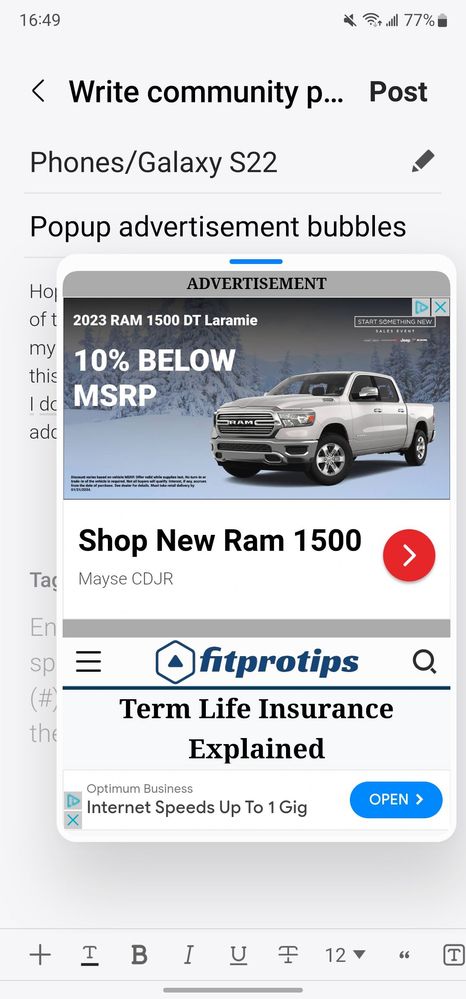
Hoping somebody can help me with getting rid of these annoying pop up advertisements on my home screen of my S22 Ultra. Never had this issue before. Started about 3 or 4 days ago I don't believe there has been any other apps added to my phone. Below is a screen shot of what I'm getting 
image


    •  

      Selected Answer

      L

      LongHiker

      Galactic Samsung Care Ambassador

      3 years ago


      in


      @Chiefs101 This is caused when you download (either directly or inadvertently) something which has malicious intents. Or visit a site which downloads it for you. 

      You should check to see which apps have been opening the browser. You can determine this by:

      1. Open Samsung Internet
      2. Click the hamburger menu in lower right
      3. Click on Privacy
      4. Scroll down and click on Block apps from opening internet
      5. If you notice an unknown app in the list or an app which should not be opening the browser, disable it or delete it.
      C

      Chiefs101

      Constellation

      3 years ago


      in

       
      Thank you
    • M

      MichaelAsh

      Asteroid

      3 years ago


      in

       
      I'm using S22 Ultra as well and since newest update, I am unable to use my visual voicemail? Any suggestions??

      0 likes