Since it started after the U9 update and happens across all apps, try clearing the Samsung Keyboard cache under Settings > Apps > Samsung Keyboard > Storage > Clear cache. Also restart the phone and check for any keyboard updates in the Galaxy Store. If it still lags, try switching temporarily to another keyboard to see if the issue is specific to Samsung Keyboard.
I also have this problem. have cleared the cache on keyboard about a million times. nothing changed. also restarted my phone a million times and it only helps for about an hour. 🙄 if they don't fix this in the next week I'm actually gonna throw this phone out into the nearest dumpster and just stop buying from Samsung. clearly they aren't gonna do anything about this issue

Calypso_L
Constellation
Thursday
in
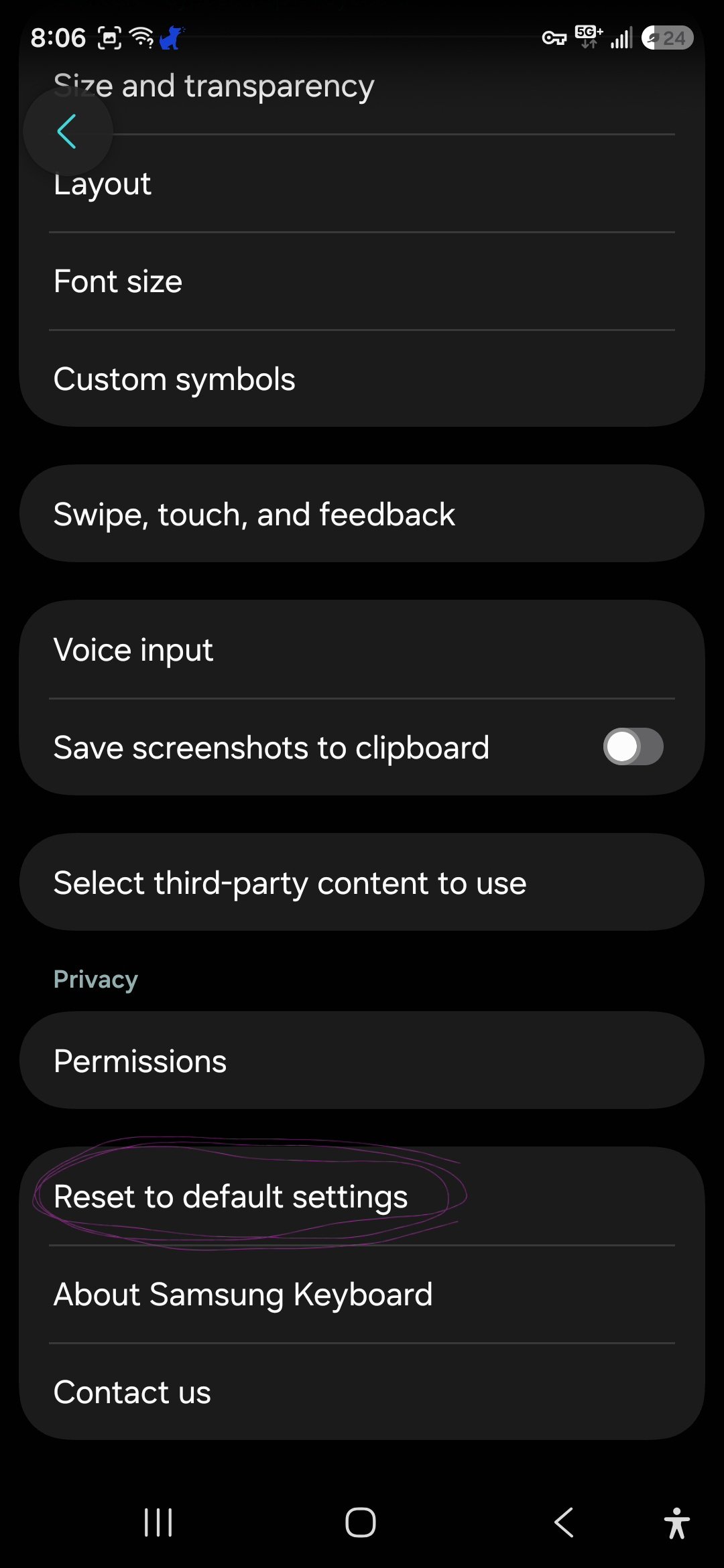
Go to settings, search for your keyboard, and go to the next page, then scroll down and reset your keyboard settings. See if that helps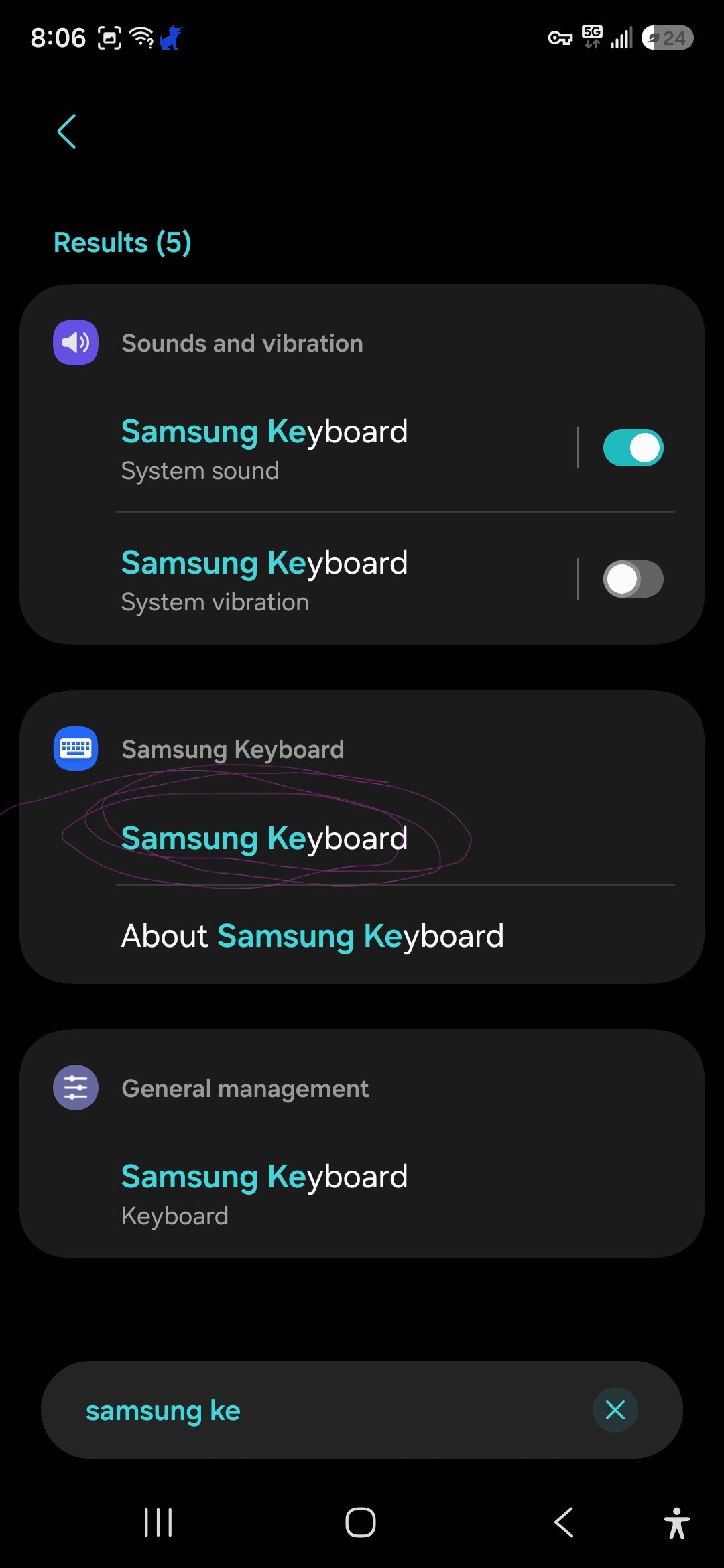
meself
Honored Contributor
Thursday
in
Not had any issues
Members_HaA6UYS
Constellation
Thursday
in
😂
Calypso_L
Constellation
Thursday
in
What's funny?
DFWTechGuy
Halo
Thursday
in
Since it started after the U9 update and happens across all apps, try clearing the Samsung Keyboard cache under Settings > Apps > Samsung Keyboard > Storage > Clear cache. Also restart the phone and check for any keyboard updates in the Galaxy Store. If it still lags, try switching temporarily to another keyboard to see if the issue is specific to Samsung Keyboard.
naomi16
Constellation
Friday
in
I also have this problem. have cleared the cache on keyboard about a million times. nothing changed. also restarted my phone a million times and it only helps for about an hour. 🙄 if they don't fix this in the next week I'm actually gonna throw this phone out into the nearest dumpster and just stop buying from Samsung. clearly they aren't gonna do anything about this issue
adraina
Constellation
Yesterday
in
I had so much issues
0 likes