
Tips & How-to
Easy guides for quick solutions
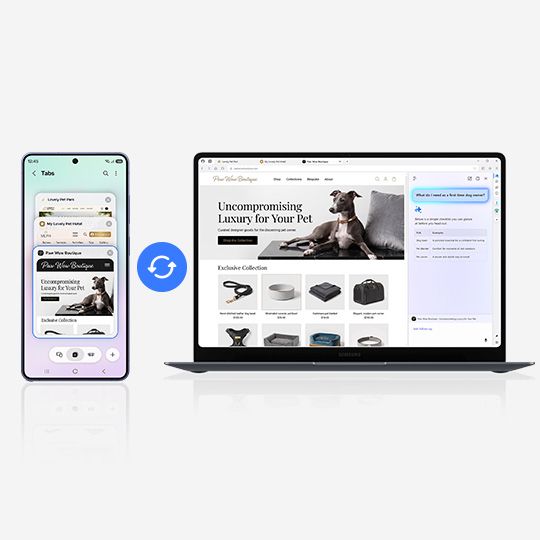
Hello everyone, Did you know that Samsung Browser for PC has officially launched? Designed to go beyond mobile, Samsung Browser now delivers a seamless cross-device browsing experience between mobile and PC, along with easy and secure sign-in through Samsung Pass integration and new agentic AI capabView Post
9K
32
15
Turn photos into cartoons and more Photo assist's new Style tool transforms people, pets, or even entire images into cartoons and other cool styles with a single tap.View Post
54
0
0
Samsung Bespoke AI Appliances and SmartThings can create more comfortable and manageable home environments across sleep, food, and household care. By automating decisions and reducing manual steps of daily household chores, intelligent appliances can give households more time and capacity to focus oView Post
3K
7
5
Remove unwanted sounds with Audio eraser Audio eraser helps you get rid of distracting noise in your videos and audio recordings. You can use it in Gallery, Video Player, Samsung Notes, Voice Recorder, and Phone. Options may vary depending on your device.View Post
5K
11
11
Find out who's calling and why before answering Let a call assistant screen calls for you. Callers will be asked for their name and the reason for their call.View Post
107
0
2
Galaxy Watch Ultra2 becomes the Official Smartwatch Partner of one of the Philippines’ premier trail-running communities The trail has a way of redefining what makes a run worth the distance. It is not always about the fastest pace or the shortest time. Sometimes, it is about making the climb, findiView Post
4K
8
11
Touch and hold the Home button, then circle or tap text, images, or QR codes to learn more and explore. You can also translate on-screen text or search for a song you're hearing or humming.View Post
8K
17
20
Do more with Gemini Press and hold the Side button to talk to Gemini. You can ask about what you see through your camera or on your phone screen in real time. Gemini also lets you make complex tasks simple. Try asking Gemini to add your favorite team's next 5 games to your calendar or to create a liView Post
1K
9
18
Packed into a remarkably slim, durable design with sustained peak performance, long-lasting battery life and the latest Galaxy AI, the Galaxy Tab S12 series empowers users to push their boundaries without limitations Samsung Electronics Co., Ltd. unveiled the Galaxy Tab S12 series — Galaxy Tab S12 UView Post
6K
3
4
Erase anything with ease Remove photobombers, objects, and more with Photo assist's enhanced AI eraser. It's the perfect tool for cleaning up your photos. Made a mistake? Tap the History icon in the top right corner of the editing screen to restore previous versions of your image. Options may vary dView Post
10K
23
17