
Five days after the One UI 7 update, I recently changed my home screen layout, as my previous homescreen layout was from before the update. After the update, my home screen from the previous One UI version was a bit messy, so I adjusted its layout after updating to One UI 7.
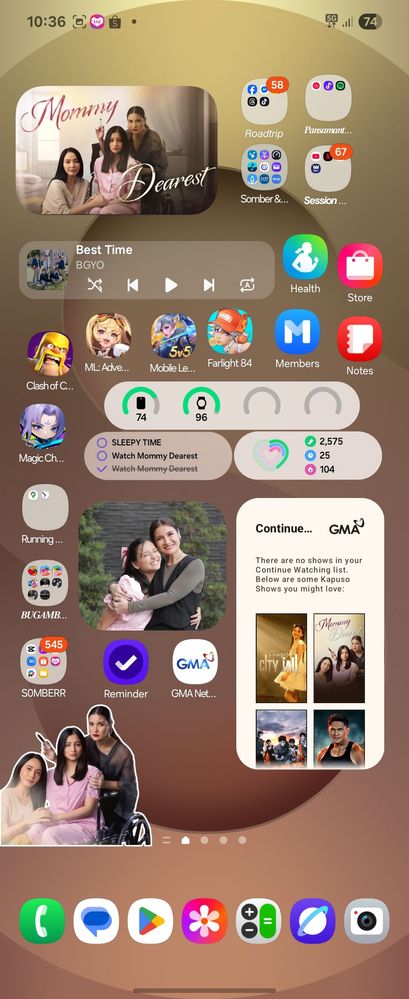
Before
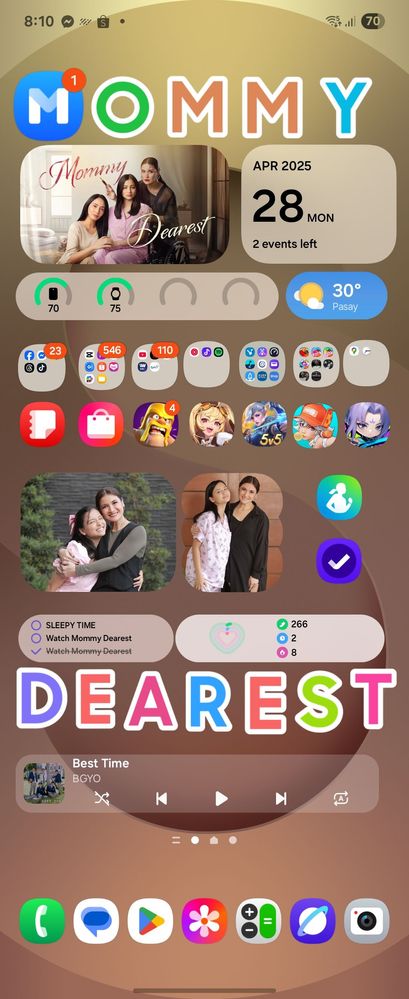
After the update, my first experience involved customizing the icon positions, sizes, and widgets with the DIY Homescreen. As you can add stickers, including letters and numbers, to spell out your name or anything else you want to customize.
After
buchukoy
Active Level 5
Monday, April 28th, 2025 06:00 AM
in
_jp
Active Level 4
Monday, April 28th, 2025 11:37 AM
in
PUFFY_AmiYumi
Expert Level 5
Monday, April 28th, 2025 12:31 PM
in
0 likes