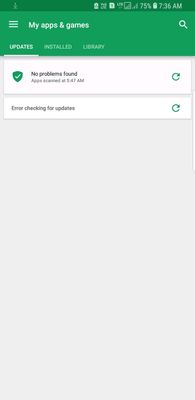
We do apologize for the inconvenience caused, please follow the below steps to fix the play store issue:
- Navigate to apps >> Settings >> Apps >> Tap on three dots >> Show system apps >> Play store >> force stop. - Navigate to apps >> Settings >> Apps >> Tap on three dots >> Show system apps >> Play store >> Storage >> clear data. - If still issue persists, please contact the play store support team once from help and feedback section.
Be sure to hit ♡ when you find an answer that works for you. For Further assistance, you can get in touch with us via Live Chat option by following- http://livechat.support.samsung.com/Customer_new/IN. You can also connect us via Samsung Members web community by following mentioned url-https://community.samsungmembers.com/en_IN#/

sadiquemv
Active Level 5
07-31-2018 04:29 AM
in
0 likes
vikrantcmj
Active Level 3
07-31-2018 05:03 AM
in
0 likes
kpu
Active Level 7
07-31-2018 09:32 AM
in
settings>>apps>>play store>>storage>>clear cached data and clear data
if this not works then
disable play store and then update it.
0 likes
admin_
Expert Level 5
08-2-2018 04:55 AM
in
- Navigate to apps >> Settings >> Apps >> Tap on three dots >> Show system apps >> Play store >> force stop.
- Navigate to apps >> Settings >> Apps >> Tap on three dots >> Show system apps >> Play store >> Storage >> clear data.
- If still issue persists, please contact the play store support team once from help and feedback section.
Be sure to hit ♡ when you find an answer that works for you. For Further assistance, you can get in touch with us via Live Chat option by following- http://livechat.support.samsung.com/Customer_new/IN. You can also connect us via Samsung Members web community by following mentioned url-https://community.samsungmembers.com/en_IN#/
0 likes