title:

Playstore error

(Post creation time:  

11-2-2020 09:30 PM

)

1456 Views

S

Shank_Sar

Active Level 9

last edited


11-2-2020 09:30 PM


in

 
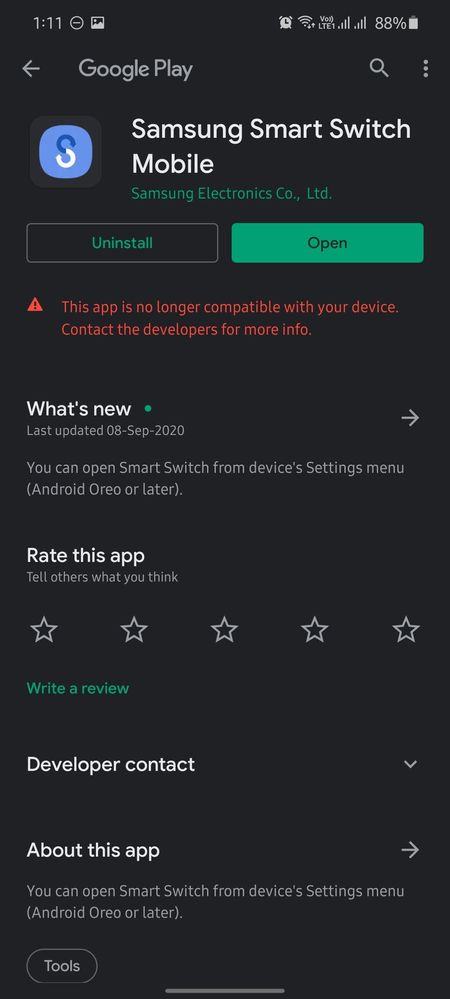
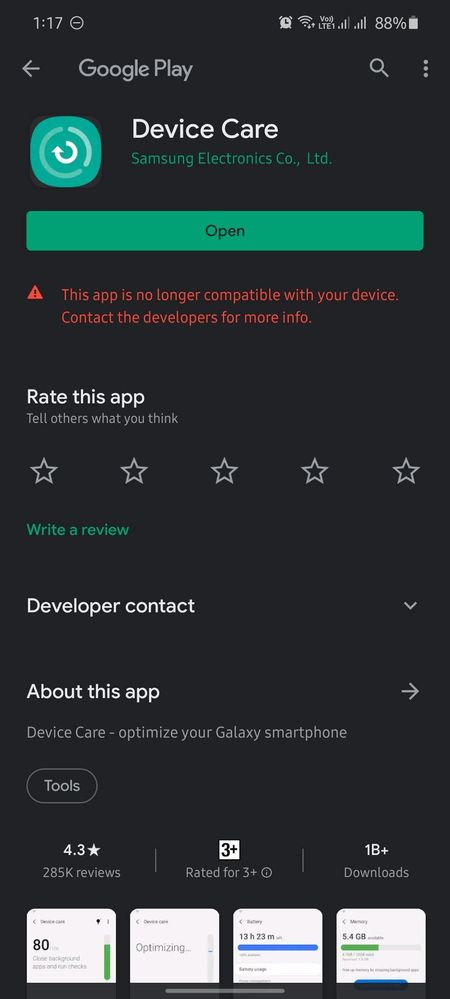
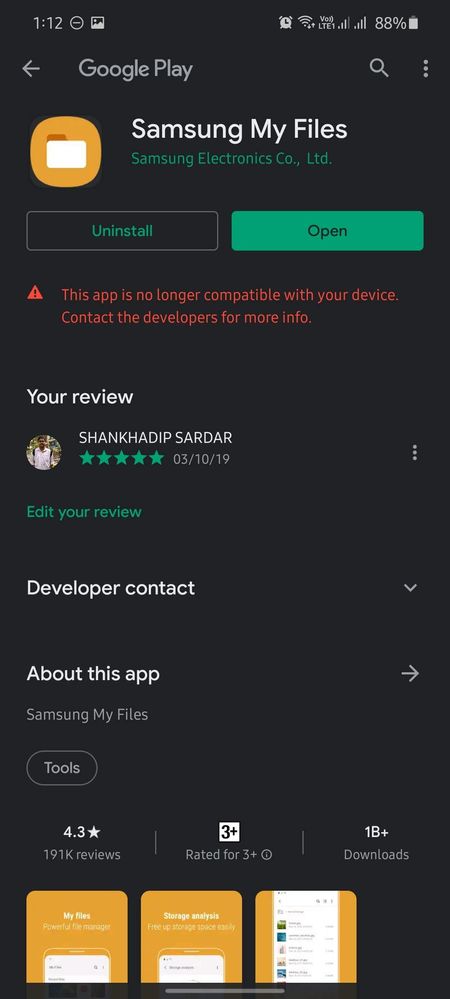
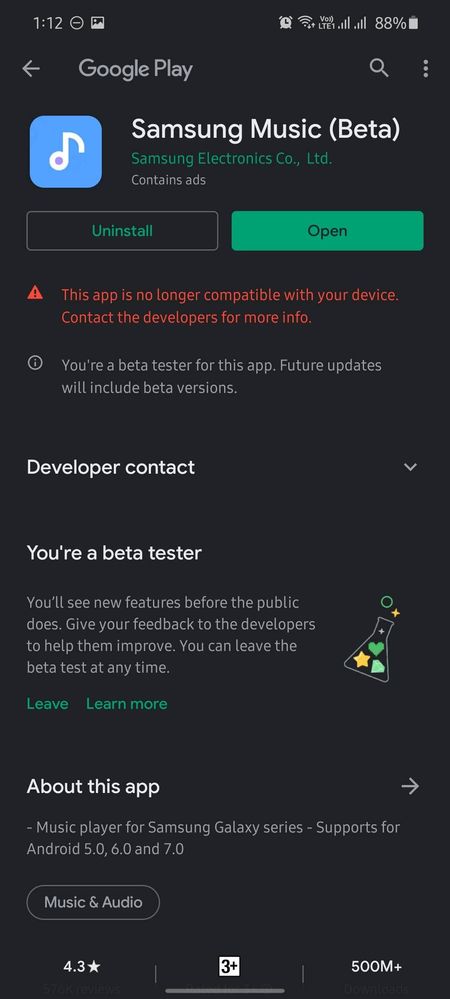
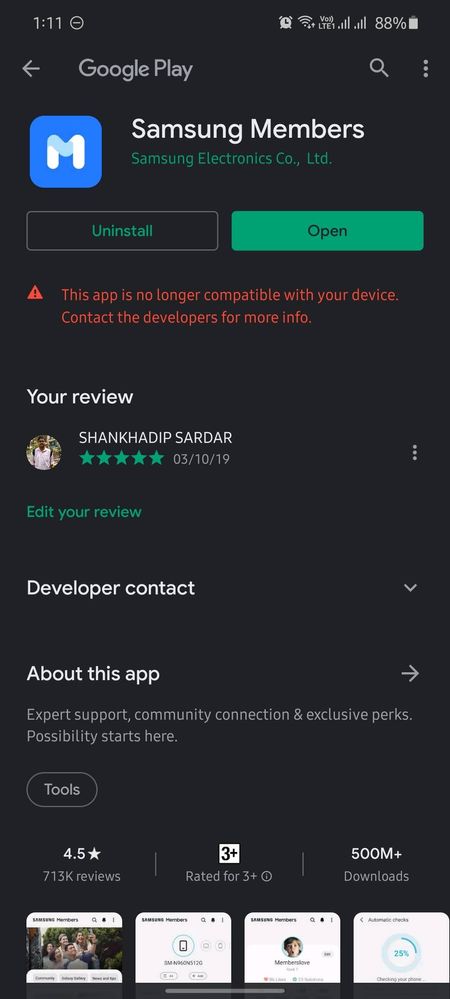
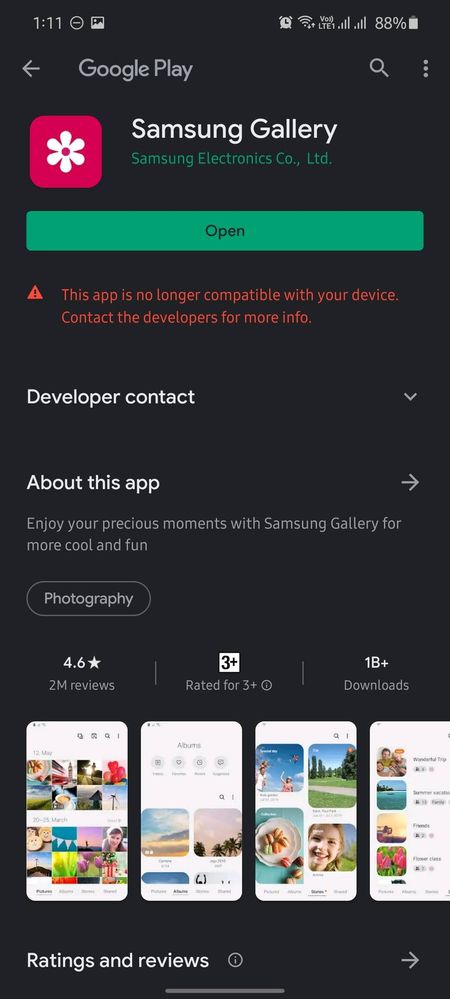
Playstore is showing that some of my apps are not compatible with Galaxy M51, though the apps are running and can be downloaded form Galaxy store. Some of these apps are pre-installed on my phone.  This is only happening with my new Galaxy M51. I can download all these apps using my Galaxy Tab. Why this is happening?
image


image


image


image


image


image


image


    • P

      prashantpophale

      Active Level 8

      11-3-2020 02:09 AM


      in

       
      I am also facing same but recover automatically after few days.

      0 likes

      S

      Shank_Sar

      Active Level 9

      11-3-2020 06:28 AM


      in

       
      I am using this phone since 19th October, but still it didn't recovered.

      0 likes

    • A

      Anikroyale

      Expert Level 5

      11-3-2020 03:35 AM


      in

       
      These apps are generally supposed to be downloaded from the Galaxy store.

      0 likes

      S

      Shank_Sar

      Active Level 9

      11-3-2020 06:27 AM


      in

       
      yes they can be downloaded from Galaxy store, but I am facing this issue only on my phone, not on my Galaxy Tab. That's why I am asking
      A

      Anikroyale

      Expert Level 5

      11-3-2020 07:00 AM


      in

       
      You will not see this in flagship devices, you will see these only on midrange devices.

      0 likes

      S

      Shank_Sar

      Active Level 9

      11-10-2020 04:15 PM


      in

       
      Maybe OneUI core is the reason.

      0 likes

    • T

      Techyboy

      Active Level 4

      11-3-2020 05:02 AM


      in

       
      which device are you using?

      0 likes

      S

      Shank_Sar

      Active Level 9

      11-3-2020 06:25 AM


      in

       
      Galaxy M51

      0 likes

    • M

      MissonChoudhurY

      Active Level 7

      11-4-2020 02:19 AM


      in

       
      just restart. the phone otherwise clear the cache and data of playstore..

      0 likes

    • CM

      cs-member13

      Expert Level 4

      11-4-2020 01:27 PM


      in


      Dear Samsung Member,


      Greetings from Samsung Customer Support!


      To resolve this issue kindly follow the given below steps:

      1. Clear data from the play store: Settings > Apps > Google Play Store > Storage > Clear data > Tap Delete to confirm.

      2. Reset the device: Kindly create data backup of your device via SMART switch mobile application or http://www.samsung.com/in/support/smartswitch pc suite.

      >>Tap on Settings>Tap on General Management>Tap on Reset.


      If the issue still persist, kindly register your concern in Samsung Members app (Samsung Members app > Get help > Feedback > Error report/ask question).
      Note: Please send device log files within 15 minutes of issue occurrence along with the exact issue details.


      Thank you for writing to Samsung.


      Warm Regards,
      Samsung Customer Support

      0 likes

    • T

      Techyboy

      Active Level 4

      11-5-2020 02:44 PM


      in

       
      ohh then Try to Update software if available or visit customer care

      0 likes

    • M

      M31Prime

      Active Level 5

      11-20-2020 10:48 AM


      in

       
      Contact nearest Service Center

      0 likes

    • K

      kacey23

      Active Level 1

      11-23-2020 07:08 AM


      in

       
      I don't even see these apps in Google play store on my m51. The gallery app is not coming up on search even in galaxy store. I do have it installed and running on my phone though.

      0 likes

      S

      Shank_Sar

      Active Level 9

      11-23-2020 08:26 AM


      in

       
      Gallery app is already pre-installed. I also failed to visit this app pages directly from Playstore, then I searched on Google and directly visited Playstore from the link available on search result.

      0 likes

    Related Content