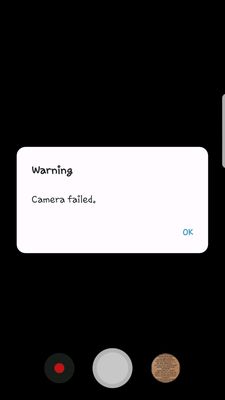
I have Samsung S7 edge , recently I an not able to use my camera, at the time of opening my camera an error message pos up. please tell me how to slove this issue
Thanks for being with Samsung and for sharing your concern. Let me recommend some steps to further isolate and determine what you are experiencing. Please be aware that device speeds may vary based on multiple outside factors. It appears that there may be a third party app or other program that may be leading to what you are experiencing. Placing your device in safe mode disables all third party apps upon startup, to help determine if the use of a third party app is interfering with your device .restart your phone in safe mode. While your phone is powered off, press the power button to turn on the phone, once you see the Samsung logo appear press the volume down key and hold it until you have completely booted up. Also, the relevant department may serve you better/speedily, if you can provide logs/video by registering this feedback in Error Section (Samsung Members App -> Feedback -> Questions/Errors -> Create -> Error reports).

GauravK21
Expert Level 5
9 years ago
in
Report here if it doesn't help you out..
0 likes
parthabiswas
Beginner Level 2
9 years ago
in
0 likes
parthabiswas
Beginner Level 2
9 years ago
in
0 likes
GauravK21
Expert Level 5
9 years ago
in
0 likes
parthabiswas
Beginner Level 2
9 years ago
in
0 likes
admin_
Expert Level 5
9 years ago
in
0 likes
singhparjeet
Beginner Level 2
9 years ago
in
0 likes
singhparjeet
Beginner Level 2
9 years ago
in
0 likes