
title:

lock screen issue

(Post creation time:  

08-16-2017 01:22 PM

)

447 Views

N

nsk

Active Level 4

last edited


03-14-2019 12:52 PM


in

 
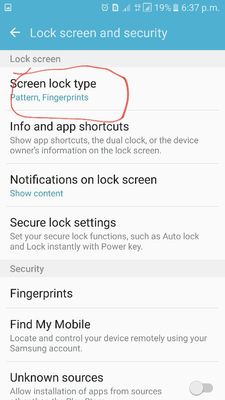
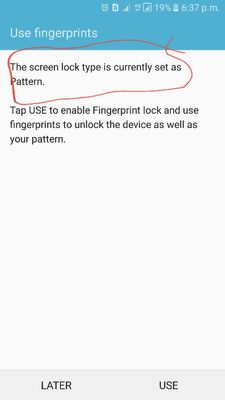
im already set pattern and fingerprint for screen lock then also it not get works well while I'm lock the device and press power button it has only take swipe and screen has get on....
how is happening i didn't resolving
Pls help me urgently b3114d37-67d7-4021-bf8b-a49e4bb02339.jpg
b6a6bc68-63af-48e1-90be-b5351e60c9fa.jpg
    • H

      HIRO

      Active Level 7

      08-16-2017 01:29 PM


      in

       
      u have turn on on body detection in smart lock turn tht off then it will get fixed

      0 likes

    • V

      Vk

      Active Level 6

      08-16-2017 02:32 PM


      in

       
      U turned Google smart lock on, turn it off

      0 likes

    • A

      admin_

      Expert Level 5

      08-17-2017 04:16 AM


      in

       
      Thank you for your query. The relevant department may serve you better/speedily, if you can provide logs/video by registering this feedback in Error Section (Samsung Members App -> Feedback -> Questions/Errors -> Create -> Error reports).

      0 likes

    • K

      krishnadharani

      Active Level 3

      08-17-2017 03:20 PM


      in

       
      hi samsung i got same issue in my s7 edge..that lock screen not going to lock after powerbottn switch off. can swipe easily while on the scree n ,it's not asking fingerprint or password ...direct ly we can swipe ...pls check and fix that issue ...

      0 likes

    Related Content

    lock screen issue

    lock screen issue

    lock screen issue

    lock screen issue

    lock screen issue