
I am using Samsung f62.. recently I faced touch issues.. in the middle part of the display touch is not working and also sometimes display is touching automatically ( ghost touch )..please help me ..I also attach a proof
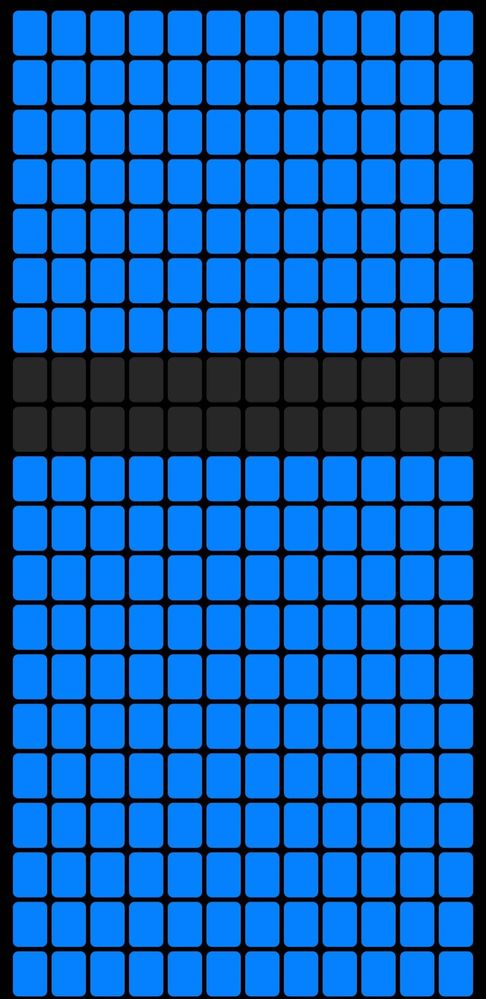
In the Middle blank part touch is not working
FARZI_69
Active Level 10
5 years ago
in
0 likes
sudiptamt274
Beginner Level 2
5 years ago
in
0 likes
tillu11
Active Level 6
5 years ago
in
0 likes
Tarsem_singh
Active Level 4
5 years ago
in
If the problem still persist contact the customer service if phone is under warranty otherwise contact any local server engineer
0 likes
cs_member8
Moderator
5 years ago
in
Dear Samsung Customer,
Greetings from Samsung Customer Support!
Thank you for sharing your concern. We acknowledge your query and apologize for the same. And please follow the easy troubleshooting steps which might help to solve the issue.
If you attach a ''screen protector'' or optional accessories to the ''touchscreen'', the touchscreen may not function properly. Especially, some ''Samsung-Unapproved protector glasses'' or films only have tapes on the side edges.
When you attach such products to the device, protector film or glass may not be in perfect contact with the device and may get loose from the device.
This causes that some areas of the touchscreen may ''not recognize touch'' actions and no respond.
We recommend to use only ''Samsung-approved accessories'' and using ''unapproved accessories may cause the performance problems'' and malfunctions that are ''not covered by the warranty''.
Please follow the below steps, If the battery is non removable:
Press the power and volume down key simultaneously for few seconds.
Have you recently change ''device display'' from the service center?
In case ''non-genuine LCD/Touch panel'' is used on your device, similar problem may occur after Android OS Update.
Samsung recommends repairing your device using original Samsung parts at ''authorized Samsung Dealer/Service Center''.
Thank you for writing to us.
Warm Regards,
Samsung Customer Support.
0 likes
JoelJoePious
Active Level 1
4 years ago
in
0 likes