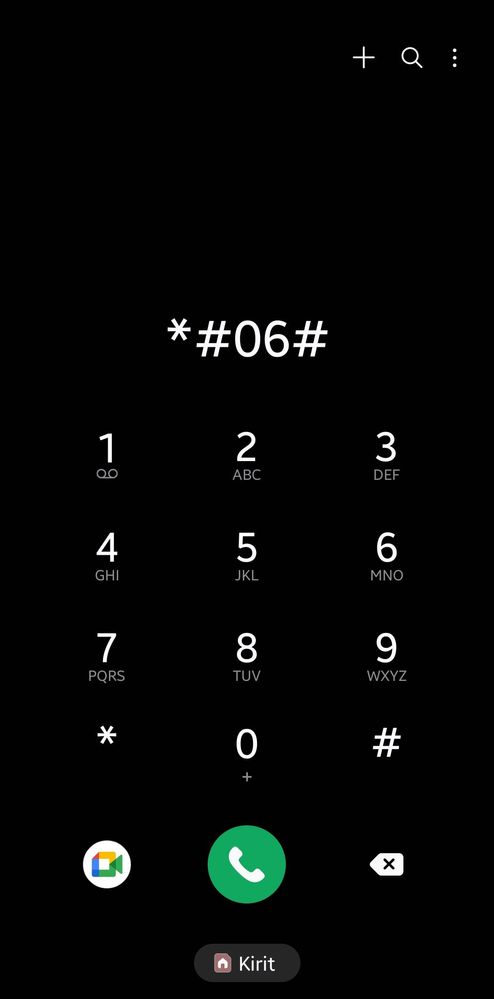
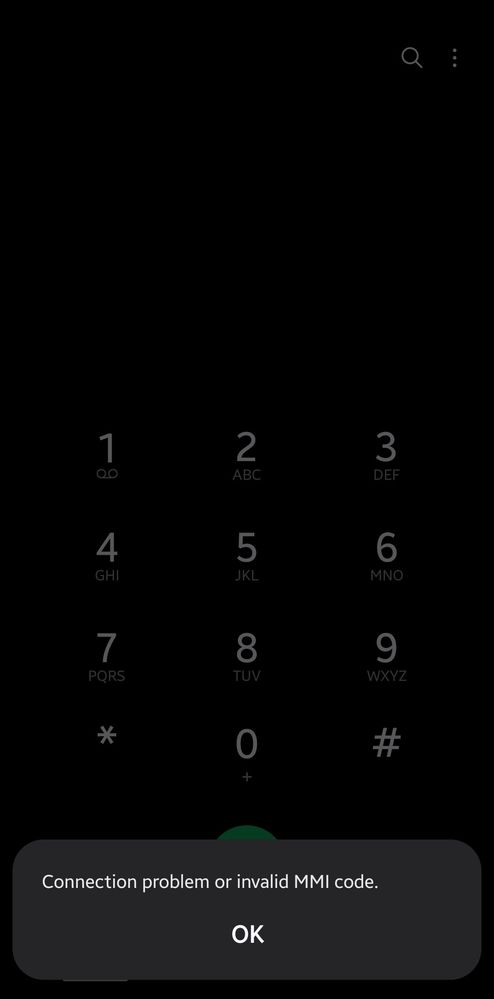
Please Turn off Auto Blocker From Setting(Security&Privacy)But Turn It On After Your Check It Because It Is Important For Your Privacy And Security of Your Device.
Thanks Follow Me To Get Interesting Updates ️ Sayan_SS_
Kindly turn off Auto Blocker immediately then try to it's again. If you like please accept as a solution it's help to others users also, click on 3dots in my reply section and click on accept solution. Thanks.
As per your query, we would request you to kindly perform the following steps to resolve your issue.
● Disable Auto Blocker: Settings> Security and Privacy> Auto Blocker> Then turn it Off.
If the issue persists, kindly report the problems with a log file. To share a log file, click on the Samsung Members Application (Open Samsung Members Application > Support> Tap on send feedback> Choose Composer> Select error report> select the appropriate issue category> Type your query and send.)

Selected Answer
unknown_s
Expert Level 5
2 years ago
in
Thanks
Follow Me To Get Interesting Updates ️
Sayan_SS_
Selected Answer
goodthings
Expert Level 5
2 years ago
in
Selected Answer
DINKAR_A34_5G
Expert Level 5
2 years ago
in
If you found this answer helpful, then tap "Accept Solution" by clicking the three dots on the top right of this comment.
Selected Answer
Mayur000
Expert Level 1
2 years ago
in
Swipe for menu,
Search auto blocker.
Then just disable it temporarily for ussd, then enable it again for more security.
Have a good luck
0 likes
goodthings
Expert Level 5
2 years ago
in
0 likes
goodthings
Expert Level 5
2 years ago
in
0 likes
Kmmac
Active Level 5
2 years ago
in
Thanks everyone 🙏🙏
goodthings
Expert Level 5
2 years ago
in
cs_member10
Moderator
2 years ago
in
Dear Samsung Member,
Greetings from Samsung Customer Support!
As per your query, we would request you to kindly perform the following steps to resolve your issue.
● Disable Auto Blocker: Settings> Security and Privacy> Auto Blocker> Then turn it Off.
If the issue persists, kindly report the problems with a log file. To share a log file, click on the Samsung Members Application (Open Samsung Members Application > Support> Tap on send feedback> Choose Composer> Select error report> select the appropriate issue category> Type your query and send.)
Warm Regards,
Samsung Customer Support