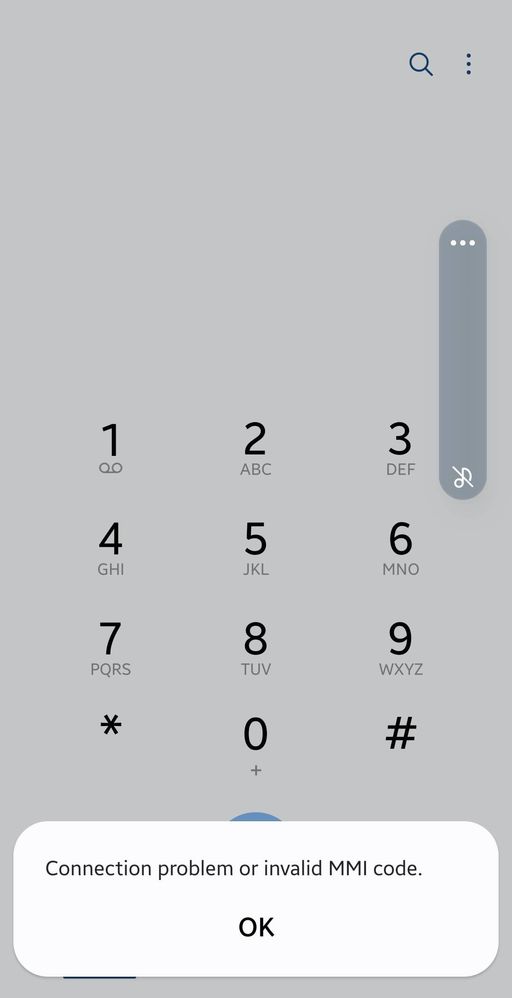
Please go to setting and click on security and privacy, click on Auto Blocker and turn off Auto Blocker immediately then try to it's again it's work properly. Thanks.
If you like please accept as a solution it's help to others users also ,click on 3dots in my reply section and click on accept solution. Thanks and your's most welcome.
As per your query, we would request you to kindly perform the following steps to resolve your issue.
Disable Auto Blocker: 1. Go to Settings. 2. Select Security and Privacy. 3. Select Auto Blocker. 4. Then turn it Off.
In case the issue still occurs, kindly report the problems with a log file. To share a log file, click on the Samsung Members Application (Open Samsung Members Application > Support> Tap on error report > Type your query > Send).

kunal333
Active Level 7
3 years ago
in
toshit
Active Level 6
3 years ago
in
0 likes
jakaria53
Active Level 1
2 years ago
in
0 likes
kunal333
Active Level 7
3 years ago
in
toshit
Active Level 6
3 years ago
in
0 likes
GreenGRASSHOPPER
Active Level 9
3 years ago
in
toshit
Active Level 6
3 years ago
in
0 likes
goodthings
Expert Level 5
3 years ago
in
toshit
Active Level 6
3 years ago
in
goodthings
Expert Level 5
3 years ago
in
0 likes
cs_member10
Moderator
3 years ago
in
Dear Samsung Member,
Greetings from Samsung Customer Support!
As per your query, we would request you to kindly perform the following steps to resolve your issue.
Disable Auto Blocker:
1. Go to Settings.
2. Select Security and Privacy.
3. Select Auto Blocker.
4. Then turn it Off.
In case the issue still occurs, kindly report the problems with a log file. To share a log file, click on the Samsung Members Application (Open Samsung Members Application > Support> Tap on error report > Type your query > Send).
Warm Regards,
Samsung Customer Support
Samsung_90whqkS
Beginner Level 2
1 year ago
in
Nope, not on a A55, USSD is a non starter with Auto Blocker turned off. Works fine on J5. Anybody got USSD working on a A55?
0 likes