
I've been using Samsung Notes almost every day for the past 8 years. As a mathematician, it is one of the most important tools I use for my work.
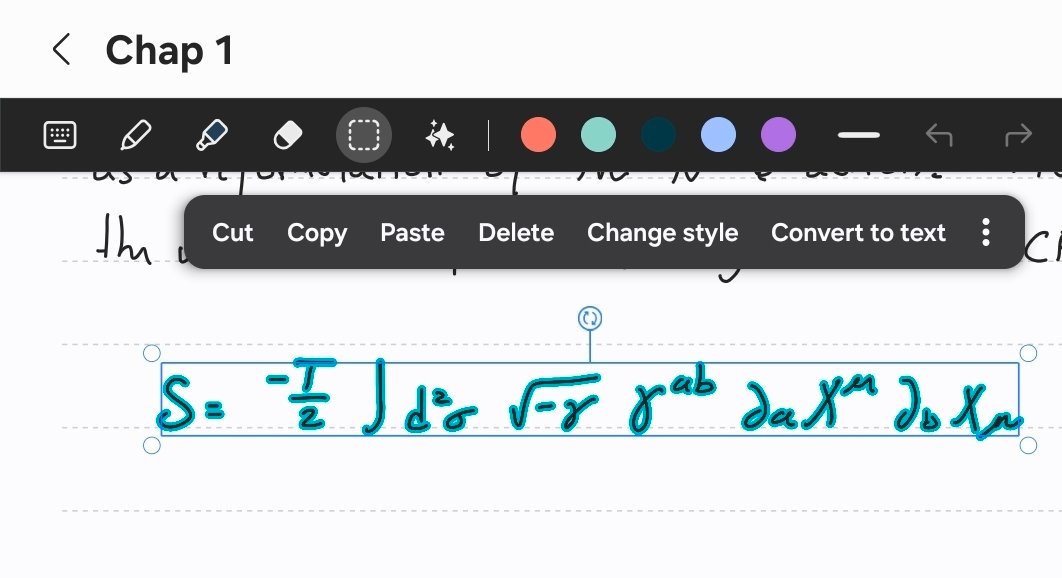
One thing that would greatly improve productivity is the addition of a Duplicate option when selecting content. During writing sessions, I frequently need to reuse equations, diagrams, and blocks of text. At the moment, the only way to do this is to copy the selection, wait for the menu to disappear, press and hold again to bring the menu back, and then select Paste.
This process becomes repetitive and time-consuming when it has to be done dozens of times in a single note. A simple Duplicate button would allow users to instantly create a copy of a selected object or handwritten content with a single action.
I believe this would save a significant amount of time for many users, especially students, researchers, engineers, and anyone who regularly works with handwritten notes and equations. I'm sure I'm not the only person who would benefit from this feature.
Haisley
Moderator
2026/11/16 08:32 PM
in
Hello CamotonMio,
Thank you for sharing such a thoughtful suggestion and for being a dedicated Samsung Notes user over the past 8 years! We truly appreciate hearing how central the app is to your daily work as a mathematician.
We understand how repetitive and time-consuming the current copy-and-paste workflow can feel when you are working with complex equations, diagrams, and handwritten blocks dozens of times in a single session. Having a one-tap Duplicate option directly in the selection menu is a very practical idea that would save valuable time for students, researchers, and professionals alike.
We will gladly take this as feedback and have shared with the team your request for future consideration in Samsung Notes. You can also submit this directly through the Samsung Members app (Support > Send feedback) so our app development team receives your feature suggestion directly.
Thank you again for taking the time to help us improve the Samsung Notes experience!
umt34389
Beginner Level 1
2026/11/26 01:06 PM
in
Get Download Link
.
..
.
.
.
.
.
.
.
.
.
.
.
.
.
0 likes