
Original topic:
Is this normal behavior
(Post creation time:
2026/11/27 12:27 AM
)
13 Views
W
whocares905
Beginner Level 1
Hello... I have a new A17 phone watch how it loads up and then goes a blank black screen. Is there a setting for it now to go in a blank black screen? Is there a free site I can upload a video to show you what I mean? This site 100mb seem to be not working
0 likes
Related Content
Galaxy Ultra 2 Watch order not fulfilled completely
in Wearables 2026/11/26 07:10 PM
SAMSUNG S 23 FE 128GB BLACK NOTING DAMAGE CONDITION LIKE A BRAND NEW WITHOUT BIL
in Tablets 2026/11/27 01:02 AM
ViewFinity S8 S85TH (2026) – TB5 link resets on MacBook Pro at low battery 1001 firmware
in Community Guidelines 2026/10/11 12:52 AM
Have You Tried the Galaxy SmartTag3? 📍
in Others 2026/11/23 09:25 PM
Album Art in Samsung Music
in Share Your Galaxy Story 2026/11/24 04:30 PM
Tallman
★
2026/11/27 01:04 AM
in
Do you mean screen time out?
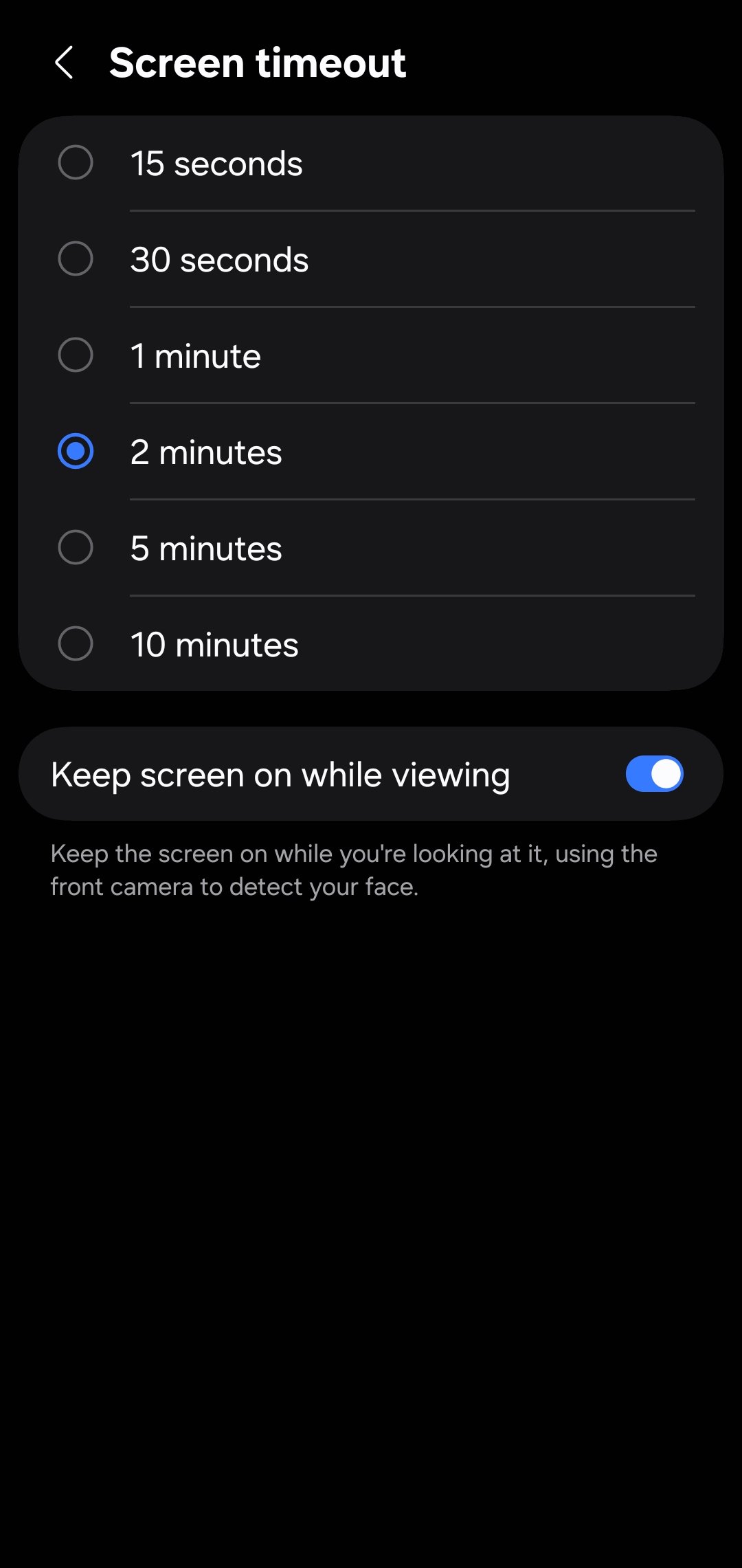
You can go to Settings -> Display -> Screen timeout
Choose how long time you want to keep screen on.
0 likes
Haisley
Moderator
2026/11/27 01:06 AM
in
Hello whocares905,
We are sorry to hear that your new Galaxy A17 is showing a blank black screen after loading up, we understand how concerning it can be when a brand-new device isn't working as expected.
Before looking into sharing a video, let's try a few quick troubleshooting steps to see if we can get your display working properly:
• Force Restart the Device: Press and hold the Volume Down button and the Side (Power) button at the same time for about 7 to 10 seconds until the phone vibrates and the Samsung logo appears.
• Charge the Phone: Plug your device into a certified Samsung wall charger and let it charge for at least 15 to 30 minutes, even if the screen remains black, to ensure the battery isn't depleted or stuck.
• Check for Physical Obstructions: If you are using a screen protector or case, make sure it isn't covering the proximity sensor near the top of the screen, as this can sometimes trigger the screen to turn off automatically.
Please keep us updated on how it goes.
0 likes