
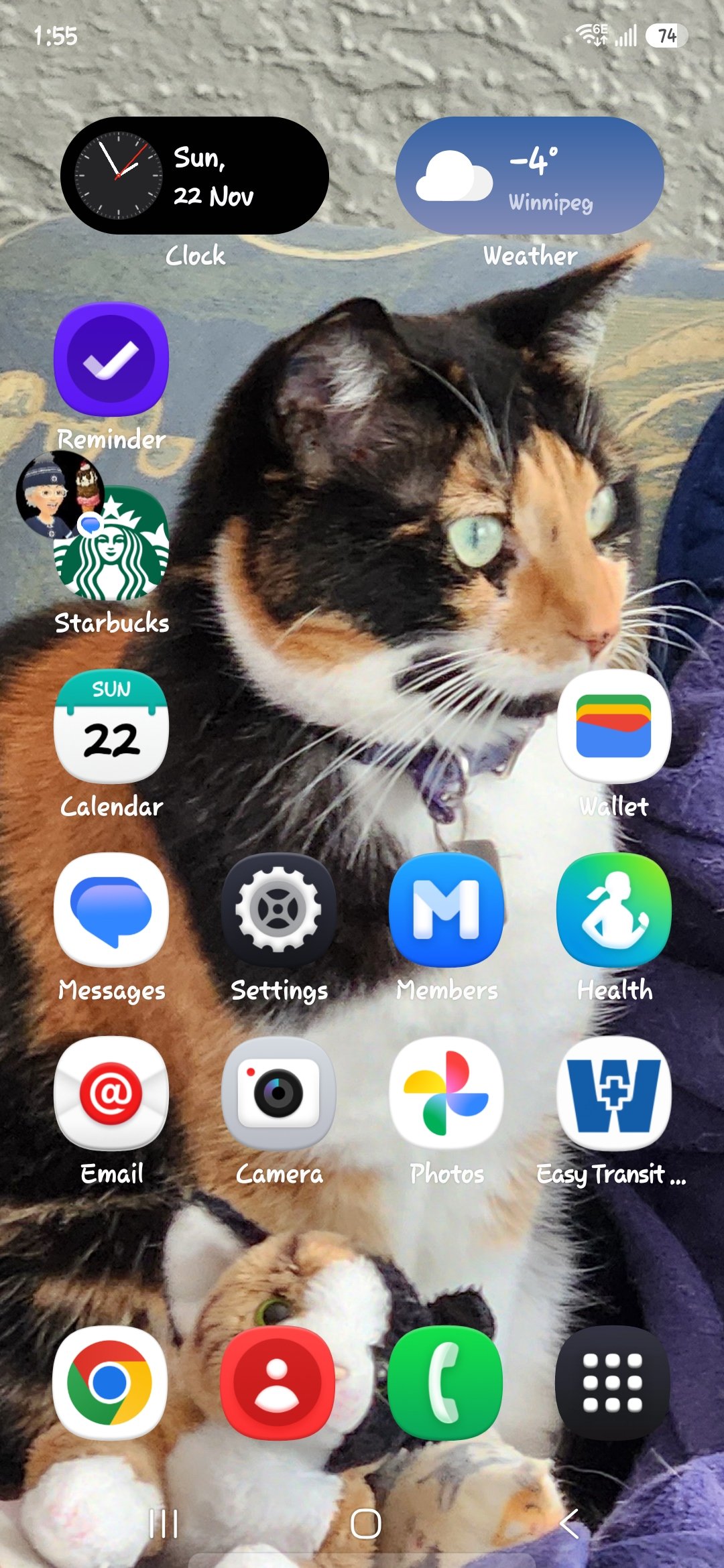
Message bubble stays on home screen and has to be dragged down to the X that comes up. In this screenshot the bubble is next to the Starbucks app.
When I open the text message the screen isn't a full screen.
How do I go back to the default settings for messages?????
Thank you
Selected Answer
Tallman
★
2026/11/22 07:07 PM
in
Open Google Messages app. Click Profile picture on top right -> Messages settings -> Bubbles
Select None.
Jetsgirl1959
Expert Level 2
2026/11/22 07:11 PM
in
Thank you all fixed
Haisley
Moderator
2026/11/23 08:36 PM
in
Hello Jetsgirl1959,
We are glad to hear that the steps Tallman shared helped resolve the issue and get your messaging screen back to its default full-screen view!
We also want to extend a sincere thank you to Tallman for jumping in with such a helpful solution, and thank you to you for marking the reply as the "Accept as solution" so other community members facing this same setting change can easily find the answer.
Please feel free to reach out anytime if you have more questions!