@lee4652 Have you checked each page of the quick panel? Swipe left/right on the quick panel to see other pages.
Have you opened the quick panel, click the 3 dots in upper right, select Edit buttons and see if the button is up there? If it is, you can drag it down into the quick panel.

Selected Answer
LongHiker
Galactic Samsung Care Ambassador
3 years ago
in
@lee4652 The icon to enable this does have a confusing label.
Auto rotate will be enabled and the icon will turn into this.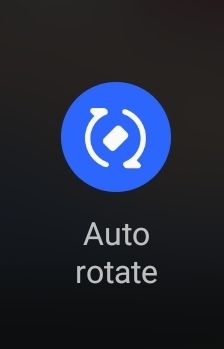
lee4652
Asteroid
3 years ago
in
0 likes
Phoneybologna
Galaxy
3 years ago
in
0 likes
lee4652
Asteroid
3 years ago
in
0 likes
LongHiker
Galactic Samsung Care Ambassador
3 years ago
in
@lee4652 Have you checked each page of the quick panel? Swipe left/right on the quick panel to see other pages.
Have you opened the quick panel, click the 3 dots in upper right, select Edit buttons and see if the button is up there? If it is, you can drag it down into the quick panel.
0 likes