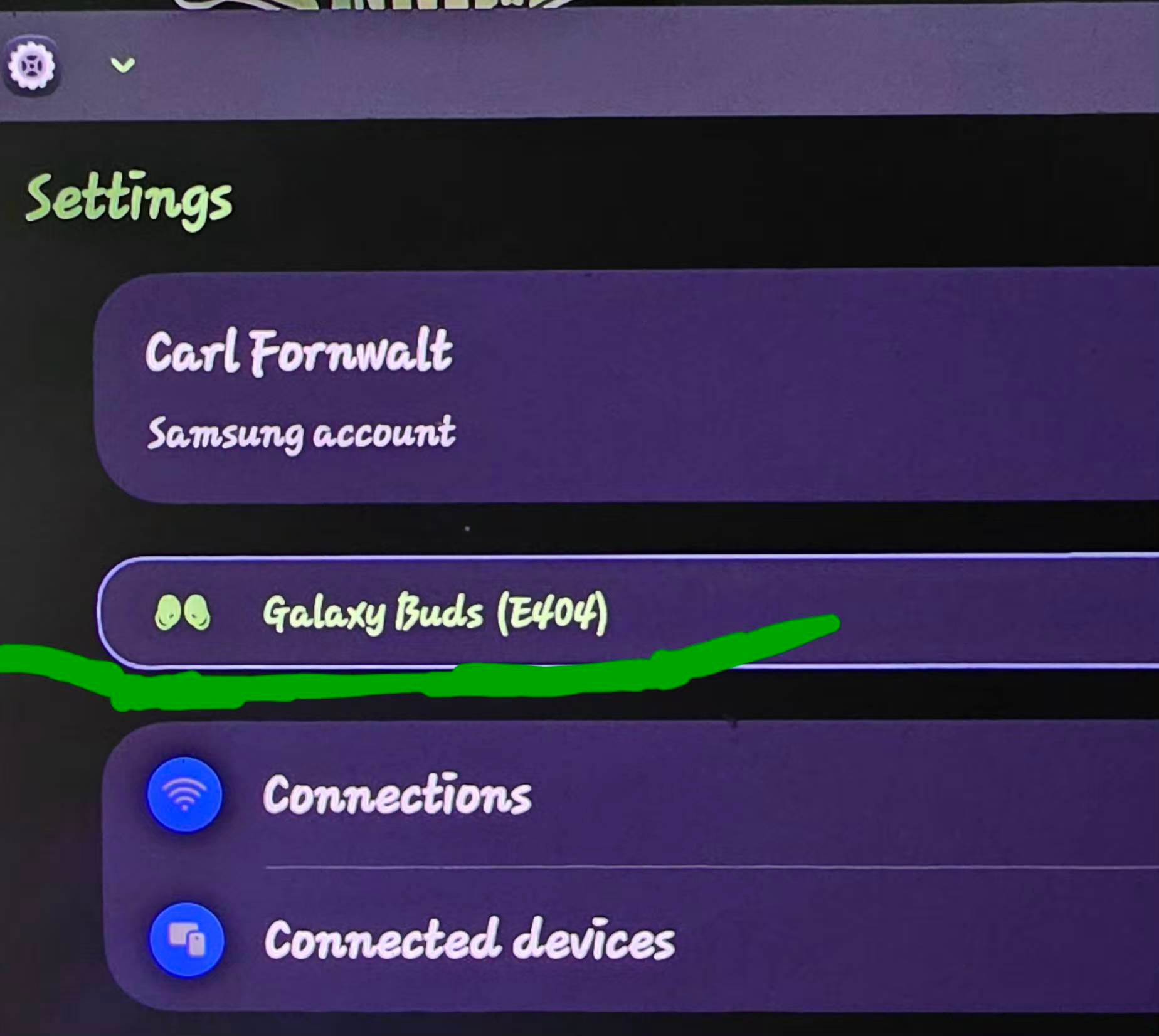
I have a S25 ultra & always had a pair of galaxy buds2 pro connected. For some reason my galaxy buds control doesn't show up in my settings. The picture is from my Tab S10. Not sure why I lost it on my phone but not my tablet
Place both Galaxy Buds 2 into their charging case, close the lid, and wait about 5 to 10 seconds.
Open the charging case lid next to your S25 Ultra. If a pop-up doesn't appear automatically, you can manually force pairing mode by wearing the buds and pressing and holding both touch sensors for about 3 to 5 seconds until you hear a beep or the indicator light flashes. to Settings > Apps, tap the filter/sort icon, enable Show system apps, and select Bluetooth.
Tap Storage and select Clear data and Clear cache.
Open the Galaxy Wearable app, go to Storage, clear cache and data, or reinstall the app if needed

meself
Honored Contributor
11-3-2026 06:36 AM
in
Place both Galaxy Buds 2 into their charging case, close the lid, and wait about 5 to 10 seconds.
Open the charging case lid next to your S25 Ultra. If a pop-up doesn't appear automatically, you can manually force pairing mode by wearing the buds and pressing and holding both touch sensors for about 3 to 5 seconds until you hear a beep or the indicator light flashes.
to Settings > Apps, tap the filter/sort icon, enable Show system apps, and select Bluetooth.
Tap Storage and select Clear data and Clear cache.
Open the Galaxy Wearable app, go to Storage, clear cache and data, or reinstall the app if needed
0 likes
LongHiker
Galactic Samsung Care Ambassador
11-3-2026 04:17 PM
in
Are you using Registar part of Good Lock? If so, try turning off Customize your settings home
0 likes