
Original topic:
Windows 24H2 deployment to all Galaxy Pro laptops
(Post creation time:
11-18-2024 10:01 PM
)
6495 Views
Hello,
It's easier/quicker to ask on here than to call support. Anyone have information on when this will be pushed?
I mounted the .iso and tried installing this but got a "windows protector" error, or something to that effect. I'd rather not mess with the registry.
TIA!!
0 likes
This post has been closed.
Selected Answer
meself
Honored Contributor
11-19-2024 01:04 AM
in
BrianW360
Asteroid
11-19-2024 09:21 PM
in
Would have to agree as the .iso install gets to about 84% and then slows down and eventually get that "What needs your attention" error.
Still perplexed as to why the install is going to a github link for the explorerpatcher.
Oh well.
meself
Honored Contributor
11-20-2024 12:04 AM
in
0 likes
Yaswanth
Galaxy
11-18-2024 10:21 PM
in
Can you try downloading it from the Windows 11 Installation Assistant
0 likes
BrianW360
Asteroid
11-18-2024 10:36 PM
in
Would I need to do that if I am already running Win11 23H2???
0 likes
Yaswanth
Galaxy
11-18-2024 10:42 PM
in
0 likes
BrianW360
Asteroid
11-19-2024 12:19 AM
in
Curious how the update has been available for the last 45 days, and it appears as an .iso on their site, but they have not pushed it.
Using the PC Health Check, it appears that it only determines whether a computer has the prerequisite system capabilities for the Win11 version. Nothing else.
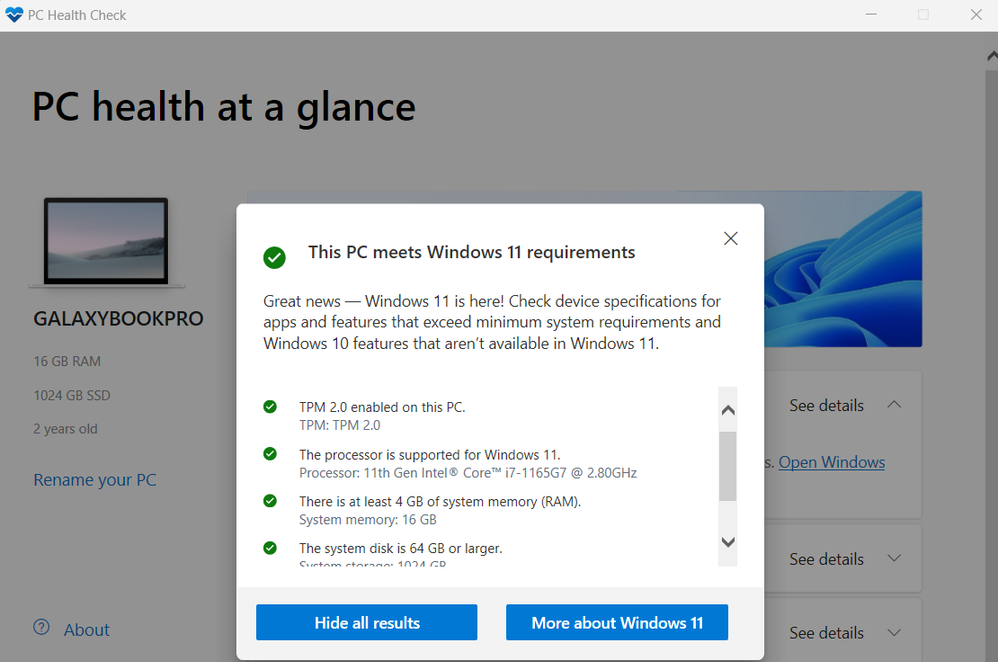
And like I mentioned, I mounted the .iso for the 24H2 and it came back with the error listed in the OP. So when you say you "manually updated" I'm going to presume that you updated from mounted .iso. I come from the old skool days when we used to have to load Windows from CD's and Floppy disks.
I get this when I try to run the installation assistant. The "learn more" link at the bottom goes to a github link (https://github.com/valinet/ExplorerPatcher?tab=readme-ov-file). That's WEIRD!!
0 likes
PrivacyandSecurity
Comet
11-30-2024 08:47 AM
in
0 likes