All community
Sign In/Register
/
Screen flip
(Post creation time:
2 years ago
)
1910 Views
SassyPants007
Constellation
last edited
in
0 people had this problem.
Me too
0 likes
This post has been closed.
2 Comments
Selected Answer
LongHiker
Galactic Samsung Care Ambassador
@SassyPants007 You can turn off Auto rotate in the settings. Look for this icon and click it to turn off auto rotation.
But... some apps force the rotation regardless if auto rotate is on or off.
1 like
LukSkyRunr

Selected Answer
LongHiker
Galactic Samsung Care Ambassador
2 years ago
in
@SassyPants007 You can turn off Auto rotate in the settings. Look for this icon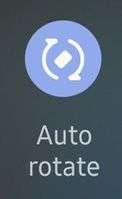 and click it to turn off auto rotation.
But... some apps force the rotation regardless if auto rotate is on or off.
LukSkyRunr
Constellation
2 years ago
in
0 likes