
Why on earth do I have to enable the "show keyboard button on navigation bar" just to get voice input? its not only ugly but it takes up so much ducking space. samsung plz fix this, make it a button on the top bar above the keyboard, I don't want my keyboard to have a chin with a mole on the left side...
not only that but how is one supposed to know that "show keyboard Button on navigation bar" has anything to do with voice input?
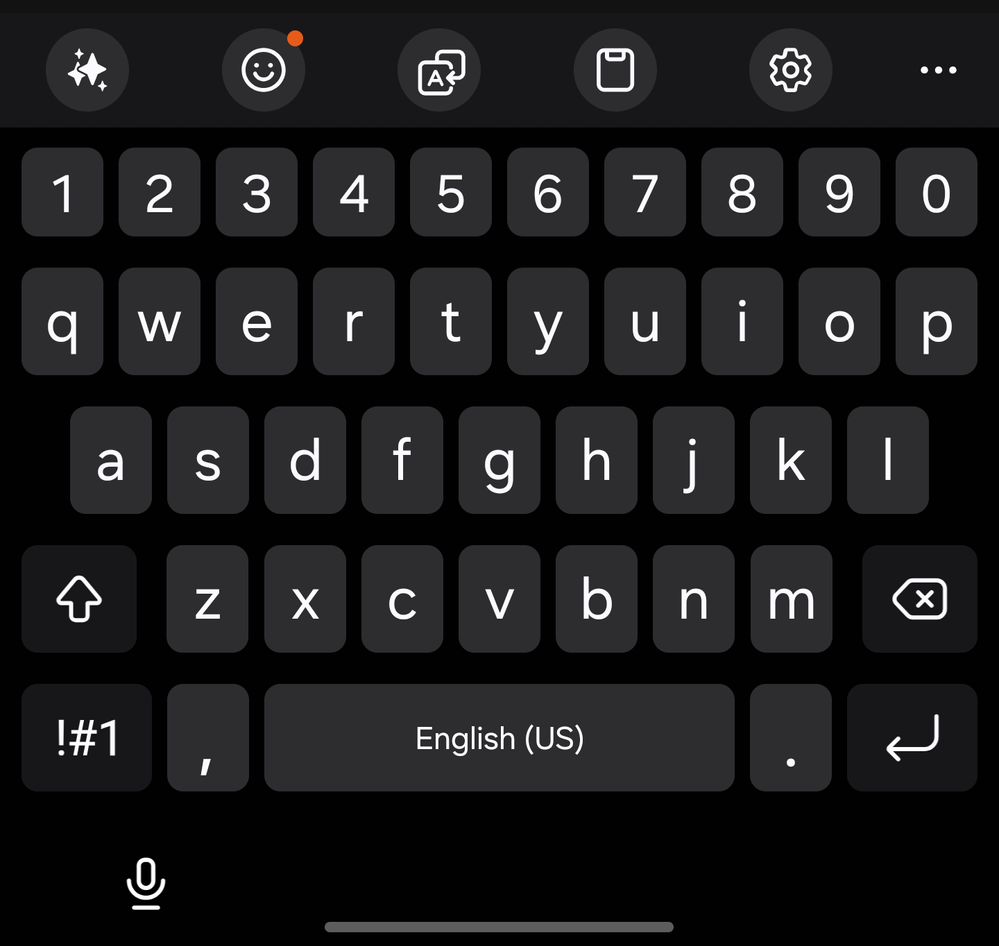
The samsung keyboard with an ugly chin under the keys, and a microphone button on the left side of the screen...
PLZ FIX THIS ITS LITERALLY THE OBLY THING DETTERING ME FROM USING THE SAMSUNG KEYBOARD! I hate Gboard but I'd rather use it than deal with this chin
userRqBtsKykos
Asteroid
02-22-2025 07:21 AM
in
0 likes
KSal
Nebula
02-22-2025 08:14 AM
in
0 likes
KSal
Nebula
02-22-2025 08:19 AM
in
sirAedon
Cosmic Ray
02-22-2025 09:20 AM
in
0 likes
userlQcCM1wRc8
Black Hole
02-22-2025 01:53 PM
in
AI is via MS Copilot, on of the best AI engines out there.
The nav bar at the bottom is for the phone and customized via Goodlock and the phone settings. The top nav bar above the keyboard is all customized via SwiftKey. Voice typing is in the keyboard toolbar at the top or you could have something else there, whatever you want.
0 likes
USBetaModerator3
Beta Moderator
02-25-2025 10:09 PM
in
Hello,
Thank you for sharing your suggestion with us.
We truly appreciate your input and value your engagement in the One UI Beta community. Feedback like yours helps us better understand the experiences and preferences of our users.
Thank you again for contributing to the One UI journey.
Regards,
One UI Beta Team
0 likes