
I hope the suggestions are not too late because I waited for beta 4 to see if they would polish in this area, but they don't appear to be.
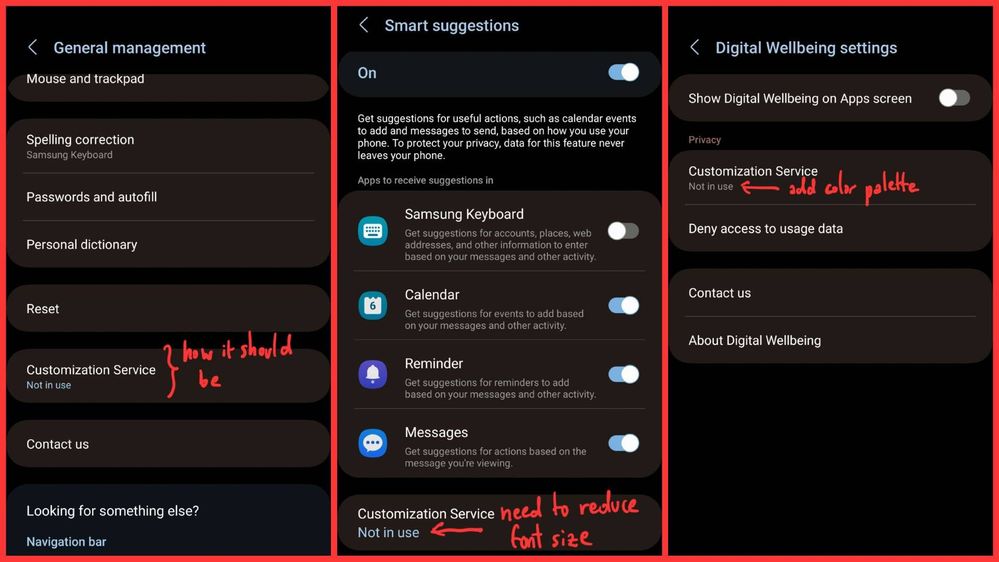
This is an example of what I am talking about.
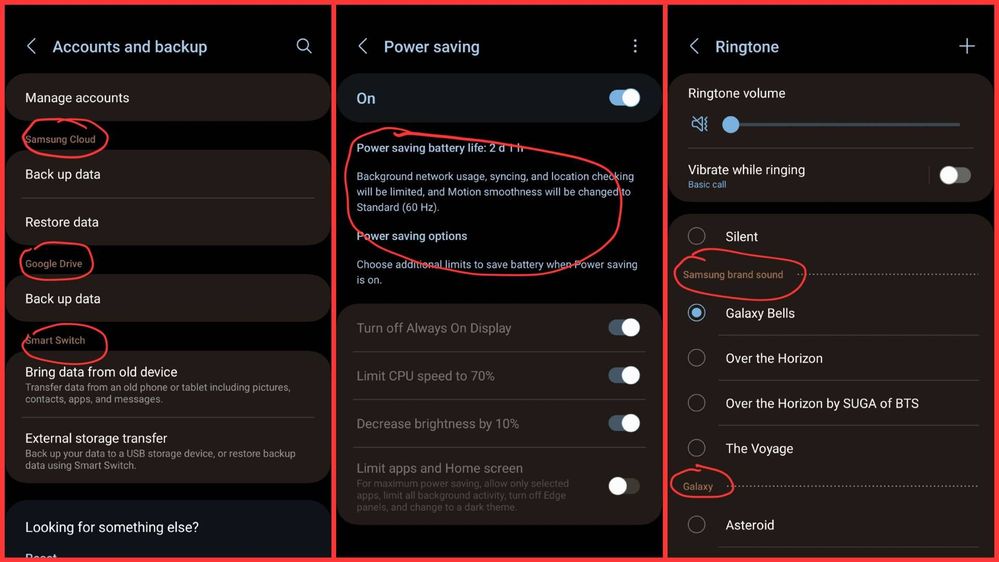
Color palette is applied to subheaders and explanatory text
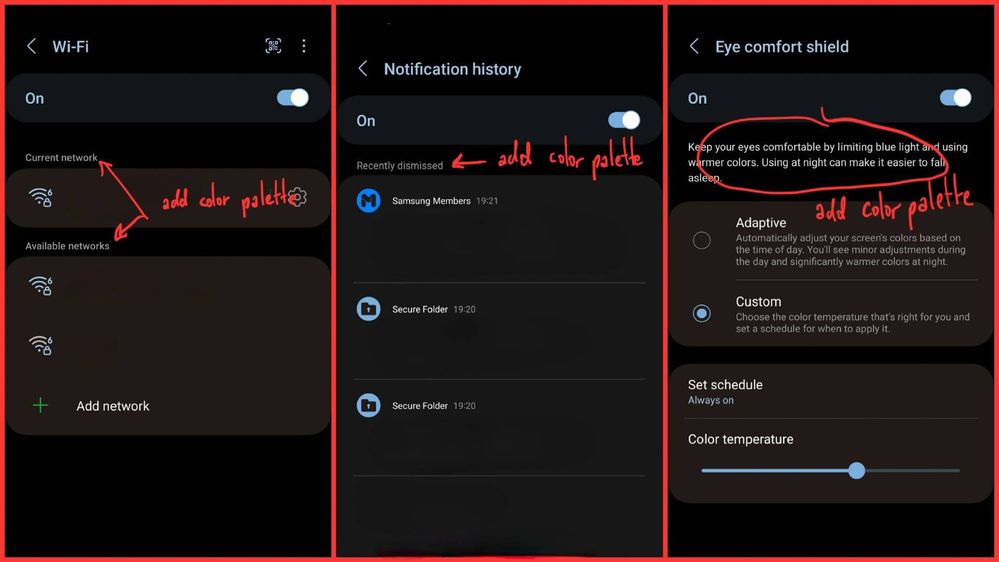
Subheaders and explanatory text are lack of color palette
1. Please make sure that "Customization Service" looks consistently throughout the Settings menu.
2. Color palette is applied to subheaders and explanatory text in a few places in the Settings. Here's an example.
However, some of them are still "unfinished". This is an example.
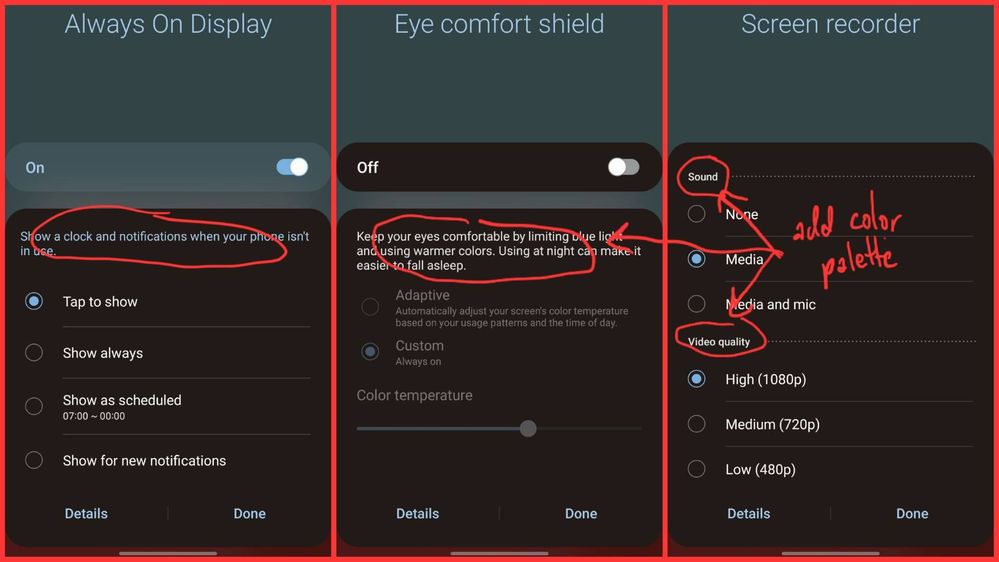
3. Same thing occurs on the quick settings panel. It appears that the only area color palette being applied to subheaders and explanatory text is "Always on Display" section. Please apply the palette to the rest.
Edit:
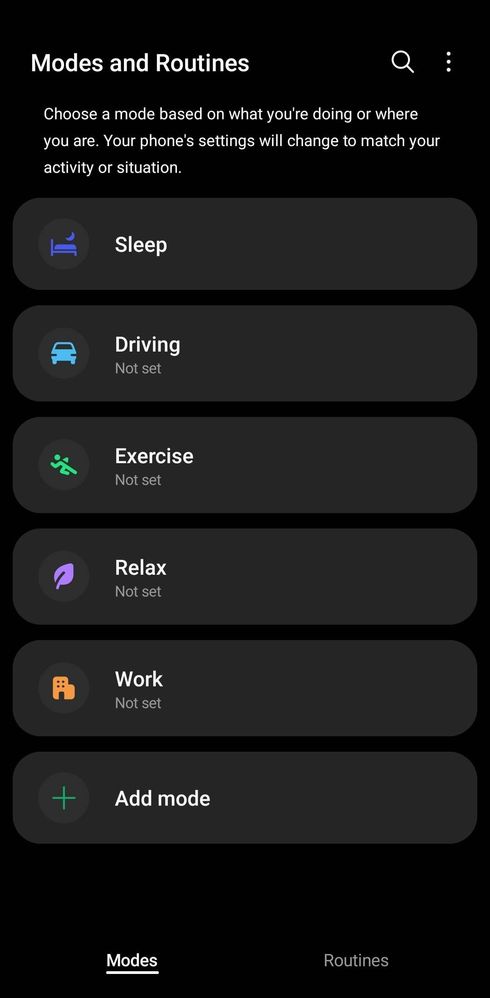
5. There is no color palette is applied in Modes and Routines. Please apply the palette to this page.
Even though I show all of these in dark mode, the suggestions should be applicable in light mode as well.
No replies and comments found