
When a phone is first connected to a charging cable, the correct charging speed is shown for a few seconds at the bottom of the Always On Display and/or Lock Screen. However, when the phone is unlocked, the Settings notification only displays the speed as simply "Charging", even when the speed should read "Fast Charging" or "Super Fast Charging". Please change the notification to display the appropriate charging speed in One UI 5 as it previously did in One UI 4. Thank you in advance!
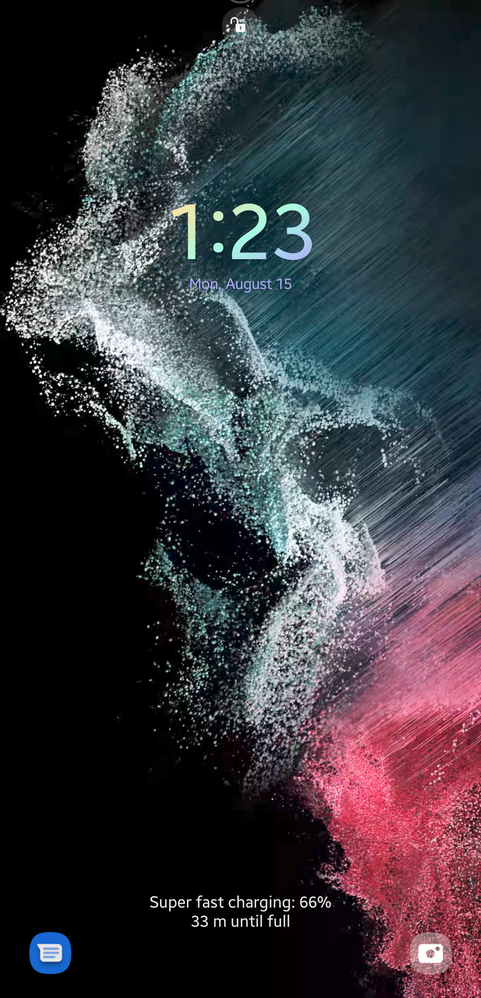
Correct charging speed appears on AOD/Lock Screen as "Super fast charging" when charging cable is initially plugged in.
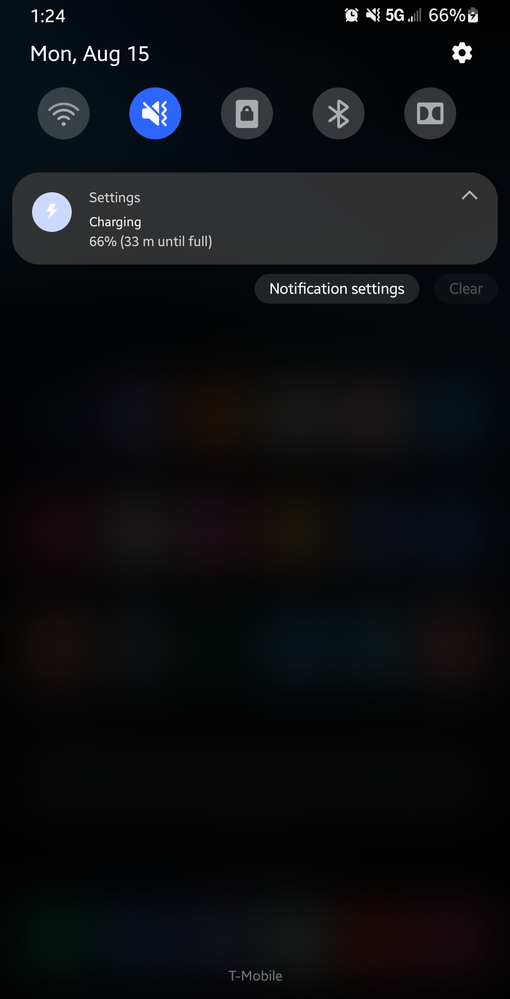
Incorrect/incomplete charging speed shown in Settings notification as simply "Charging" instead of "(Super) Fast charging".
No replies and comments found