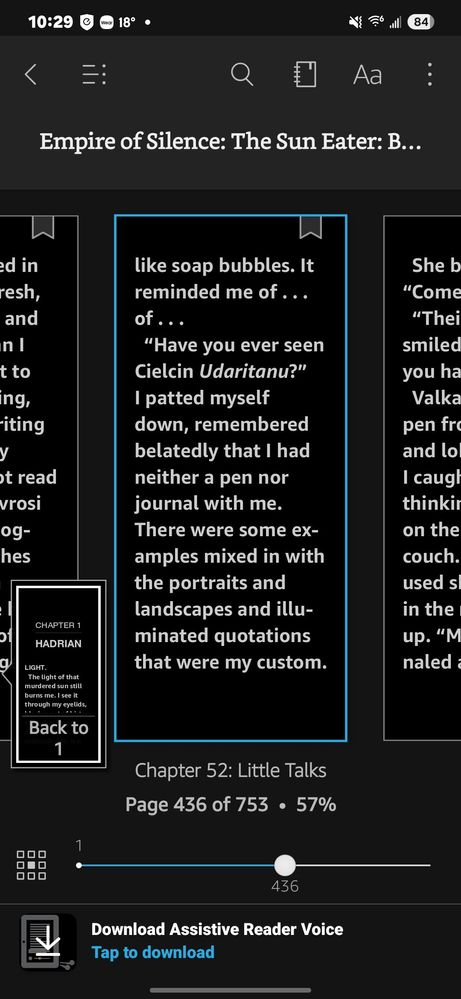
No longer can use the Amazon Kindle app's built-in text to speech feature after the Android 15 update. Keeps requesting a download of Google TTS voice packages that are already installed.
Amazon Kindle (using Google TTS voice packages) app seems to be related with compatibility between the app and OS 7. You may try below steps if they help resolve your issue after the 3rd Beta update.
1. Check Google TTS Settings:
Go to Settings > Accessibility > Text-to-Speech Output.
Ensure Google TTS is set as the default engine and verify that the required language packages are downloaded and updated.
2. Clear Cache and Data for Kindle App:
Go to Settings > Apps > Kindle > Storage, and clear the cache. If that doesn’t work, you might try clearing the app’s data (note that this may require you to log back in).
3. Reinstall the Kindle App:
Uninstall the Kindle app, restart your phone, and reinstall it from the Play Store. This can help resolve compatibility issues with Android 15.
4. Update System and Apps:
Ensure your Android 15 system and all apps (including Google TTS and Kindle) are up to date. Developers may have released patches to address these issues.
5. Alternative TTS Engines:
If the issue persists, consider trying an alternative TTS engine like Speech Services by Google or other third-party TTS engines. Set it as default in the Text-to-Speech settings.
6. Contact Kindle Support:
If none of these steps work, report the issue to Amazon Kindle support. It’s possible they need to release an update to resolve this on Android 15.
Also, consider submitting an error report via the Samsung Members app to ensure the development team is aware of potential Android 15-related compatibility issues.

Y0u
Honored Contributor
01-4-2025 05:02 PM
in
0 likes
userjuPRYXbEnp
Asteroid
01-4-2025 09:48 PM
in
0 likes
USBetaModerator3
Beta Moderator
01-6-2025 11:50 PM
in
Hello,
Thank you for the feedback.
Amazon Kindle (using Google TTS voice packages) app seems to be related with compatibility between the app and OS 7. You may try below steps if they help resolve your issue after the 3rd Beta update.
1. Check Google TTS Settings:
Go to Settings > Accessibility > Text-to-Speech Output.
Ensure Google TTS is set as the default engine and verify that the required language packages are downloaded and updated.
2. Clear Cache and Data for Kindle App:
Go to Settings > Apps > Kindle > Storage, and clear the cache. If that doesn’t work, you might try clearing the app’s data (note that this may require you to log back in).
3. Reinstall the Kindle App:
Uninstall the Kindle app, restart your phone, and reinstall it from the Play Store. This can help resolve compatibility issues with Android 15.
4. Update System and Apps:
Ensure your Android 15 system and all apps (including Google TTS and Kindle) are up to date. Developers may have released patches to address these issues.
5. Alternative TTS Engines:
If the issue persists, consider trying an alternative TTS engine like Speech Services by Google or other third-party TTS engines. Set it as default in the Text-to-Speech settings.
6. Contact Kindle Support:
If none of these steps work, report the issue to Amazon Kindle support. It’s possible they need to release an update to resolve this on Android 15.
Also, consider submitting an error report via the Samsung Members app to ensure the development team is aware of potential Android 15-related compatibility issues.
Regards,
One UI Beta Team
0 likes