
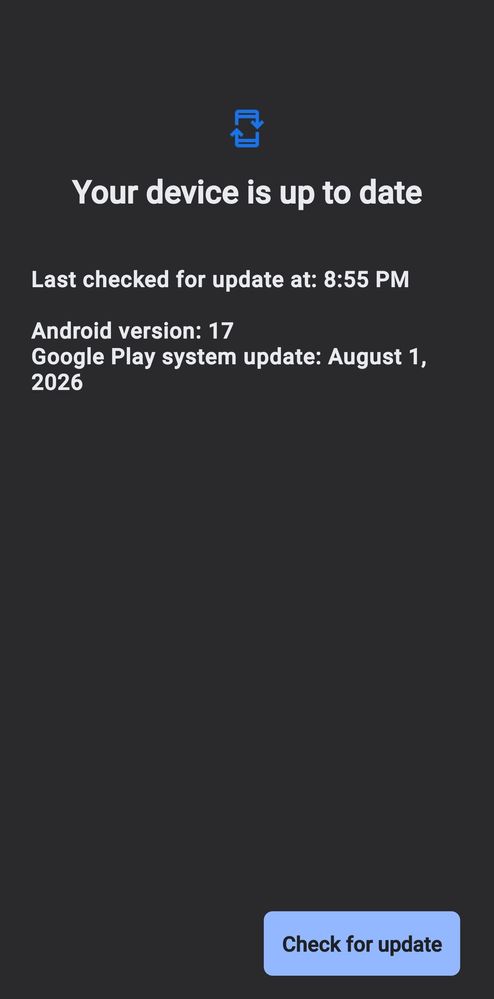
Anyone know how to fix having to reboot every time I need to do updates? Hit the update button and nothing until I reboot. Pretty much every time. Clearing the cache and force stop does nothing. Only a reboot. And Play Store software is as up to date as it will let me.
XplisitDRpapiX
Galaxy
2 months ago
in
XplisitDRpapiX
Galaxy
2 months ago
in
0 likes
Robin621k
Honored Contributor
2 months ago
in
userEF88e3nxYW
Cosmic Ray
2 months ago
in
0 likes
USBetaModerator3
Beta Moderator
2 months ago
in
Hello,
Thank you for your feedback.
At this time, the Google Play system update (GPSU) feature is temporarily paused on Beta models. This is intended behavior based on Samsung’s policy in coordination with Google.
While the update function is currently paused, all critical security fixes from Google have already been preloaded into the Beta software. You can continue using your device without concern during Beta.
The update functionality will resume at the appropriate time, either during the Beta or after the official release.
We appreciate your participation in the One UI Beta Program.
Best regards,
One UI Beta Team
0 likes