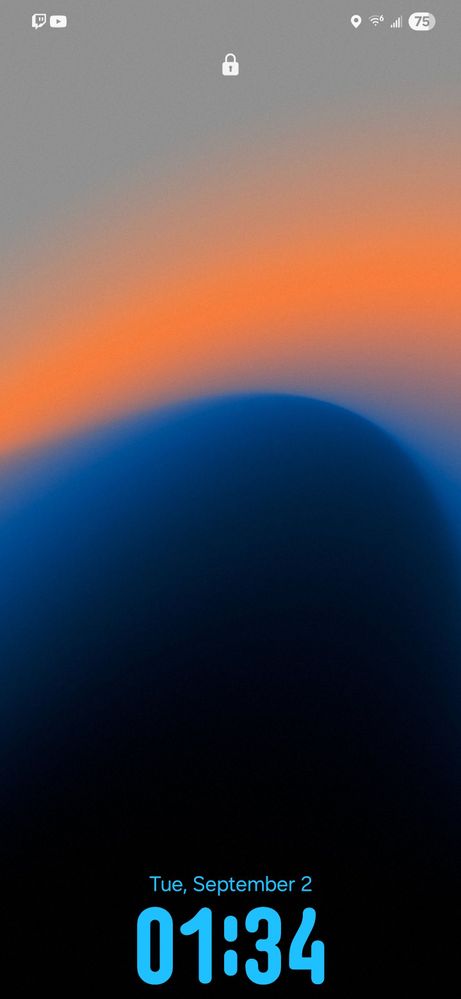
Is there anyone else who has this problem? The clock goes down to the bottom. It has already happened about twice, and I couldn't fix it the third time, Maybe restarting the
I have the same issue and it appears to happen when I set the dynamic clock style. Its almost like it is trying to adjust to an object on the wallpaper. I also used a gradient style background like the one pictured.
To assist us in resolving this issue, we kindly ask you to submit an error report through the Samsung Members app on your device immediately after the issue is reproduced:
1. Open Samsung Members. 2. Navigate to One UI Beta Program > Beta Feedback. 3. Attach any relevant screenshots or screen recording/video (if possible). 4. Ensure "Send system log data" is checked, then submit the report.
Important: Please submit the report within 3 minutes of reproducing the issue for accurate log data collection.
We sincerely apologize for any inconvenience this may have caused and truly appreciate your contribution to improving the Beta experience.

NYCKid60
Cosmic Ray
09-2-2025 06:43 PM
in
0 likes
Scoob69
Constellation
09-2-2025 09:39 PM
in
RVee
Halo
09-3-2025 06:35 AM
in
USBetaModerator3
Beta Moderator
09-3-2025 09:55 PM
in
Hello,
Thank you very much for sharing your feedback.
To assist us in resolving this issue, we kindly ask you to submit an error report through the Samsung Members app on your device immediately after the issue is reproduced:
1. Open Samsung Members.
2. Navigate to One UI Beta Program > Beta Feedback.
3. Attach any relevant screenshots or screen recording/video (if possible).
4. Ensure "Send system log data" is checked, then submit the report.
Important: Please submit the report within 3 minutes of reproducing the issue for accurate log data collection.
We sincerely apologize for any inconvenience this may have caused and truly appreciate your contribution to improving the Beta experience.
Best regards,
One UI Beta Team
0 likes