
Original topic:

Unavailable settings in Calendar widget

(Post creation time:  

3 months ago

)

297 Views

M

Mo174

Galaxy

last edited


3 months ago


in

 
When I try to access the settings of the calendar widget (button below), it does nothing even though before beta 2, it opened the menu normally.
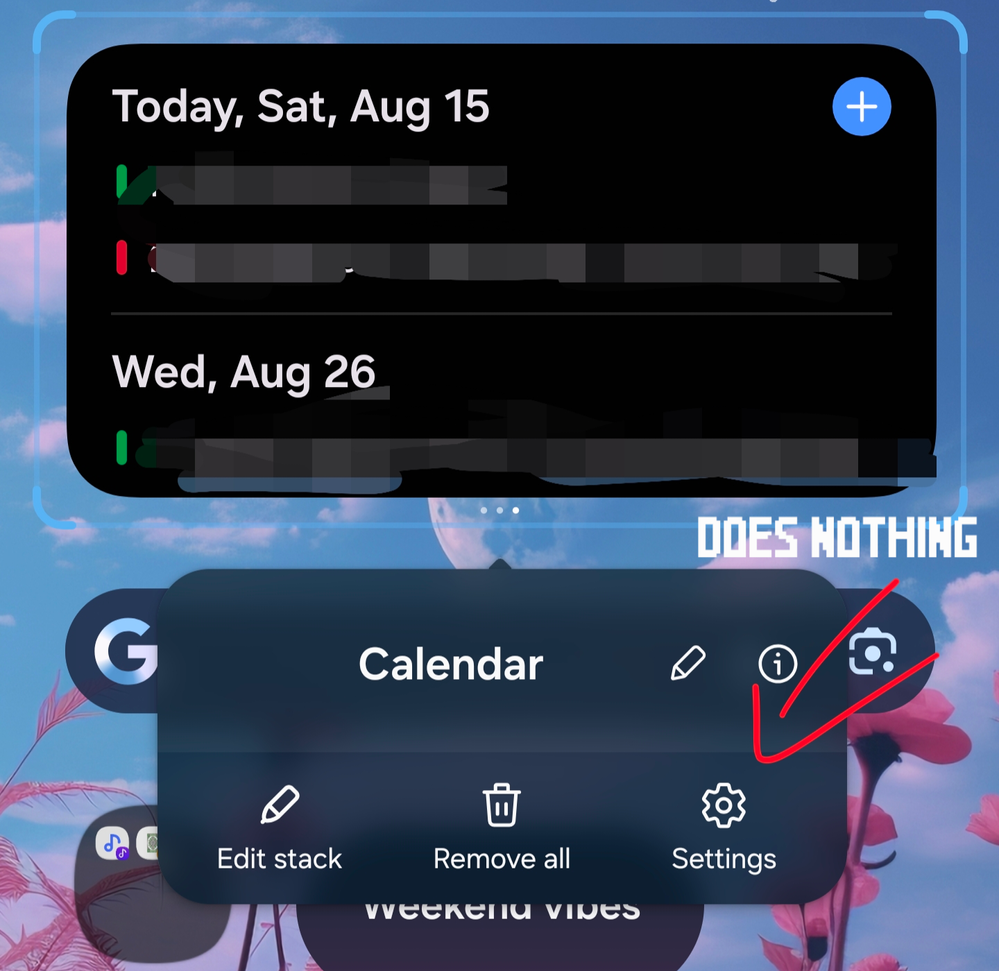
I am now stuck with a calendar widget at full opacity.

(I did submit feedback on the error, and I have tried all standard troubleshooting options, like restarting the device and removing then re-adding the widget)

image


    • C

      -CROW-

      Black Hole

      3 months ago


      in

       
      It's working fine. No issues. Try deleting the widget and adding it again.
      M

      Mo174

      Galaxy

      3 months ago


      in

       
      Sorry I messed up the two (because both appear as "Calendar). It is Samsung Calendar that has the problem, not Google. Google is the one with just 2x2 or 4x4.

      Anyways, thanks for the suggestions!

      0 likes

      R

      Robin621k

      Honored Contributor

      3 months ago


      in

       
      Have you tried to clear cache from the Calender app and One Ui Home ?
      M

      Mo174

      Galaxy

      3 months ago


      in

       
      Yup. That didn't work either :(.

      0 likes

    • M

      Mo174

      Galaxy

      3 months ago


      in

       
      I guess I will try deleting it and reinstalling it at sometime. At least I am glad people confirmed here it is not a widespread issue!

      Update: ISSUE SOLVED. That did the trick

      0 likes