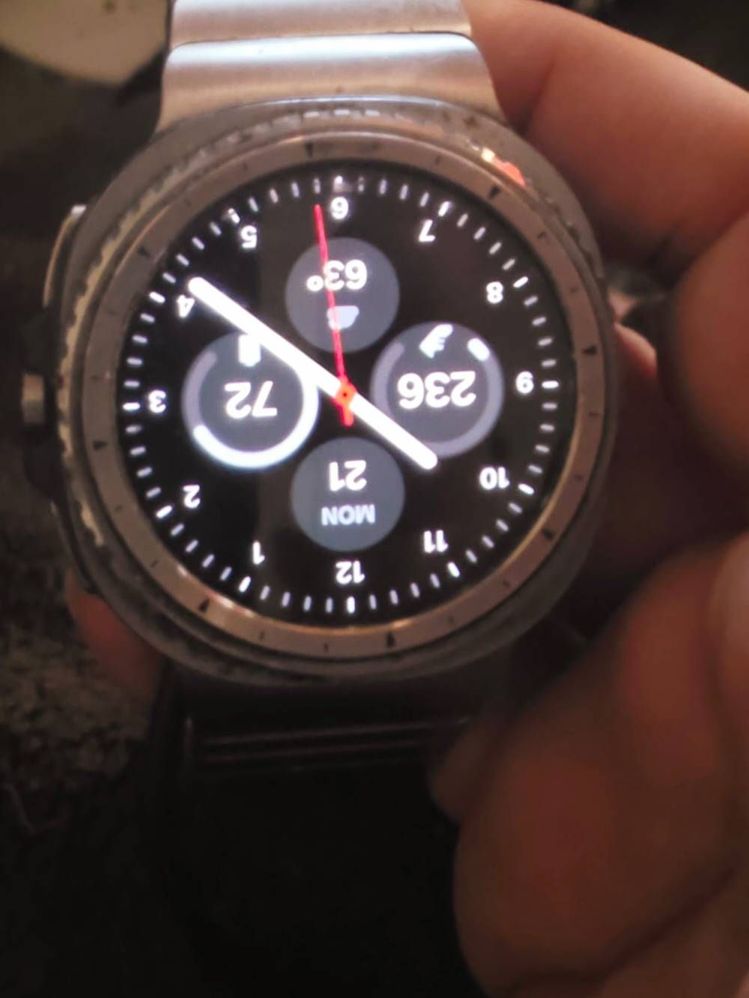
When using right wrist left buttons orientation while charging the display is upside down. Beta 3 didn't fix it. Come on Samsung, do you have a problem with lefties?
I have right wrist left buttons for orientation. When the watch is on the charging puck, the screen flips to upside down. When I switch to left wrist right buttons on the charging puck the screen is no longer upside down. Both pictures left wrist right wrist. Do you see it now. I can't access settings etc while charging because the screen is upside down.
@Robin621k I see that the screen is upside down when the buttons are on the other side but I still don't see any charging indicator on the watch face. I'm guessing that watch face doesn't care that you are charging or not. Is that a 3rd party watch face?

nitrate
Halo
09-21-2026 05:08 PM
in
0 likes
Chef31684
Red Giant
09-22-2026 02:39 AM
in
0 likes
LongHiker
Galactic Samsung Care Ambassador
09-23-2026 02:46 PM
in
0 likes
Robin621k
Honored Contributor
09-25-2026 06:06 PM
in
LongHiker
Galactic Samsung Care Ambassador
09-25-2026 06:37 PM
in
@Robin621k I see that the screen is upside down when the buttons are on the other side but I still don't see any charging indicator on the watch face. I'm guessing that watch face doesn't care that you are charging or not. Is that a 3rd party watch face?
0 likes
Robin621k
Honored Contributor
10-8-2026 07:08 PM
in
Changed to stretch time. Still the same thing upside down.
0 likes