
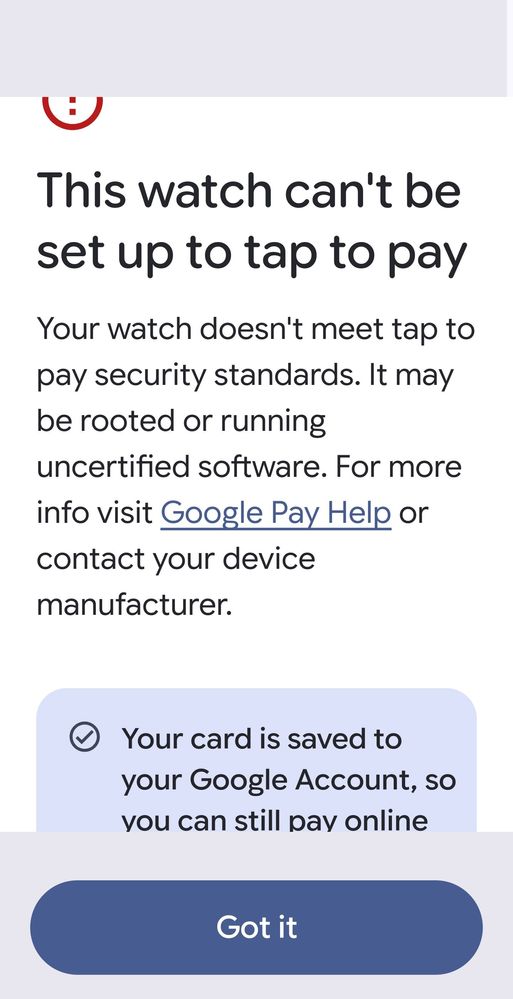
Attached is what I get now when trying to add a payment card! My watch isn't rooted, it has Samsung watch ultra 7 beta UI 8! So it appears Google wallet for samsung watch needs a update to match ui8! I have tried contacting Google no response! I've cleared cache & partition, reboot, uninstall & reinstall! Still Google wallet will not work on my watch! It does on my Samsung ultra 25 phone! Which is also running on Beta UI8!
ChaosSaber
Honored Contributor
07-2-2025 01:16 AM
in
Boosy
Galaxy
07-2-2025 01:55 AM
in
0 likes
LZB302
Galaxy
07-2-2025 02:05 AM
in
0 likes
Kermit0408
Halo
07-2-2025 02:30 AM
in
USBetaModerator3
Beta Moderator
07-2-2025 08:57 PM
in
Hello,
Thank you very much for your feedback.
If you experience any issues or would like to share additional feedback, we kindly ask you to submit a report through the Samsung Members app on your device. This helps us analyze your experience more accurately:
1. Open Samsung Members.
2. Go to One UI Beta Program > Beta Feedback.
3. Select the appropriate category and describe your experience.
4. If possible, attach screenshots or screen recordings.
5. Make sure “Send system log data” is checked before submitting.
※ For technical issues, submitting within 3 minutes of reproduction will help capture the most accurate log data.
Thank you again for being part of the One UI Beta Program — your input is essential to helping us improve the experience for everyone.
Best regards,
One UI Beta Team
0 likes