
So my problem is that my messenger app is not opening it just stays on the icon page with white and if I tap on home and reclick the messenger app my screen freezes (cant pull down notif panel or back button) unless I go click on home again. The issue from diagnostics I get is that messenger is not responding.
Idk what to do anymore. I already tried to clear cache, clear data, uninstall the app then reinstall, even restarted my phone. What happens is that I would be able to re-log in but if I lock my screen or exit the app I would not be able to access the app again. It goes back to my original problem. So I tried accessing my messages on chrome mobile web and i can see the messages BUT I CANNOT SEND MESSAGES EITHER. This is very frustrating idk what is wrong with my Samsung M22 and it's new.
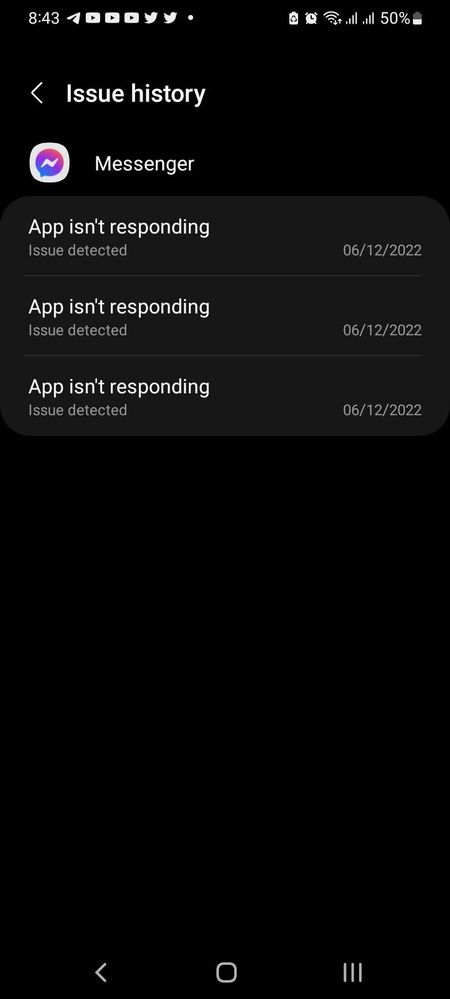

Edit: this issue has been 3 days now
Vinything
Expert Level 1
Tuesday, June 14th, 2022 02:21 AM
in
0 likes
Jai_Zhai7
Active Level 3
Tuesday, June 14th, 2022 02:25 AM
in
0 likes
Vinything
Expert Level 1
Tuesday, June 14th, 2022 02:33 AM
in
rg_x
Expert Level 1
Tuesday, June 14th, 2022 02:31 AM
in
0 likes
Jai_Zhai7
Active Level 3
Tuesday, June 14th, 2022 06:27 AM
in
butete
Expert Level 5
Tuesday, June 14th, 2022 06:16 AM
in
0 likes
SamsungRightCare
Community Manager
Tuesday, June 14th, 2022 09:08 AM
in
Hi, Jai_Zhai7!
Thanks for sharing your concern here. As TechTalker said, you need to send feedback to Messenger's app developers and list all the troubleshooting steps you've done so they could help you better.
I also want to ask if this issue persisted after your software update? If it did, you might want to wipe the cache partition of your device. Here are the instructions you can do to successfully wipe the cache partition of your phone: https://www.youtube.com/watch?v=OqsSslIOSyA
0 likes
Jai_Zhai7
Active Level 3
Tuesday, June 14th, 2022 09:21 AM
in
0 likes
SamsungRightCare
Community Manager
Wednesday, June 15th, 2022 07:35 AM
in
Thanks for replying, Jai_Zhai7! I'm really sorry you're experiencing this. If you find your battery draining faster after the update, then that just means your phone goes through a series of optimization procedures in the background. The series of optimization will definitely increase the battery drain speed of your phone.
These procedures will be completed within five (5) hours if the phone is fully charged and idle or within three (3) days under normal use. This optimization process may also take longer if the phone is used frequently during this period. Once the optimization is completed, the standby time will return to normal.
For your concerns on the Messenger app, you need to send feedback to the devs of the Messenger app so they could fix them.
Jai_Zhai7
Active Level 3
Wednesday, June 15th, 2022 07:43 AM
in