
Hi, anyone here having issues with the One UI 5.1 update? I installed the update last Friday on my S20 5G and noticed some flickering on the screen, until my screen turned all white—which gave me a pretty much of a scare. 😔
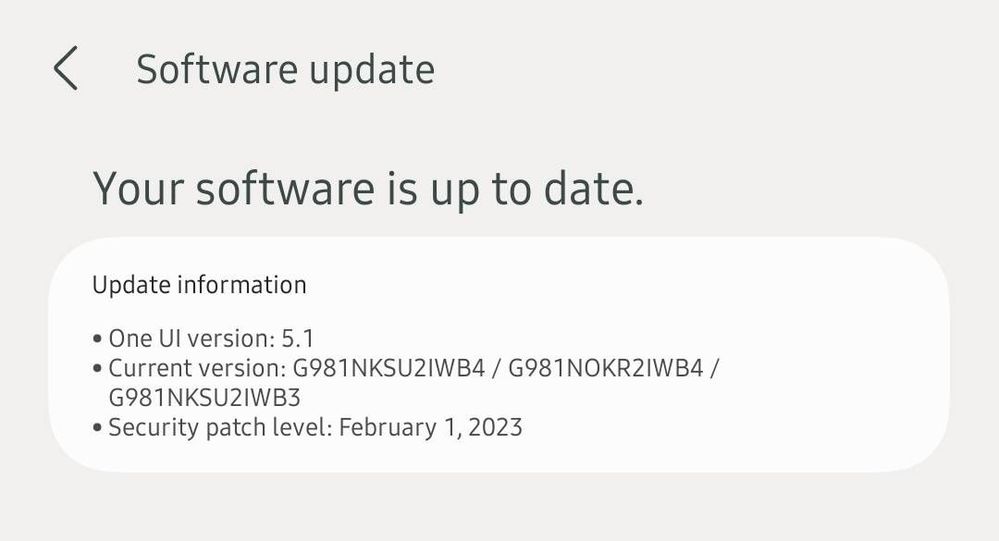
It just now went back to normal after more or less 30 minutes.
I had this latest update and would like to know if anybody here are also having issues with theirs?
.
TeamGalaxyDD
Moderator
Tuesday, March 14th, 2023 02:19 AM
in
It might sometimes happen after an update, have you restarted since installing it?
Lawr
Active Level 3
Tuesday, March 14th, 2023 09:14 AM
in
0 likes
Samsung_4aeGDWZ
Beginner Level 3
Tuesday, October 3rd, 2023 03:15 PM
in
I am having the same issue. Even did a factory reset and still happening. Has anyone found a solution?
0 likes
TeamGalaxyRene
Moderator
Tuesday, March 14th, 2023 02:37 AM
in
Hello Lawr,
We are sorry to hear about your experience with the recent updates on your beloved Samsung Galaxy S20 5G having issues with some flickering on the screen, then there's an episode where the screen turned all white, and we apologize for the inconvenience it caused you.
We keep an eye on our device, knowing that it has become an essential part of our daily routine. If there's an update, we expect that it will not only improve its performance but resolve some old issues as well. But in your case, after an update, the screen turned white, which got you worried, and I really understand how you feel. Don't you worry; we are here to assist, guide, and offer solutions to restore your device's optimum performance.
In order to pinpoint the root cause of the problem, you may submit an error report through the Samsung Members app as follows:
Step 1. Long press Samsung Members icon on Apps screen and tap Error reports.
Step 2. Tap OK on agreement popup to send system log data.
Step 3. Select Symptom category "Display".
Step 4. Describe the problem in details and SEND.
How to submit an error report on Samsung Members app? | Samsung PH
If the problem persists, immediately bring your device to the nearest Samsung Authorized Service Center. Rest assured that our Samsung engineers and technicians are competent to assess your device with suggestions, and offer to provide prompt solutions to restore it up to optimum performance.
https://www.samsung.com/ph/support/service-center/
For more assistance and guidance, you may contact us via our online Samsung Customer Care support channels below.
https://samsung-livechat.sprinklr.com/seao/ph/index.html
Heir85
Active Level 3
Friday, March 24th, 2023 09:35 AM
in
0 likes
Lawr
Active Level 3
Friday, March 24th, 2023 10:34 AM
in
My phone's screen turned white again three days ago. Was waiting if the phone will fix itself again after some time like the first incident but the screen remained white. Tried rebooting the phone multiple times already but nothing's still happening. Been using my old phone since then. Stil hoping that Samsung will give a fix on this matter. 😔
0 likes
Ezrapot
Beginner Level 2
Tuesday, April 4th, 2023 10:01 AM
in
I'm having exactly the same problem with my phone since the update.
0 likes
Demi15
Beginner Level 2
Tuesday, April 4th, 2023 06:03 PM
in
I have also experienced the same issue on my s20 plus after the one ui 5.1 update . This is absolutely unprofessional for unstable updates to be rolled out to flagship devices. When will Samsung release a bug fix for the issue ?
0 likes
Sneha_Neerputh
Beginner Level 2
Friday, May 5th, 2023 10:08 AM
in
Yes me too im facing this problem. Plzz solve this issue😡😡😡
0 likes
Bridgett_T
Beginner Level 3
Sunday, June 18th, 2023 12:14 AM
in
I recently installed the 5.1 update as well on Monday (6/12) and mine started flashing between the eye comfort shield and off of it. The following day the top portion of my screen started flickering and then the screen went white with some green outline of some images on my screen and other times it goes completely white. I really hope another update is released soon that fixes this error
0 likes
Osirus
Beginner Level 2
Tuesday, July 11th, 2023 01:14 PM
in
I should have checked previous posts on this. I have effectively bricked my phone since installing the 5.1 update. It reboots approximately 15 times a day and gets stuck during the process. I paid for a replacement battery thinking that was the issue but now its clear that it is down to the update as I seen have seen hundreds of similar posts. Are Samsung going to address this issue or just turn customers to rival devices? Rubbish.
0 likes
Sam_pavy
Beginner Level 2
Monday, July 31st, 2023 07:04 AM
in
Seriously regretting my decision on updating this software. My S20+ screen went all white with green flickering since the update. Tried restarting so many times but no use. I have been using Samsung since 2015. You guys just lost a user. I hope they will make a reliable software to the people who are still willing to use Samsung
0 likes