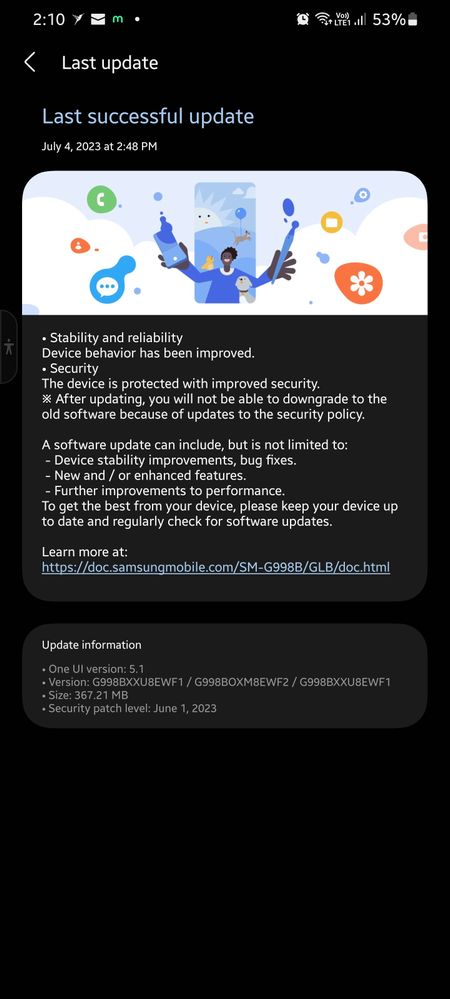
We're sorry to hear that your device overheats during phone/video calls, online streaming, and regular app usage after performing software update.
One of the possible reasons why the device is overheating is streaming videos online, browsing the internet using mobile data or Wi-Fi, and/or playing downloaded games for a long period of time. This might also be a contributing factor as it consumes a lot more battery percentage to run the applications efficiently so please try using the device for a limited amount of time when streaming/playing/browsing applications during the day.
If that doesn't fix the problem, you may submit an error report through the Samsung Members app as follows:
Step 1. Long press Samsung Members icon on Apps screen and tap Error reports.
Step 2. Tap OK on agreement popup to send system log data.
If the issue persists, you may bring your device to the nearest Samsung Authorized Service Center in your area. Rest assured that your device will undergo an assessment to pinpoint the root cause of the issue. Our Samsung engineers and technicians will guide you and offer solutions to restore it.

TeamGalaxyRene
Moderator
Friday, July 7th, 2023 06:22 AM
in
Hi Heisënberg,
We're sorry to hear that your device overheats during phone/video calls, online streaming, and regular app usage after performing software update.
One of the possible reasons why the device is overheating is streaming videos online, browsing the internet using mobile data or Wi-Fi, and/or playing downloaded games for a long period of time. This might also be a contributing factor as it consumes a lot more battery percentage to run the applications efficiently so please try using the device for a limited amount of time when streaming/playing/browsing applications during the day.
If that doesn't fix the problem, you may submit an error report through the Samsung Members app as follows:
Step 1. Long press Samsung Members icon on Apps screen and tap Error reports.
Step 2. Tap OK on agreement popup to send system log data.
Step 3. Select Symptom category "Others".
Step 4. Describe the problem in details and SEND.
How to submit an error report on Samsung Members app? | Samsung PH
If the issue persists, you may bring your device to the nearest Samsung Authorized Service Center in your area. Rest assured that your device will undergo an assessment to pinpoint the root cause of the issue. Our Samsung engineers and technicians will guide you and offer solutions to restore it.
https://www.samsung.com/ph/support/service-center/
or book an appointment with the Samsung Members app as follows:
Support > Book an appointment to set one.
Should you need further assistance and guidance, you may contact us via our online Samsung Customer Care support channels below.
https://samsung-livechat.sprinklr.com/seao/ph/index.html
https://www.samsung.com/ph/support/contact/#onlinesupport
Or our Samsung Customer Care direct hotline numbers below.
#GALAXY or #425299 [Mobile Phones & Tablets]
Available 24/7
1-800-10-7267864 [All Product, Toll Free, PLDT]
1-800-8-7267864 [All Product, Toll Free, Globe]
842 221 11 [All Product, Landline]
Daily (8:00am to 8:00pm)
Be sure to click "ACCEPT AS SOLUTION" when you find our answers helpful to you.
Stay safe and have a nice day ahead! Thanks for contacting Samsung.
boruteru
Active Level 6
Friday, July 7th, 2023 06:33 AM
in
0 likes
summeRamirez
★
Monday, July 10th, 2023 08:26 PM
in
0 likes