
Anyone has experience a notification that is not showing up as pop up?
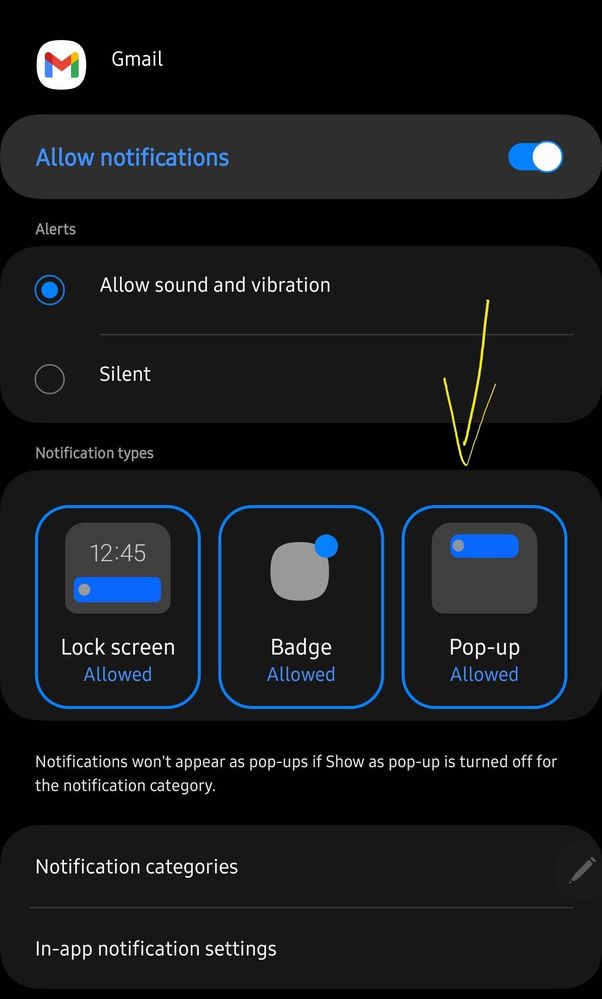
Even though it is set as enabled it still does not show as a pop up an example for me would be gmail notifs but other apps as well I notice the same behavior.
If you have any work around, would love to know.
Selected Answer
kjcentenoasper
Active Level 5
Monday, February 20th, 2023 04:34 AM
in
I found a workaround on this you may follow the steps below and check on your device as well.
1. Go to Settings
2. Open Apps
3. Select an application you want to update the notifications (e.g. Gmail)
4. Go to Notification
5. Select Notification Categories
6. You will see the list of categories available for the application. For our example Gmail app, open the Mail categories
7. Enable "Show as pop-up" option as seen on the screenshot below.
After doing this, I was able to see pop-up notification on Gmail.
The only catch is you will need to really drill down to all categories for each application in which you want to have a pop-up notification.
Not sure why, by default it is not enabled for all application or when you install a new one.
Try it on your device, and let me know if this works for you.
You can also select the three dots on the upper right side corner of this post and "Accept Solution" if you find it useful.
jmbldr
Active Level 1
Sunday, February 19th, 2023 06:29 AM
in
0 likes
kjcentenoasper
Active Level 5
Thursday, February 23rd, 2023 11:09 PM
in
0 likes
pham_hni
Expert Level 1
Sunday, February 19th, 2023 02:21 PM
in
0 likes
pham_hni
Expert Level 1
Sunday, February 19th, 2023 02:22 PM
in
0 likes
kjcentenoasper
Active Level 5
Sunday, February 19th, 2023 03:17 PM
in
I want all notifications to show as pop up and somehow not all application does that.
0 likes
pham_hni
Expert Level 1
Sunday, February 19th, 2023 03:28 PM
in
0 likes
kjcentenoasper
Active Level 5
Sunday, February 19th, 2023 03:45 PM
in
0 likes
TeamGalaxyRene
Moderator
Monday, February 20th, 2023 05:18 AM
in
Hello kjcentenoasper,
Thanks for reaching out to us here in order to find out about similar experiences with other Samsung members regarding the Gmail notification pop on your device.
I'm hoping that with your own self-discovery in finding solutions, others may learn something new.
0 likes