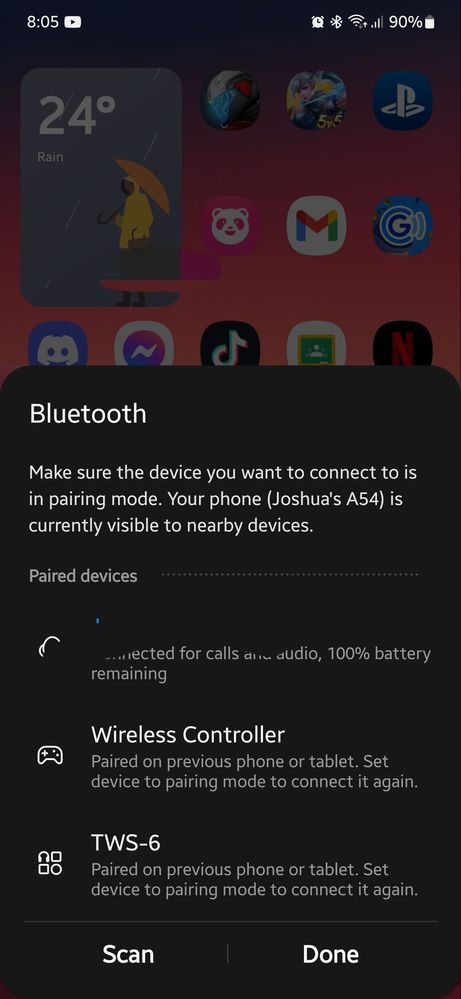
I don't think there's an option do disable it. In my case, i just leave it open. If the reason is about battery, there's actually no significant effect as per my experience.
Did you try tapping the notification in Settings? And locate there the Bluetooth, Tap app settings then toggle off to disable the Bluetooth notification.
I hope this bring the issue to a close.
If that doesn't solve the issue, you may submit an error report through the Samsung Members app as follows:
Step 1.Launch the Samsung Members app, and then tap the Support icon for more options.
Step 2. Scroll and select Error reports.
Step 3. Choose a category of your concern. Select"Bluetooth".
Step 4. Choose the frequency of the issue you are experiencing. Enter issue details or attach a video or screenshot. Then press Send icons to complete the report.

bagol1209
★
Thursday, August 10th, 2023 12:45 PM
in
0 likes
TeamGalaxyRene
Moderator
Friday, August 11th, 2023 06:43 AM
in
Hello Cave13,
Did you try tapping the notification in Settings? And locate there the Bluetooth, Tap app settings then toggle off to disable the Bluetooth notification.
I hope this bring the issue to a close.
If that doesn't solve the issue, you may submit an error report through the Samsung Members app as follows:
Step 1. Launch the Samsung Members app, and then tap the Support icon for more options.
Step 2. Scroll and select Error reports.
Step 3. Choose a category of your concern. Select "Bluetooth".
Step 4. Choose the frequency of the issue you are experiencing. Enter issue details or attach a video or screenshot. Then press Send icons to complete the report.
https://www.samsung.com/ph/support/mobile-devices/how-to-submit-an-error-on-samsung-members/
Should you need further assistance and guidance, you may contact us via our Samsung Customer Care support channels below.
0 likes