
I am in the process of reducing the internal storage of my Galaxy A06 5g phone by moving a number of moveable files to the sd card. All pictures, files & documents have been moved to the SD card. But there is a section in the internal storage called other files which takes up quite a lot of phone storage, which is 4 gb. It is not an application file, nor is it a system file, and cannot be accessed. Does anyone know what the file is? Can this file be moved to the SD card to reduce phone storage?
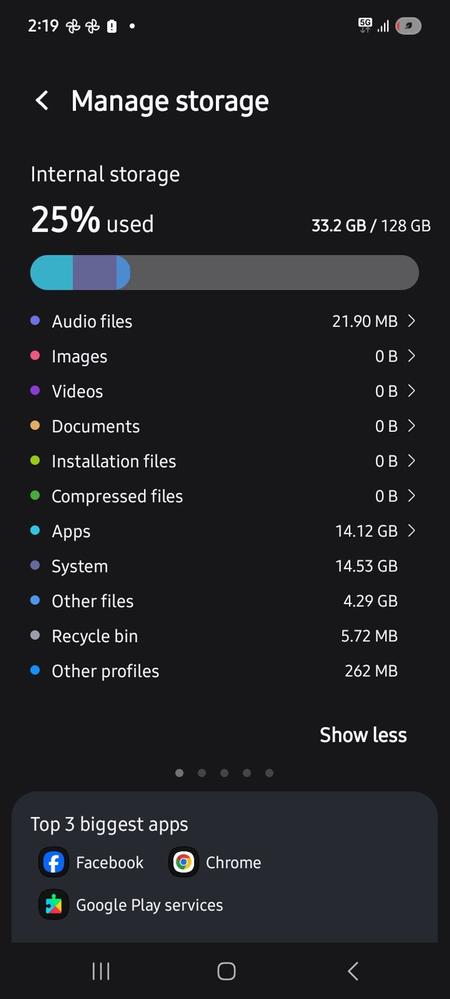
Thank you for your knowledge and cooperation
penguinz1
Active Level 7
Sunday, June 15th, 2025 06:49 AM
in
nazzzz
★
Sunday, June 15th, 2025 05:45 PM
in