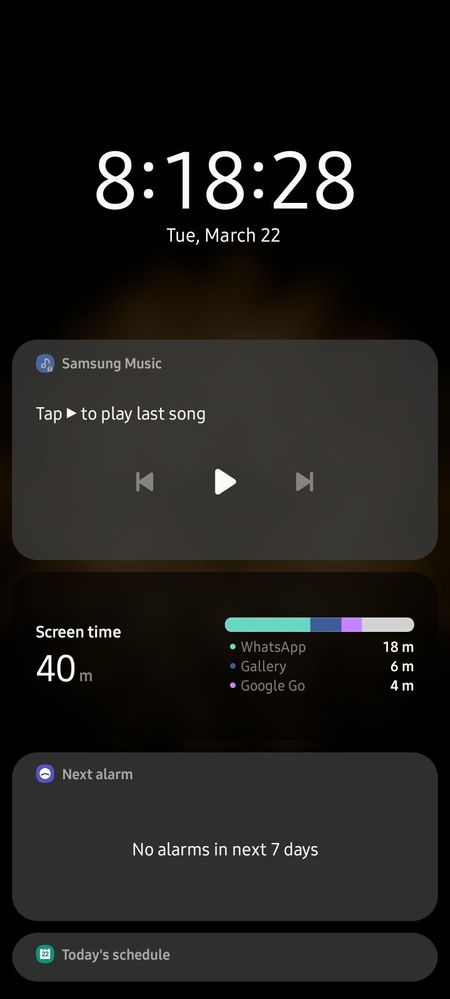
It's not the Digital wellbeing app that has cause the problem its the other widgets because if you refer to the one below you will see that all are dark it's not gray anymore in future app or a software update will fix the issue. Try using a different wallpaper, off dark mode and apply the wallpaper and then on Dark mode again. Also make sure if it's One Ui4.0 apple Dark wallpaper settings.
If you found my comment useful, kindly click on the 3 dots and select "Accept Solution" Thank you so much 😊
Basically some apps have the updated widget of One Ui 4 and some still are on 3.1. The moment you upgrade to 4.0 this will become ok. Its an issue of being partially updated in terms of apps and widgets.
If my comment helped you in any way, please consider hitting the 3 dot menu and accepting my answer as a solution.

Selected Answer
ShenalDe
★
03-22-2022 03:33 AM
in
If you found my comment useful, kindly click on the 3 dots and select "Accept Solution"
Thank you so much 😊
RaviJa711
Expert Level 5
03-22-2022 03:28 AM
in
That's how it happened with my last update..🥲
Sakee_S
Active Level 6
03-23-2022 05:08 AM
in
Dr_Sadesh_Abey
★
03-22-2022 06:05 AM
in
Sakee_S
Active Level 6
03-22-2022 06:39 AM
in
Dr_Sadesh_Abey
★
03-22-2022 06:44 AM
in
If my comment helped you in any way, please consider hitting the 3 dot menu and accepting my answer as a solution.
Thanks 😊😊
Shehanp
★
03-22-2022 06:44 AM
in
Puliya123
Active Level 5
03-22-2022 01:00 PM
in
Themiyaweere
Active Level 3
03-22-2022 02:54 PM
in