
In case you didn't know, there is a way to customize your call screen/ background in your Samsung phone!
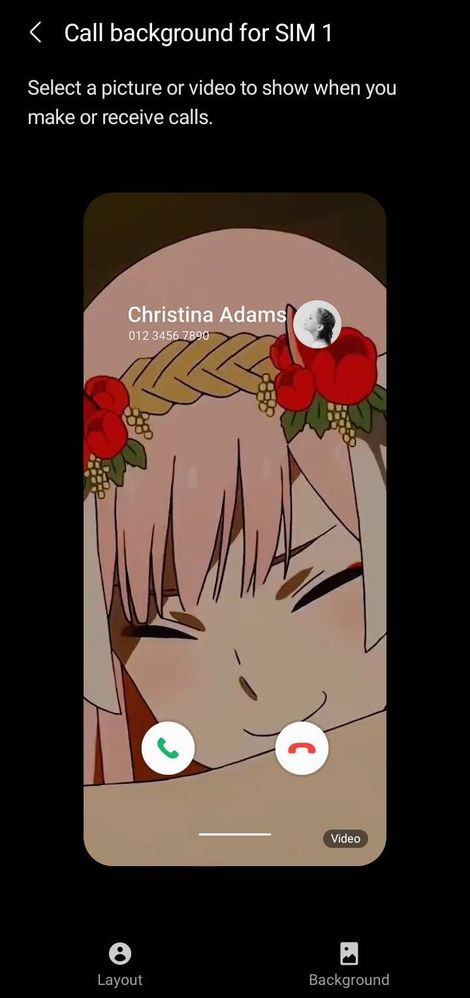
Select "layout" for customize the caller ID layout, or select 'background' to customize the call background.
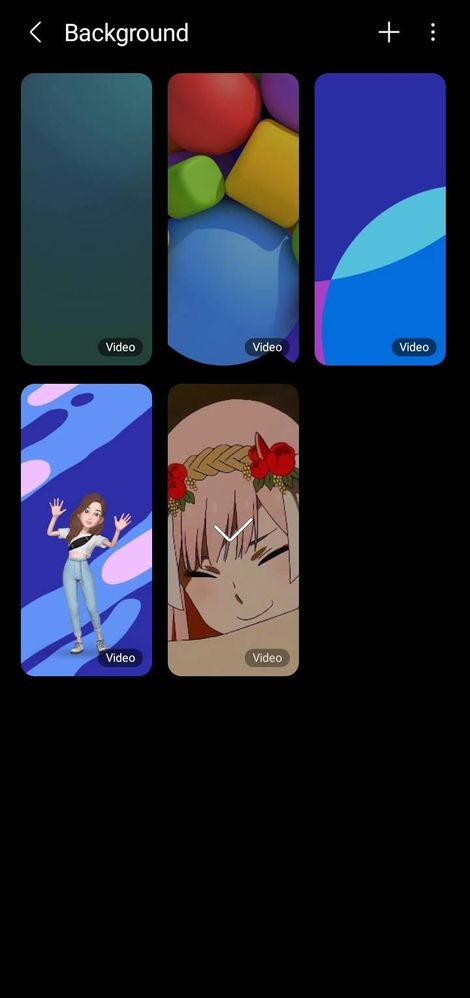
You can select the background you want from here, and you can add your own by clicking the '+' button.
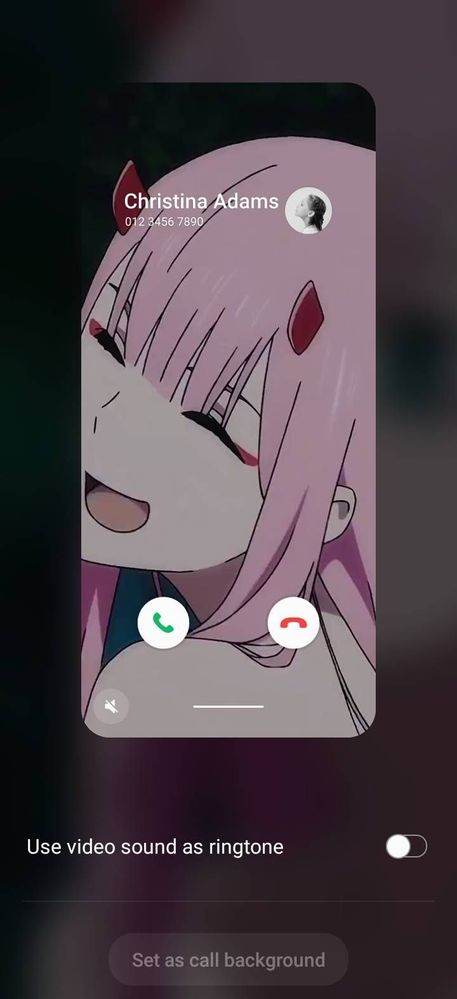
You can even set the video's sound as the ringtone!
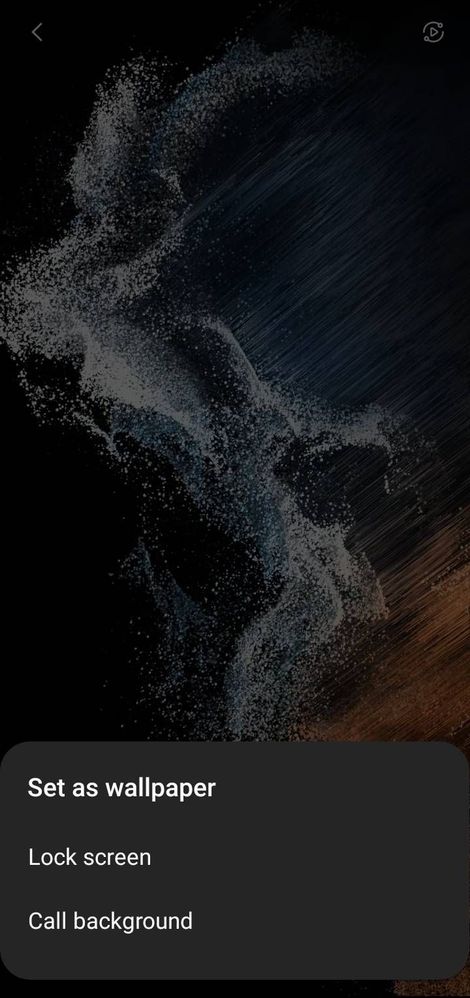
Select the Call Background to set the photo or video as your call background from gallery.
Here are the steps.
1. Open the Phone app
2. Go to settings
3. Call background
Here, you can choose different background for each SIMs (if you're using dual sim ofc)
You can change the layout of how the called ID should appear, and ofc the background. There are couple backgrounds which comes with the phone, and you can add your own backgrounds by hitting the "+" button.
You can even set the video's sound as the ring tone?!
Alternatively, you can go to the Gallery app and set the call background from there. Steps ans follows
1. Select the video or image you want to set
2. Click the 3 dots
3. Set as walpaper
4. Call background
So now you know!
❤
sampath6819
Beginner Level 5
4 years ago
in
0 likes