title:
Quick panel button space - One UI 7
(Post creation time:
08-5-2025 04:17 AM
)
418 Views
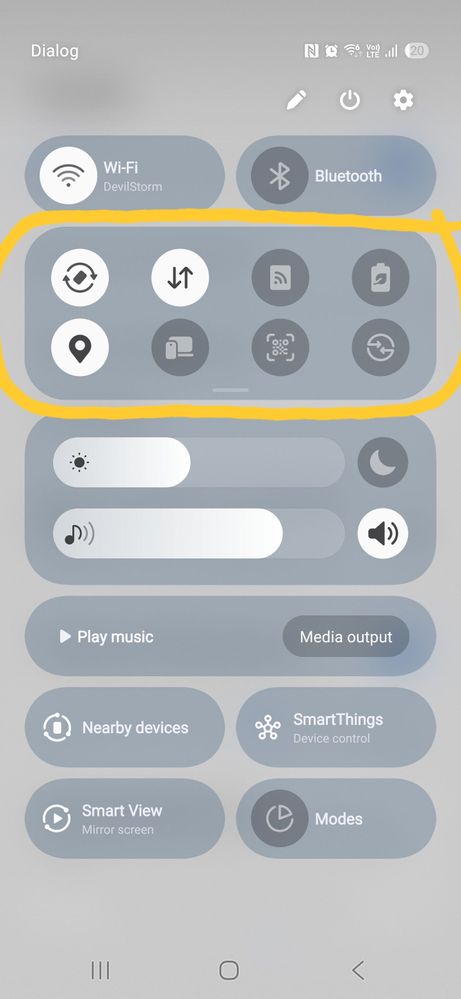
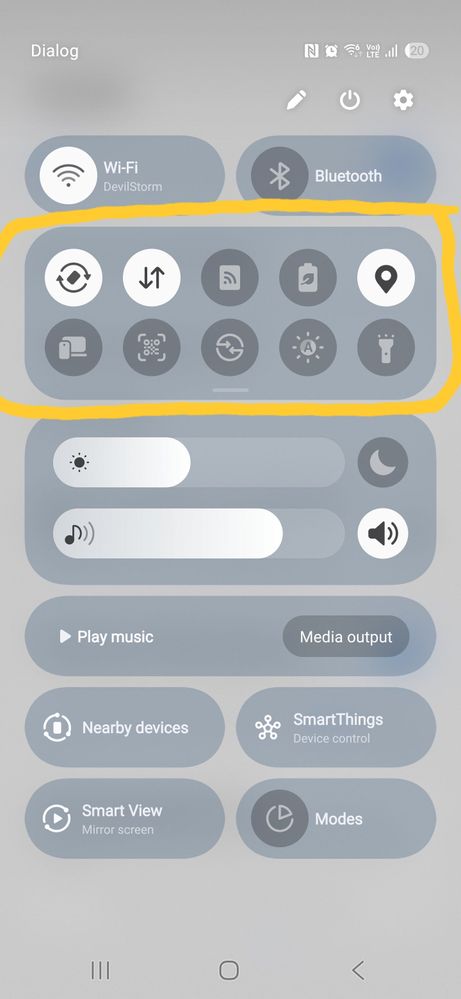
If you don't like too much space between icons in quick panel you can reduce it by Good Lock app in Samsung Store.
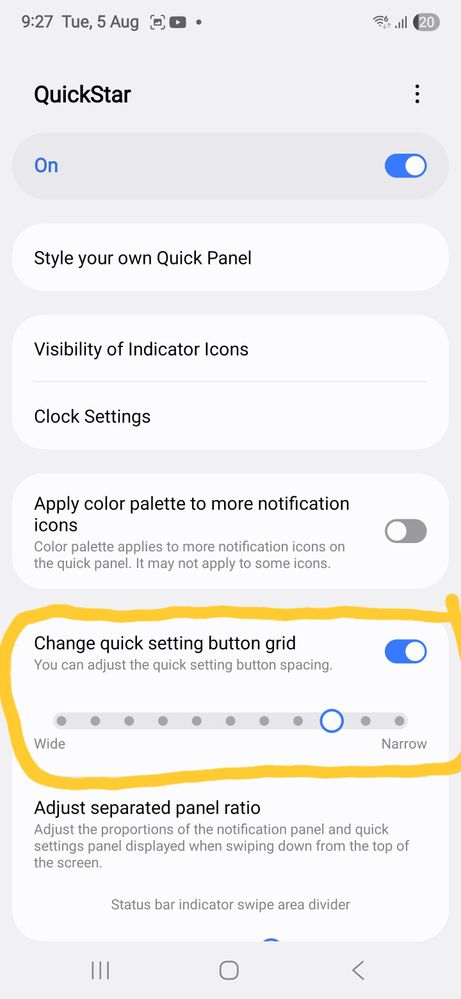
In Good Lock app install QuickStar extension. Open it and change button spacing.
QuickStar - Change quick settings button grid.
Before - too much space
After - beautiful now
Related Content
Quick panel & notification panels skip Animations after the OneUI 8 update
. Galaxy A 11-18-2025 04:25 AM
quick settings panel
. Galaxy S 12-20-2019 07:51 AM
Disabling Quick Settings Panel in Lock Screen.
. Galaxy S 10-23-2023 03:08 AM
power and settings button
. Galaxy S 03-5-2021 06:11 AM
Quick settings panel delay
. Galaxy A 11-9-2025 06:18 AM
ASHJATH
Active Level 10
08-5-2025 06:06 AM
in
Dushan_Kumara
★
08-5-2025 01:40 PM
in
0 likes
AkashMadusanka
Expert Level 2
08-6-2025 06:35 PM
in