
An Android 11 features....came with one UI 3.0 update
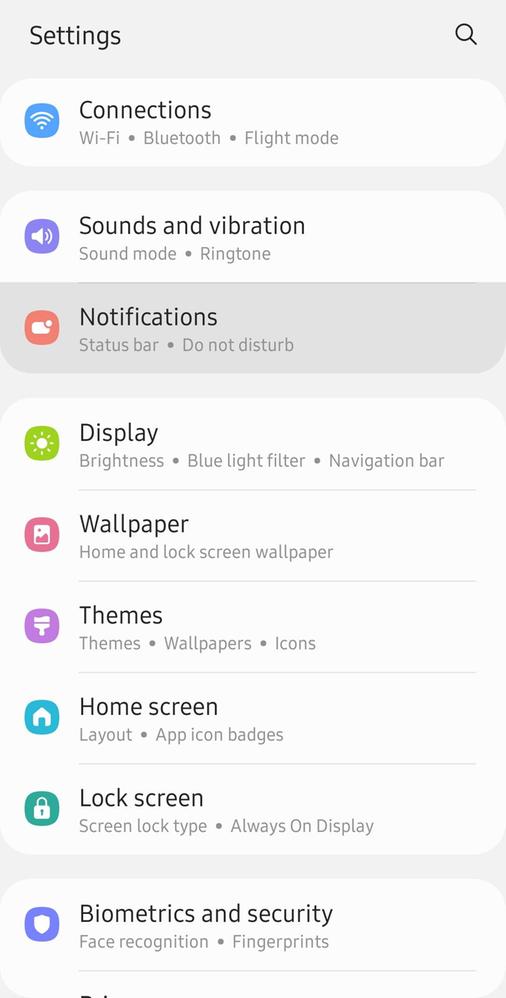
STEP 1.1
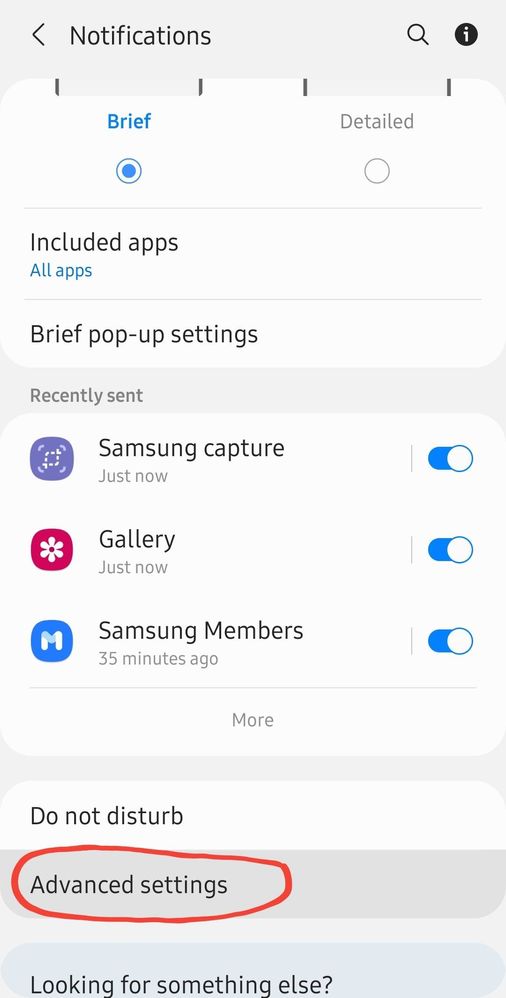
STEP 1.2
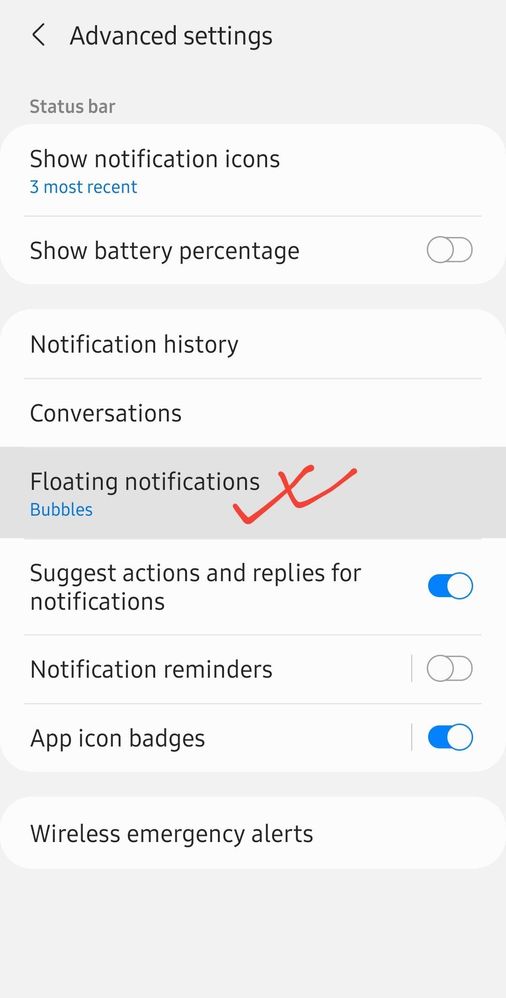
STEP 1.3
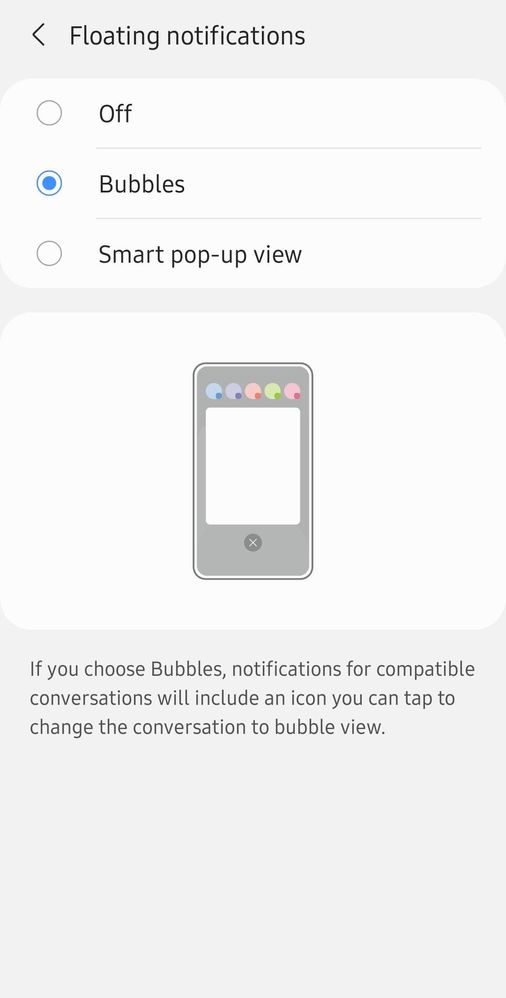
STEP 1.4
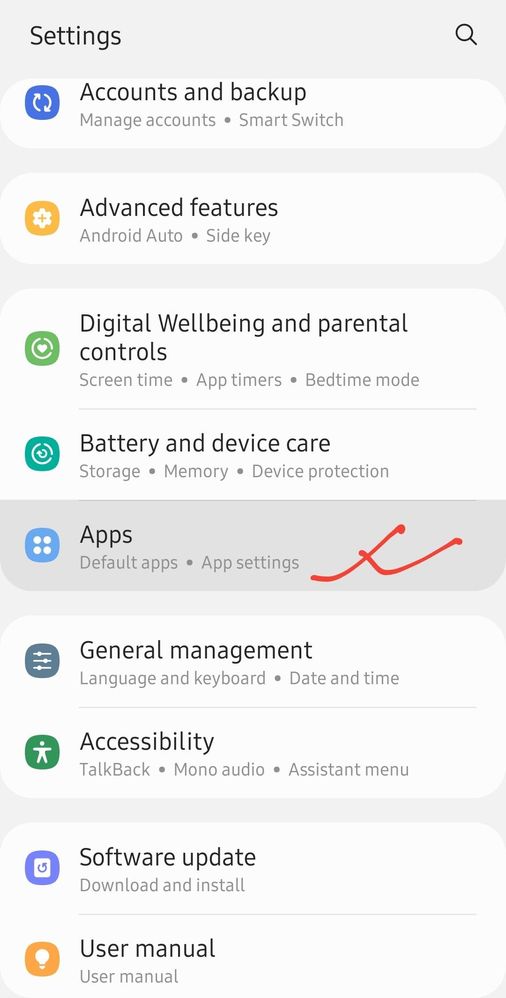
STEP 2.1
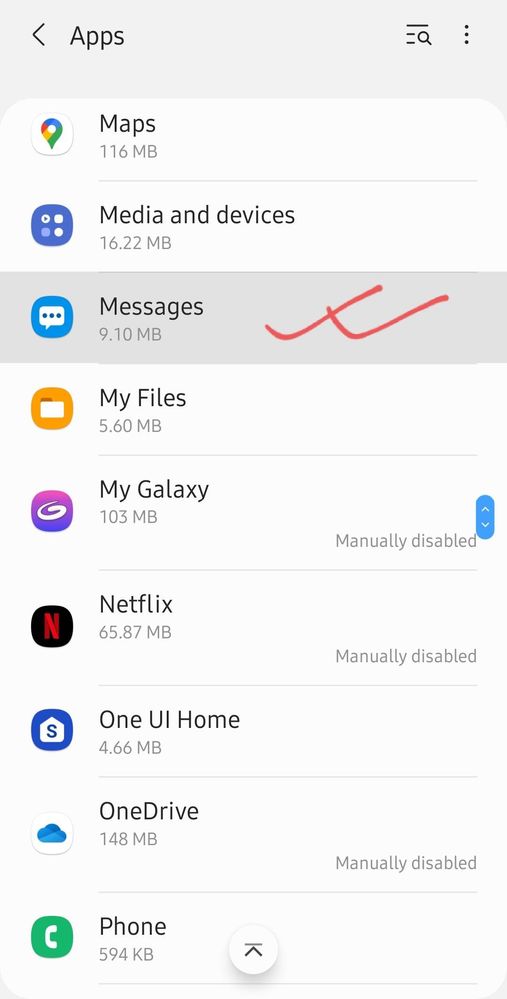
STEP 2.2
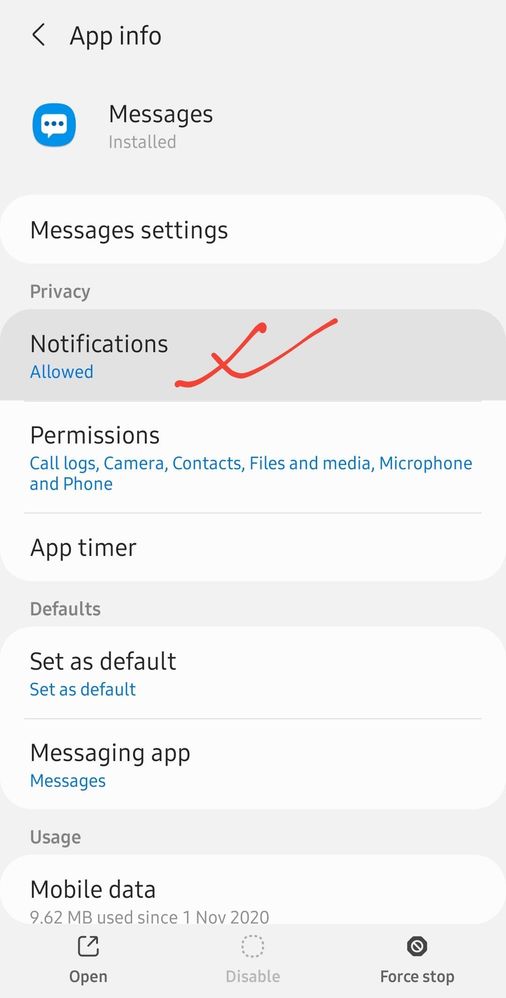
STEP 2.3
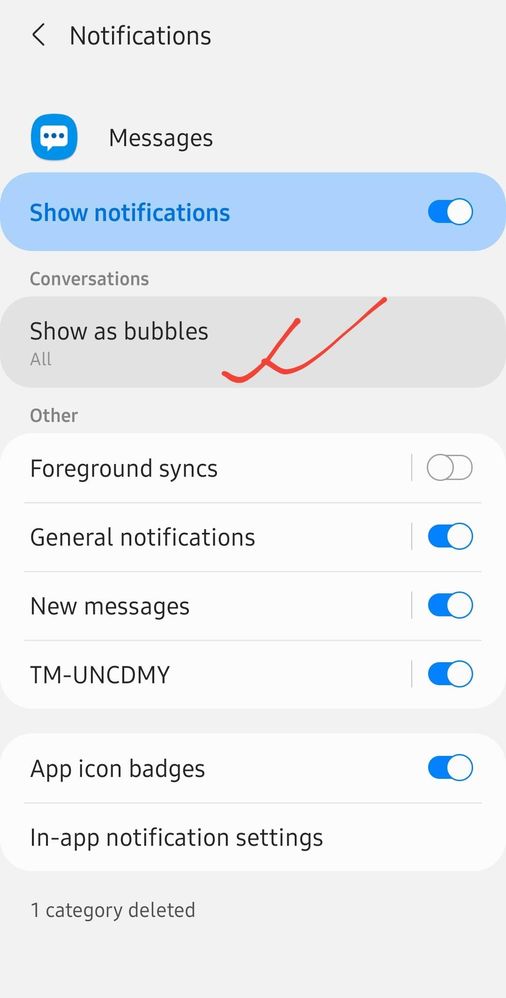
STEP 2.4
STEP 2.5
Bubble Notification:
Check how to enable it:
bubble notification works for messages, signal, telegram but not came into work in WhatsApp till now....
to enablt these do few steps:
STEP 1:
settings > notification > advanced settings > floating notification > (bubbles) enable it....
Below screenshot for reference👇👇
after that...do individual app notification as bubbles each...
STEP 2:
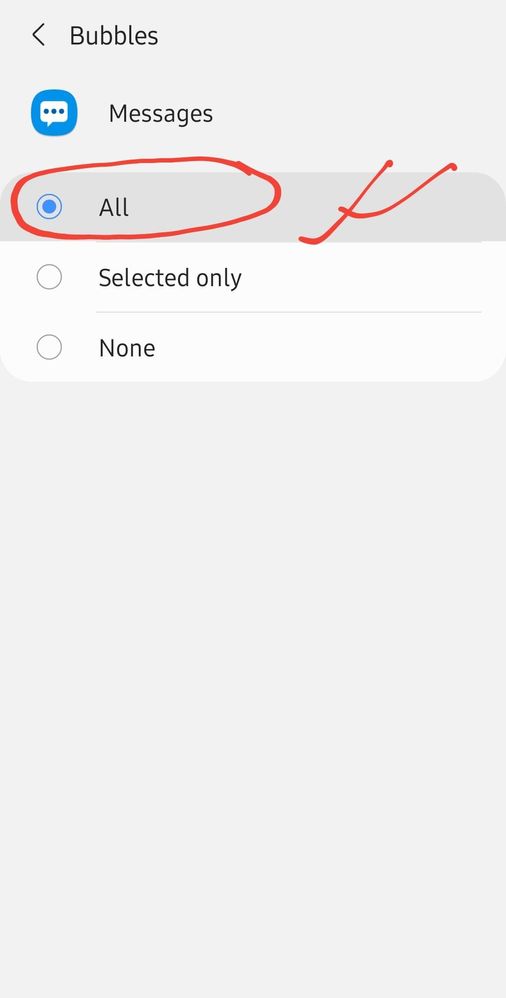
go Settings > Apps > (Select app compatible for it like)messages > (in app info go for) notification > (within conversation select) show as bubbles > (select) All
go Settings > Apps > (Select app compatible for it like)messages > (in app info go for) notification > (within conversation select) show as bubbles > (select) All
Below screenshot for reference👇👇
For those who don't know how to setup bubble notification....
I think this post has help users a bit....
Ehsank
Expert Level 5
01-21-2021 08:18 AM
in
ŞàyáņĐàn
Expert Level 1
01-21-2021 08:28 AM
in
Ehsank
Expert Level 5
01-21-2021 08:30 AM
in
Vrang
Active Level 9
01-30-2021 01:36 AM
in
0 likes
ŞàyáņĐàn
Expert Level 1
01-30-2021 04:38 AM
in
check the steps one by one...I shown...
if "show as bubbles" option shown...then go for it...and enabled there...
but I use telegram...there has the settings...
check it step by step.. for signal, if this option/settings are there to enable or not...
0 likes