
Intro:
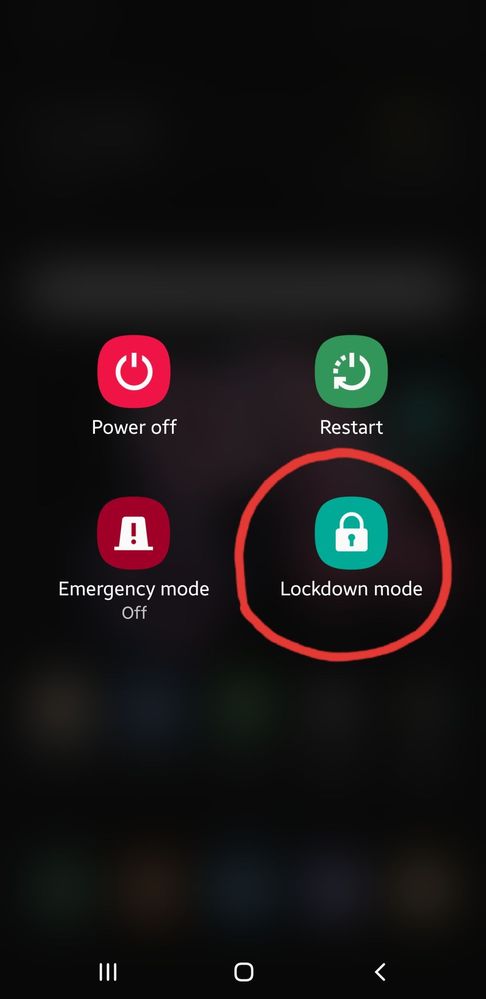
Your phone is likely to be unlocked by Face, Fingerprint and Irish Unlock feature when you are asleep or unaware, and therefore "Lockdown Mode" is very effective in protecting your privacy. When it's turned on your phone can't be unlocked without your PIN, Password or Pattern.
If the Lockdown button is added to the power button screen, you can switch your lock type instantly as you need.
How to add:
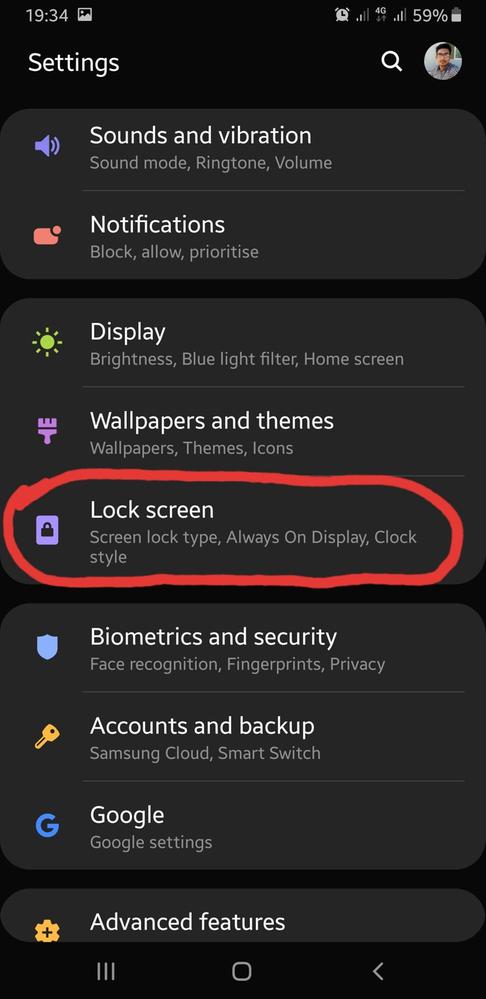
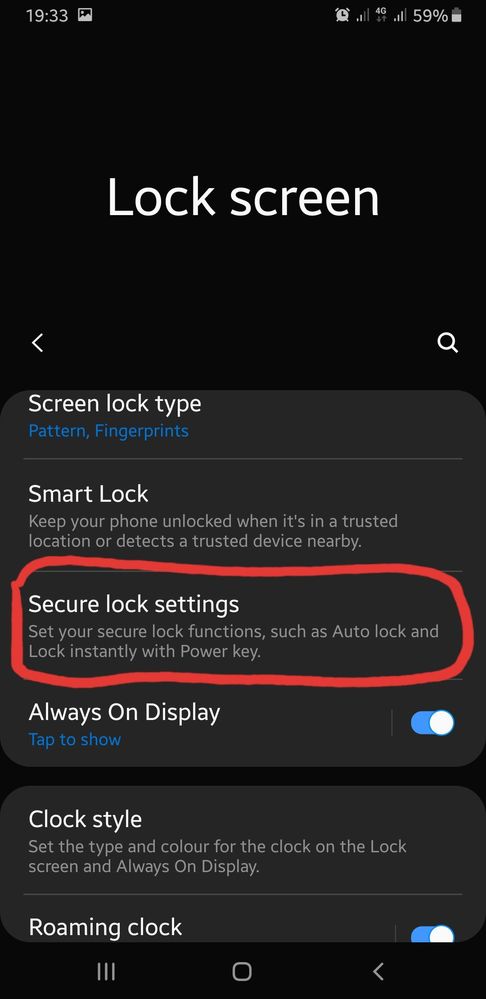
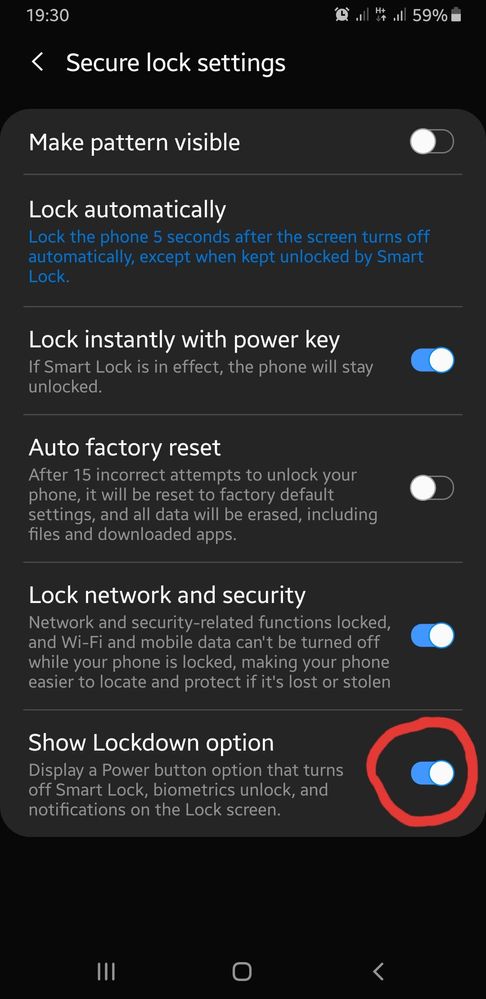
To add the Lockdown button to power button screen go to your device Settings > Lock screen > Secure lock settings > "Show Lockdown Option" then keep it turned on. Or follow the screenshots below.
Note: "Lockdown Mode" works on Android 9 or higher platform. It may not work in another version.
Anonymous User
Beginner Level 1
04-10-2020 04:11 PM
in
https://www.change.org/p/change-org-to-get-what-we-deserve?utm_content=cl_sharecopy_21408286_en-GB%3Av10&recruited_by_id=8cc51dd0-79c8-11ea-a57e-f18b55fc0dc6&utm_source=share_petition&utm_medium=copylink&utm_campaign=psf_combo_share_message
0 likes
Anonymous User
Beginner Level 1
04-10-2020 04:12 PM
in
0 likes