● You can reset your device by following the steps. 1. Kindly create a data backup of your device via the SMART switch mobile application or http://www.samsung.com/in/support/smartswitch pc suite. 2. Remember the Google password before resetting the device because it is required during initial setup. 3. If you do not remember then advise to reset (Forgot password) his/her Google account.
Path: Settings> General Management.>Reset>Temporary cloud backup or External storage backup>After backup tab on Factory data reset to reset your device to its factory default settings. This will erase all data, including files and downloaded apps.
If the issue persists, kindly report the problems with a log file. To share a log file, click on the Samsung Members Application (Open Samsung Members Application > Support> Tap on send feedback> Choose Composer> Select error report> select the appropriate issue category> Type your query and send.)
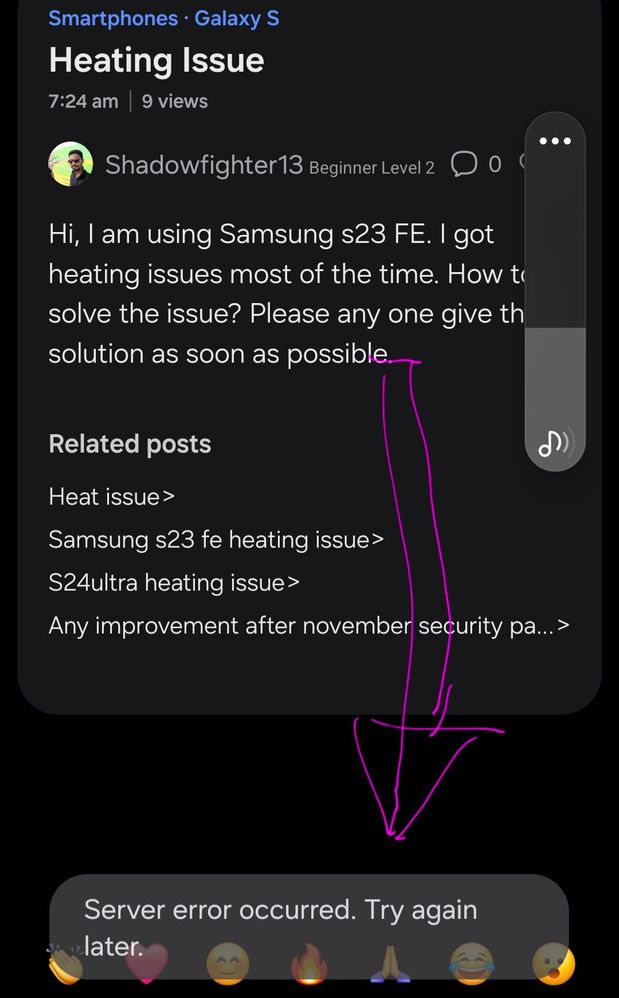
I posted after going through the steps. My software is the latest. I had posted about available of new version under "Tech" thread. The app's glitch needs to be set right. Initially I thought of forum's restrictions on post length in terms of number of characters or words but it does not seems to be so. Failed "hand shake" between my device and web server ?
It's currently started happening to me today and it's only the members app, I thought it was because I've been sharing an article i wrote on how awful their repair service is
That error usually appears when the forum detects raw links or unsupported formatting in the reply. Try removing any HTML tags and post the link as plain text instead of embedding it. In server-related discussions like this, login session conflicts or beta access attempts often trigger temporary errors. I recently read a simple explanation about beta server access and account ID verification at https://unlockbetaservers.com/ a which helped me understand why these issues pop up.

indiantrueindian
★★
12-10-2024 02:20 AM
in
0 likes
Wodehouse
Expert Level 5
12-10-2024 02:21 AM
in
0 likes
DINKAR_A34_5G
Expert Level 5
12-10-2024 02:31 AM
in
Wodehouse
Expert Level 5
12-10-2024 02:33 AM
in
DINKAR_A34_5G
Expert Level 5
12-10-2024 04:14 AM
in
cs_member8
Moderator
12-11-2024 03:21 AM
in
Dear Samsung Member,
Greetings from Samsung Customer Support!
As per your concern, we would request you to kindly perform the following steps to resolve your issue.
● Clear app cache through Device care:
→ Settings > Device care > Storage > CLEAN NOW.
● Reset the device Settings: Settings > General Management > Reset settings>Reset all settings to their default.
● Kindly check your network connection.
● Update the software if available: https://www.samsung.com/in/support/mobile-devices/samsung-galaxy-smartphone-how-to-update-software/
● You can reset your device by following the steps.
1. Kindly create a data backup of your device via the SMART switch mobile application or http://www.samsung.com/in/support/smartswitch pc suite.
2. Remember the Google password before resetting the device because it is required during initial setup.
3. If you do not remember then advise to reset (Forgot password) his/her Google account.
Path: Settings> General Management.>Reset>Temporary cloud backup or External storage backup>After backup tab on Factory data reset to reset your device to its factory default settings.
This will erase all data, including files and downloaded apps.
If the issue persists, kindly report the problems with a log file. To share a log file, click on the Samsung Members Application (Open Samsung Members Application > Support> Tap on send feedback> Choose Composer> Select error report> select the appropriate issue category> Type your query and send.)
Warm Regards,
Samsung Customer Support
0 likes
Wodehouse
Expert Level 5
12-11-2024 03:38 AM
in
The app's glitch needs to be set right. Initially I thought of forum's restrictions on post length in terms of number of characters or words but it does not seems to be so. Failed "hand shake" between my device and web server ?
0 likes
James81
Beginner Level 2
04-6-2025 07:29 PM
in
It's currently started happening to me today and it's only the members app, I thought it was because I've been sharing an article i wrote on how awful their repair service is
0 likes
mia12
Beginner Level 2
02-14-2026 11:38 AM
in
0 likes