
Hello,
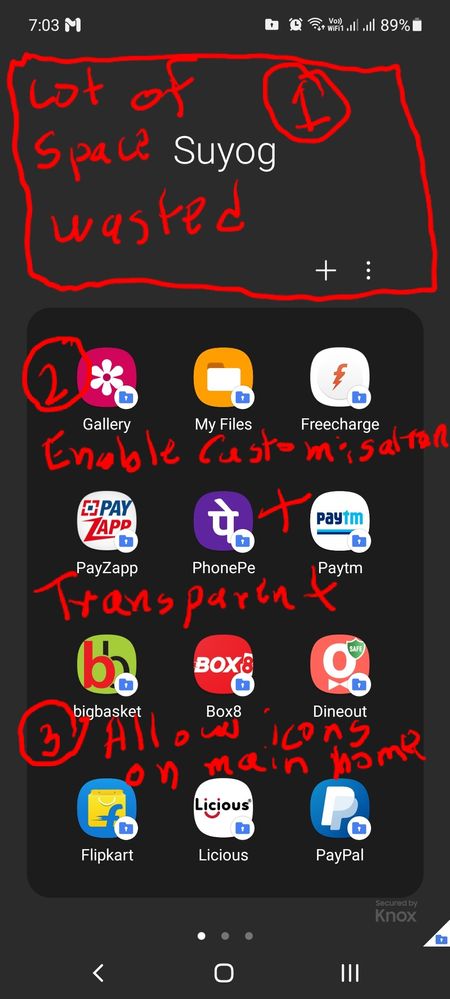
I like using secure folder on my Note 10 Lite and it gives me choice to use 2 copies of same app with added security of Samsung Knox. This is really useful for payment apps like GPay, Payzapp where I run my both SIM UPI accounts simultaneously.
Following are 4 suggestions I have for Secure Folder improvements :
1) Change Layout , remove space wastage at top
2) Add customization to have transparency.
3) Allow individual app icons from secure folder to be placed outside on main homescreen - If anyone tries to open , it should ask for Fingerprint, pin , password as per setting
4) Notification from apps in secure folder should show details if we click on them and provide proper authentication.
IcyJay30
Expert Level 4
6 years ago
in
TimonN
★
6 years ago
in
0 likes