
Phone screen flickering in between after updating my phone Samsung A30s to Android 11.
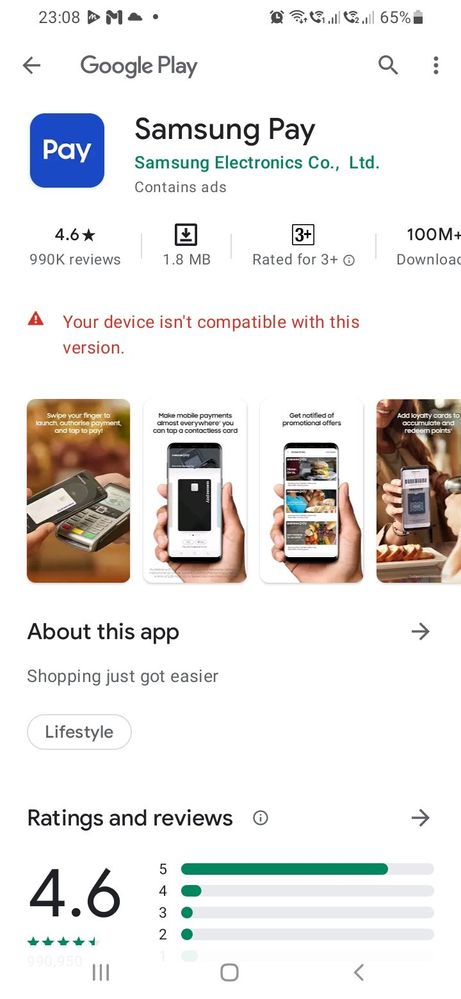
Done all the things like restart, formatted my phone, run in safe mode but not resolved.
Also Samsung pay mini stopped working after upgrading to Android 11. Showing the device isn't compatible. But before upgrading it was working fine
n_e_k_on
Expert Level 1
5 years ago
in
Anonymous User
Beginner Level 1
5 years ago
in
DarshanChatterjee
Expert Level 5
5 years ago
in
Search Samsung pay Mini in galaxy store.
Sampras
Active Level 4
5 years ago
in
Official link below
https://apps.samsung.com/appquery/appDetail.as?appId=com.samsung.android.spay&cId=000004636016
0 likes
Arman-IND
Expert Level 1
5 years ago
in
0 likes
Samsung_Support2
Expert Level 3
5 years ago
in
Dear Samsung Member,
Greetings from Samsung Customer Support!
We would request you to register your concern in Samsung Members Application. So, that our concern team gets back to you as soon as possible.
Please follow this path to register your concern in Samsung Members Application (Open Samsung Members Application > Get help > Send Feedback > Error report/Ask questions).
Note. please attach the error log file within 15 minutes of the error occurred.
Thank you for writing to Samsung.
Warm Regards,
Samsung Customer Support
0 likes