
I think 🤔 it is very important feature for everyone and I suggest u to use this feature for more secure to everyone.

1st step
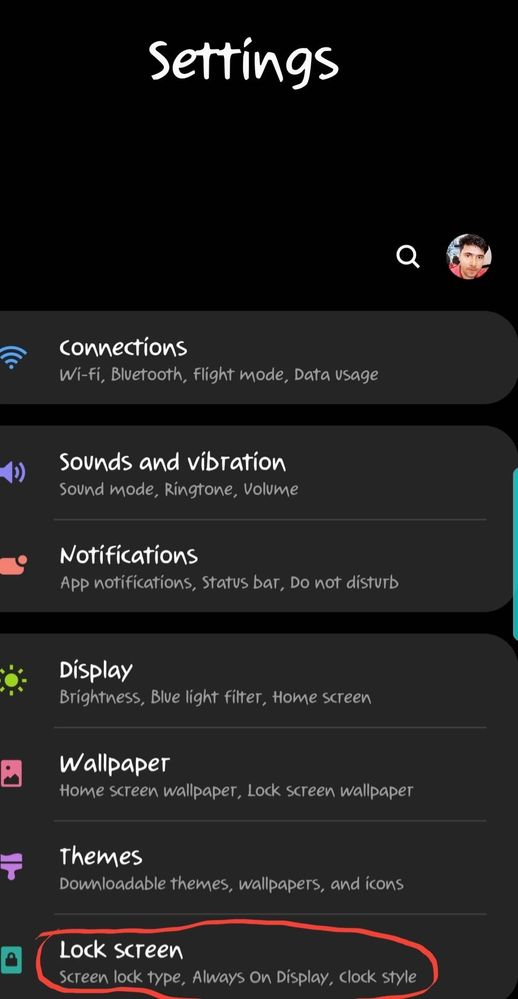
2nd step

3rd step
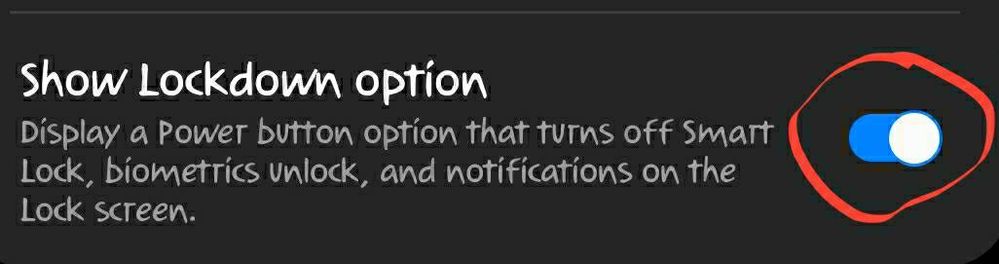
4th step
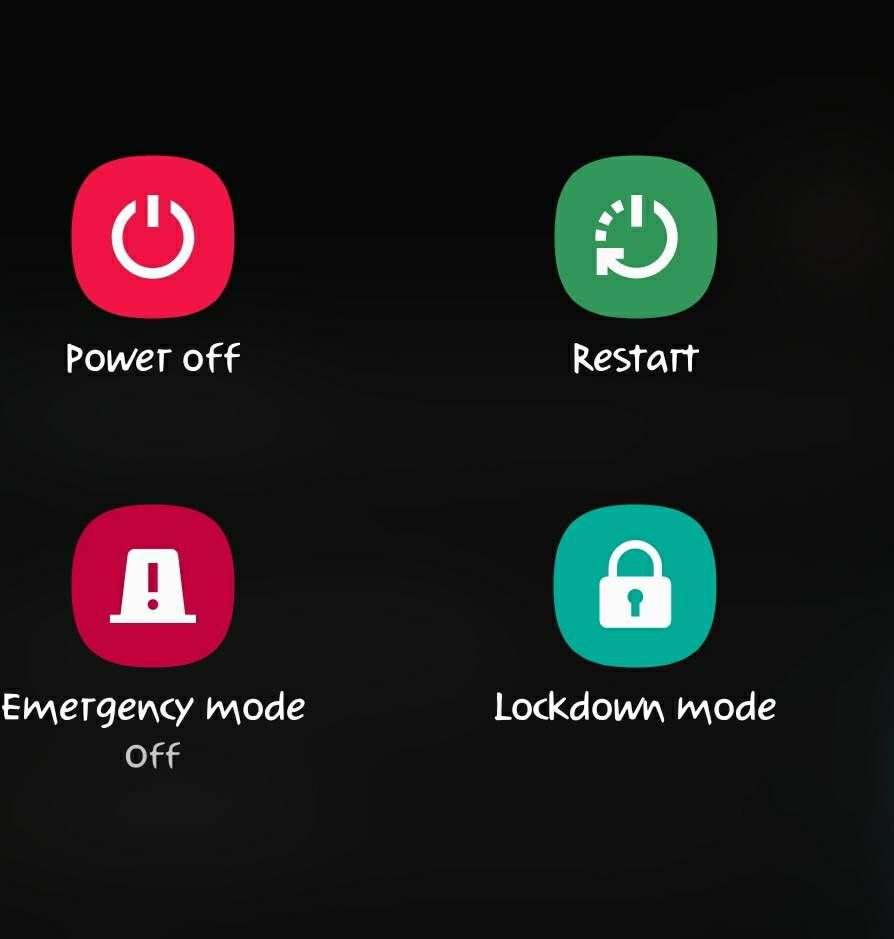
5th step
⚙ Reason to use this feature-
1) When we sleep than somebody came and use your finger covertly to unlock your device.
2) sometime we don't want use biometric feature, that time we don't have any option to deactivate biometric for 1 time.
Then we think biometric made our device easy but some time it not good for those people who suffering form 1st Reason. But Now I think Lockdown Featurs solve our these problem.
🤔
First question
How to enable this!
Follow this step
FISTLY GO TO DEVICE SETTING
2 step
Select lock screen
3rd step
Than click on secure lock settings
Than enter your current device pin
4th step
Enable show lockdown option
5th step
Go to /press Volume down key+power key
There you got 4th option lockdown mode
When you click on lockdown mode your biometric turn off for one time and your device only open by pin, once open your device your biometric working as well as normal (by pressing power key or automatic lock your device)
Thank you
Anikroyale
Expert Level 5
6 years ago
in
AbhishekPuri
Expert Level 1
6 years ago
in
Ehsank
Expert Level 5
6 years ago
in