
Wondering about how to uninstall app from secure folder which you have uninstalled from your mobile using ADB.
It may be available on internet, but I thought of sharing here.
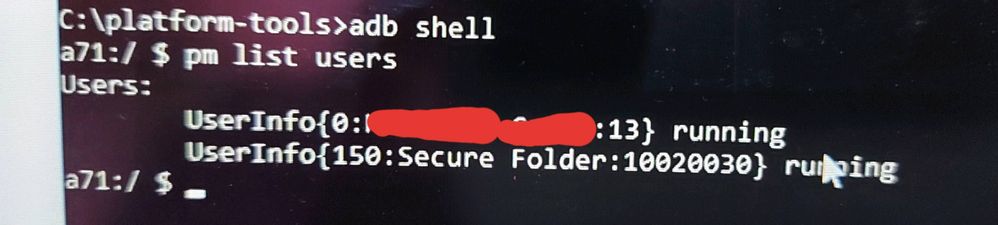
Trick here is to find user number of secure folder.
1. Connect your mobile to your pc after enabling usb debugging from developer setting.
2. Goto folder where you have saved adb files in command prompt using cd (change directory) command.
3. Use command adb shell to controll your android. And use below command to find secure folder user number.
4. Now use normal command "pm uninstall -k --user 0 com.android.chrome" by replacing 0 with secure folder user number.
5. App uninstalled.
Anonymous User
Beginner Level 1
06-7-2020 12:35 PM
in
haan datiya ab chrome ko bhi